Category: CallManager
-
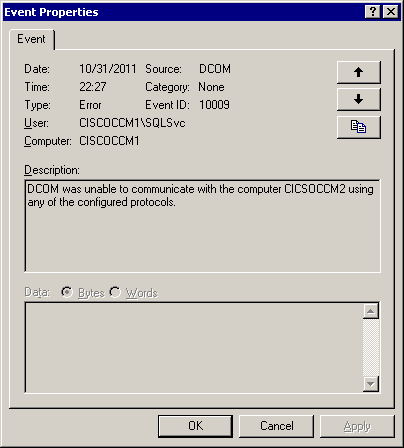
Cisco Callmanager 4 DCOM Error
If you happen to be getting a DCOM error attributed to the SQLSvc, it will most likely look like the following: Event Type: Error Event Source: DCOM Event Category: None Event ID: 10009 User: CISCOCCM1\SQLSvc Computer: CISCOCCM1 Description: DCOM was unable to communicate with the computer CICSOCCM2 using any of the configured protocols. What it…
-
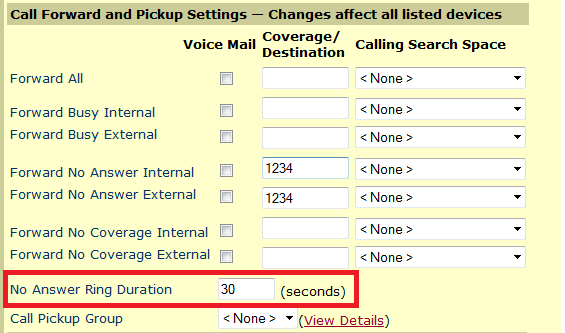
Callmanager 4.1 – No Answer Ring Duration
If you want a line to ring X amount of time before it rolls elsewhere you need to edit two things. Add the extension to send the caller to in “Forward no Answer” section. You then need to edit the “No Answer Ring Duration” section. This entry sets the number of seconds to wait before…
-

Second Line On Cisco ATA 186/188
Cisco ATAs have a second line, but you may have also noticed that there is no phone button template that includes two lines for an ATA 186…interesting. It turns out that the second line on the ATA has a completely seperate MAC address associated with it. To use the second line you add it as…
-
Callmanager 4.1.3 Calling Search Space Caviot
In CM4.1.3 you have the option to add multiple partitions to your calling search space. Beyond this, you can order them based on priority. Within these partitions that are ordered you can add router patterns. Route patterns are matching strings for numbers dialed…as in 9.123XXXX. The idea of putting these route patterns in partitions is…
-
Reset UC500 To Factory Defaults
I found this nice little link that gives you the run down. It is fairly easy to get back to the default configuration… 1. Get into IOS command line mode. 2. Go to ‘enable’ mode(default password is ‘cisco’). 3. Type in ‘show flash:’ Page down toward the bottom of the list. One of the last…
-
VoIP And Codecs
I received a question via email that was roughly as follows: “I currently use Vonage VOIP to provide voice and fax lines to remote construction sites via VSAT satellites. The problem is that each port requires a lot of bandwidth (90 kbps). Is there a solution that would require much less bandwidth (@20 kbps) per…
-
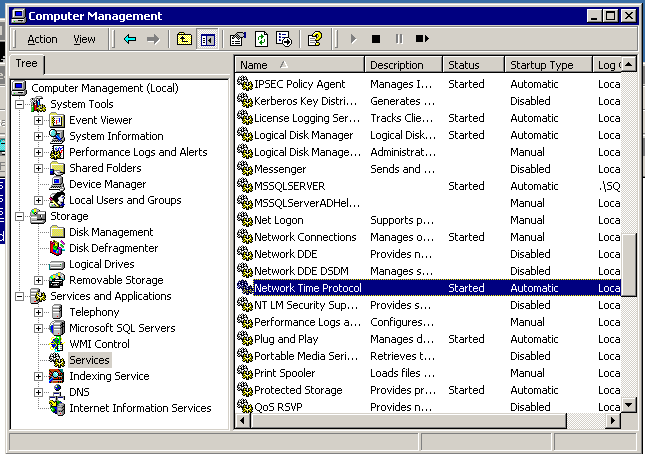
Configuring NTP Client On Callmanager 4.X
CM 4.X doesn’t use the standard windows 2000 NTP client W32Time, it uses XNTP. To configure it, you edit a config file and restart the NTP service on the server. C:\WINNT\system32\drivers\etc\ntp.conf server 207.171.7.152 # Set Local Clock to Authoritive Time Source server 149.20.68.17 # Set Local Clock to Authoritive Time Source fudge 127.127.1.1 stratum 5…