

We have tape rotation services for many customers here at the datacenter. One of them does tape rotation of a specific job that only two people can verify. These jobs happen to run over night which means these guys can’t verify when we need to swap the tapes. If you don’t change the tape out quick enough the job fails, which means we have to check the tape roughly every 30 minutes all night long. That’s just madness!
This is where my newly acquired NANO-10 PLC comes in (Thanks John ;))
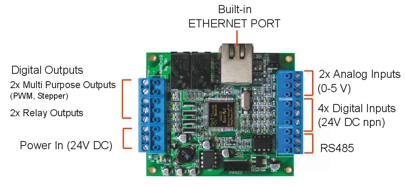
Nano features:
I plan on taking at length about the Nano at some point, so I don’t know that I will spend too much time on it here.
I matched this with a few products:
I mounted the LED, momentary switch, RJ45 Jack, and the PLC inside the project box:
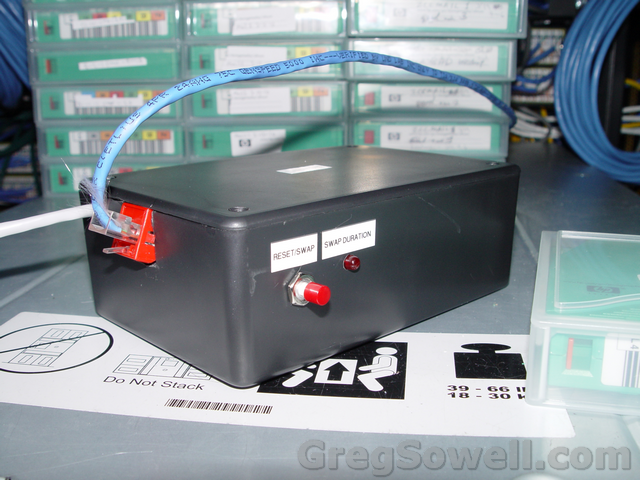
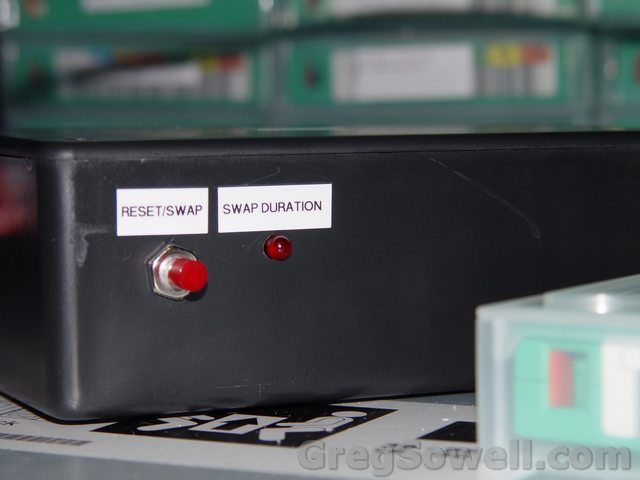
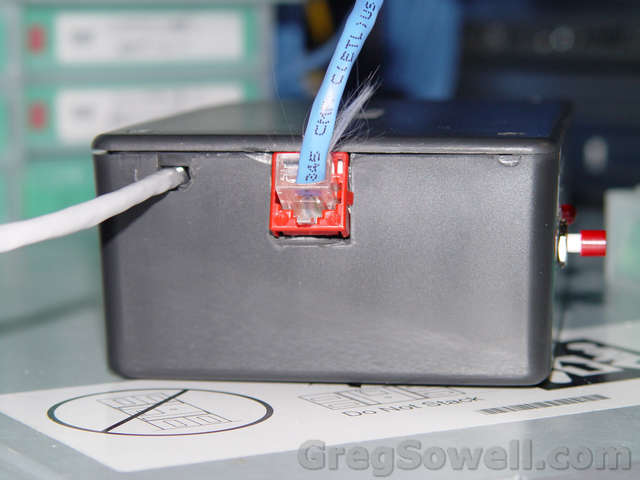
Inside the box I: wired input one to the switch, output two to the LED, and broke out the power that was injected into the Ethernet cable and connected it to the PLC.
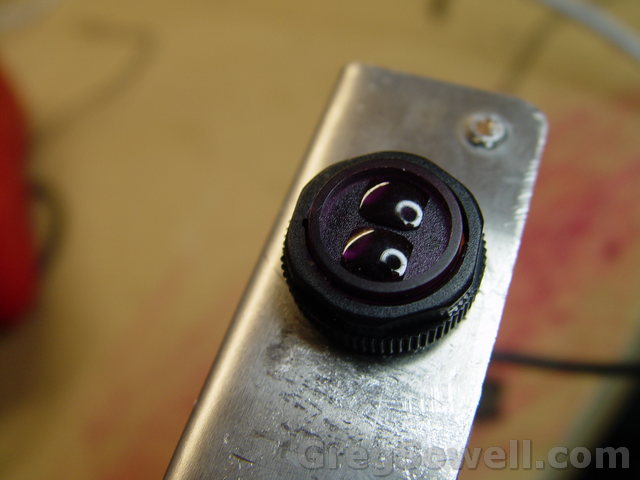
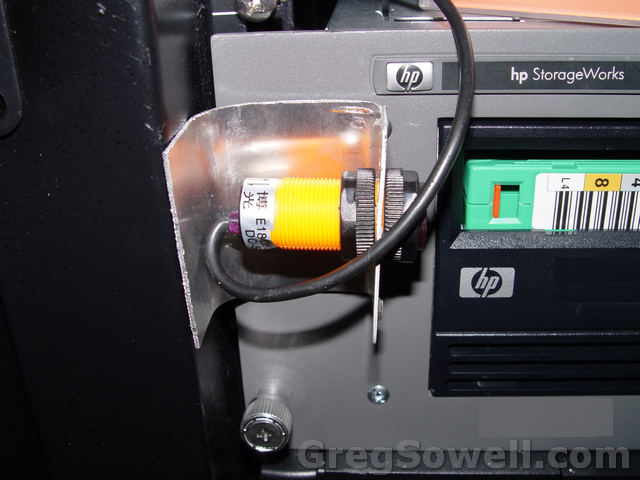
I then reused the aluminum bracket that was included with the project box to make a bracket for the IR sensor:
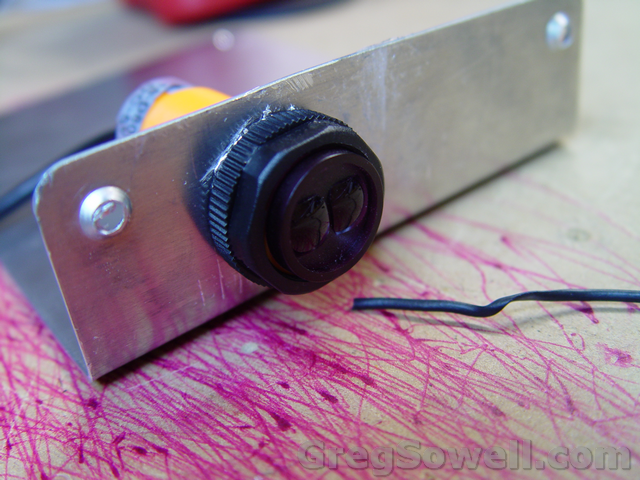
Send/receive all in one unit.
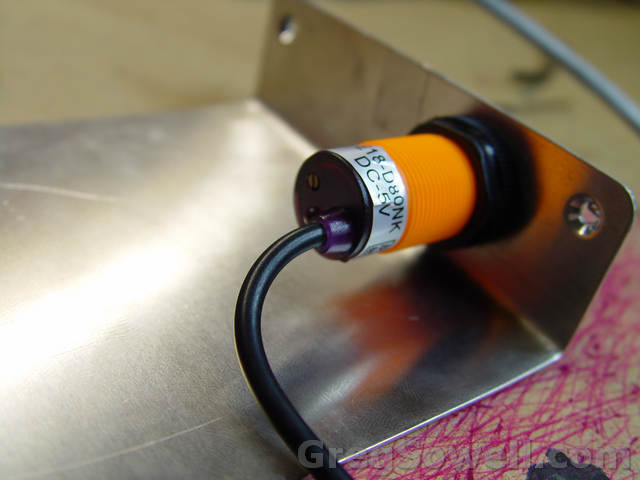
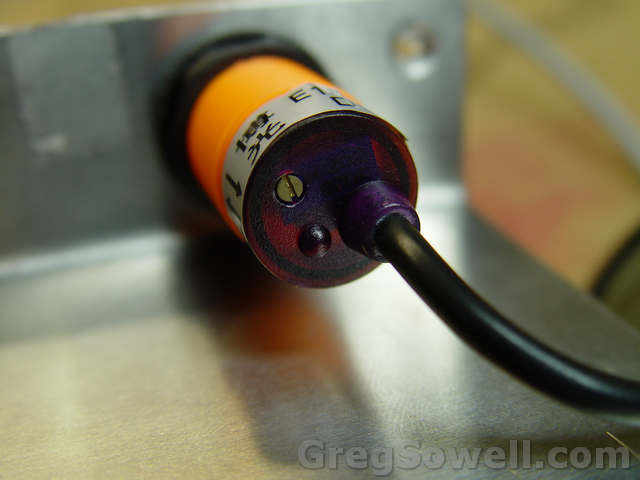
Screw on the back adjusts the power of the IR emitter. The little bump on the back is an LED that indicates when an object is detected...this is extremely helpful while tuning the sensor.
The sensor has 3 wires: 5V+, ground, and data. When the sensor detects an object the data pin syncs to ground so your input will go high. When it doesn’t detect it puts the data high. I wired this guy to input four.
Since we are using this to monitor tapes, I mounted it inline with the tapes so I can detect when either tape is ejected:
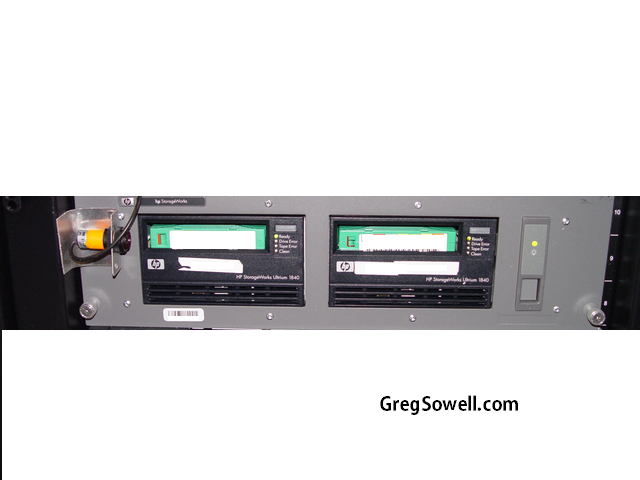
An amazing feature of the Nano is the ability to send email directly from the PLC!!!! What happens is when the sensor detects an object it sends input four high. This starts a timer. If the input stays high for 1.5 minutes then an email is generated and sent. After this an internal output is latched. This latched output prevents the email from sending any more…otherwise an email would be sent several times a second until the sensor is cleared.
I have another timer that resets the email output after 15 minutes, which means that every 15 minutes an email will be generated until the sensor is cleared.
You will also remember the momentary switch that is installed in the enclosure. This enables a 15 minute sleep mode so you can change tapes without setting the email alert off.
I also adjusted the ladder logic so that it updates a webpage on the internal web server so that you can login and see the status of the tape.
These little PLCs are amazing and the IR sensor works a treat. Any questions or comments, please drop me a comment below.
This party is like a /32…too many one’s and not enough zeros.
While doing my CCIE studying I configured an old 2509 I had to act as a frame relay switch. This is more or less just a quick dump of my config for posterity 😉
IOS version c2500-i-l.121-27b.bin
1 2 3 4 5 6 7 8 9 10 11 12 13 14 15 16 17 18 19 | frame-relay switching ! interface Serial0 description *DCE serial connection to 1 no ip address encapsulation frame-relay clockrate 56000 frame-relay intf-type dce frame-relay route 101 interface Serial1 102 frame-relay route 103 interface Serial1 104 ! interface Serial1 description *DCE serial connection to 2 no ip address encapsulation frame-relay clockrate 56000 frame-relay intf-type dce frame-relay route 102 interface Serial0 101 frame-relay route 104 interface Serial0 103 |
To use a USB drive with your Mikrotik you need to: insert it, format it…and that’s about it. 😉
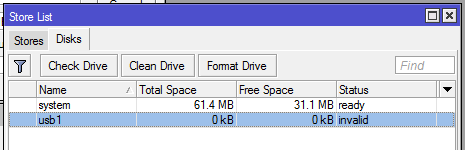
/system store - drive inserted.
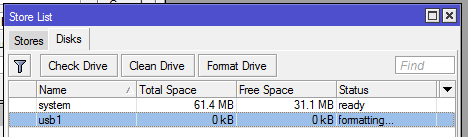
Highlight it and click format...this is getting difficult.

Done.
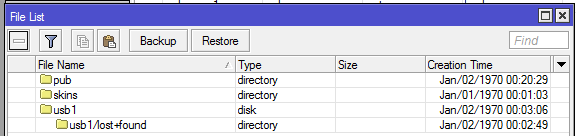
There it is in the files menu.
As of ROS V 5.12 SMB support was added to Mikrotik.
By default you now have a /pub folder in your file list. In the SMB settings there is now a default share of /pub.
[admin@MikroTik] /ip smb> print
       enabled: no
        domain: MSHOME
       comment: MikrotikSMB
  allow-guests: yes
interfaces: all |
[admin@MikroTik] /ip smb> .. -- go up to ip edit -- export -- Print or save an export script that can be used to restore configuration get -- Gets value of item's property print -- Print values of item properties set -- Change item properties shares -- users -- |
As you can see by default the service is disabled, guests are allowed to connect, and all interfaces have sharing access.
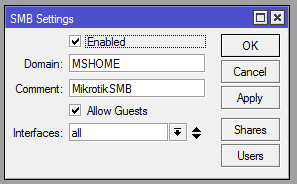
/IP SMB - Default settings enabled.
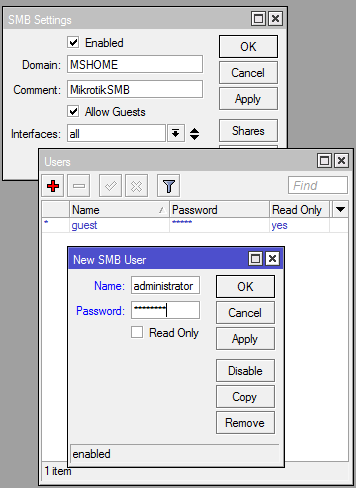
Users - Adding new users and or disabling the guest user.
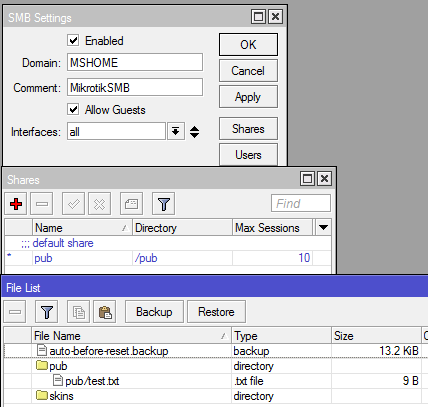
Share - This allows you to share specific folders. You can see how it corresponds in the file listing.
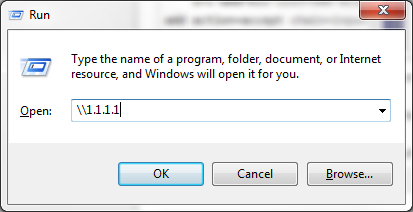
Connect via windows 😉
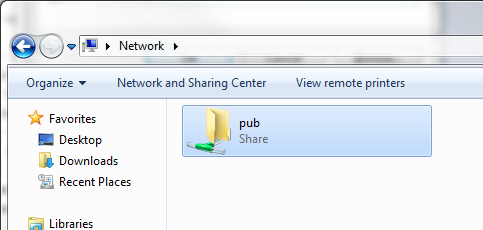
Well well well, lookie there =)
SMB Firewall Rules:
SMB uses a combination of TCP and UPD ports. Here are a few firewall rules that will protect access:
1 2 3 4 5 6 7 8 9 10 11 12 13 14 15 16 17 | /ip firewall filter
# Allow winbox in for sure ;)
add action=accept chain=input disabled=no dst-port=8291 protocol=tcp
# Allow established and related into your router
add action=accept chain=input connection-state=established disabled=no
add action=accept chain=input connection-state=related disabled=no
# Here are the TCP/UDP ports necessary for SMB. Using address-list smb-allow to grant access.
add action=accept chain=input disabled=no dst-port=137-138 protocol=udp \
src-address-list=smb-allow
add action=accept chain=input disabled=no dst-port=137,139 protocol=tcp \
src-address-list=smb-allow
# Block everything else.
add action=drop chain=input disabled=no
# The address list for access to the SMB.
/ip firewall address-list
add address=1.1.1.1 disabled=no list=smb-allow |
Now, map your USB hard drive or USB thumb drive. This could be used as a great little file share system. Perhaps I’ll test throughput via an X86 with an extra HD installed. See if I can stream video :). I think this could also be used as an alternate method to backup your configs/update hotspot files. What do you guys think?
What’s new in 5.12 (2012-Jan-19 14:31):
*) console – allow to specify blank interval on x86 screens;
*) console – changed ‘password’ command, now can be used from scripts and api;
*) winbox – reorganized window layout to match console better;
*) ssh – fixed interoperability problem with psftp based clients;
*) implemented simple SMB (windows file sharing) server;
Wait wait wait…SMB server?!?!?! Does this mean we can use a USB HD and dump to the Mikrotik? Can I script SMB operations? I LOVE THIS UPDATEEEEEEEE!!!!!!!!!!
*) fixed ovpn-client – client stopped working if it was enabled/disabled at wrong time;
*) fixed ipv6 – ipv6 neighbor discovery stopped working when
interface arp setting wasn’t set to enabled;
*) console – minor fixes and improvements;
*) console – added support for compact export;
*) hotspot – added login redirect through http status 302;
*) leds – added default configuration for R5SHPn wireless card;
*) ppp – fixed problem were remote-ipv6-prefix was not given to user if remote-ipv6-pool was
provided;
*) winbox, webfig – sort ethernet interfaces properly when more than 10 exist;
*) added QuickSet to RBSXT, RB411, RB711;
*) user manager – command to create and assign user profile from console;
*) added support for LTE modems (cdc ethernet type);
*) fix gre tunnels on x86 and other little endian machines;
I’ve just noticed a bug. On my 751U when you reset and click the “remove default config” button, it doesn’t seem to remove it…hehe. Not toooooo big an issue, but annoying none the less.
I keep a VMWare server at the house to mock up configs on. I love being able to ramp up and down to test as many routers at once as I like. While working on an VRRP implementation recently I hit a small problem…it wouldn’t work! I made a little video outlining the problem and the solution:
More information on VMWare Promiscuous mode is here.
Thanks and happy virtualizing!