

My boy Andrew from down under has some crazy kung-fu whipped together to get your IPv6 clients running with hotspot.
Here’s his Forum post and here’s his personal blog post.
Keep knocking them outta the park mate…crikey, wallabies, boomerangs and whatever else you guys say down there 😛 hehehe
When you are looking at a point to point (P2P) wireless link you will hear people mention “line of sight”. As in, if I stand at one point can I see where the other antenna will be mounted. I once thought “as long as I can see the other antenna, I’m good…right?” Not exactly. There is this tiny thing called the Fresnel zone.
Wikipedia will give you the complete scoop, so I will paraphrase 🙂 The Fzone is the shape of the wireless signal between two radios. What most people don’t realize is that the wireless Fzone between two radios is shaped like a football. It is actually fatter in the middle and tapers down towards the ends. What this means is that if you have a large obstruction in the middle of your Fzone, you will get degraded signal. Degraded signal means lower throughput and possibly no connection at all! So, how does one figure all this mess out?
Find point A’s elevation, point B’s elevation and the elevation of point M, which is the halfway point between A and B. A great place to find this info is here. This is Daft Logics altitude finder. It will give you the altitude for a point on a google map.
Lets say that site A is 100′, B is 200′ and M is 120′.
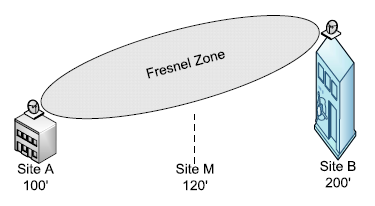
Our setup
What we want to do is take the site with the lowest elevation and make it 0 by subtracting itself:
Site A now: 100 – 100 = 0
Then subtract Site A’s original value from the other sites:
Site B now: 200 – 100 = 100
Site M now: 120 – 100 = 20
Site A = 0, site B = 100 and site M = 20.
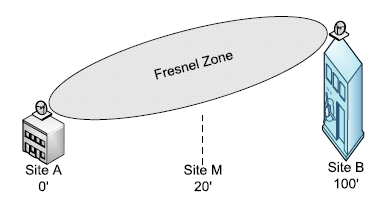
Leveling the playing field.
Then find the distance between point A and B “as the crow flies”, aka a straight line. You can again use Daft Logic for this.
We will say that our distance is 10 miles.
Now visit an Fzone calculator like this one. Put in your distance and frequency and it will give you the height of the Fzone at midpoint. I’m saying my distance is 10 miles and my frequency is 5800. This gives me an Fzone height of 46′ at 5 miles (the halfway point).
So using all of this information I know that my Fzone midpoint will be 50′ at 5 miles(site A elevation + site B elevation / 2). This is the center of the Fzone at 5 miles, and we know that from our Fzone calc that the Fzone is 46′. If we divide that in half, we get 23′. So now we take our 50′ midpoint for the Fzone, subtract 23′ and last subtract the mid point M’s elevation which is 20 and we end up with 7′.
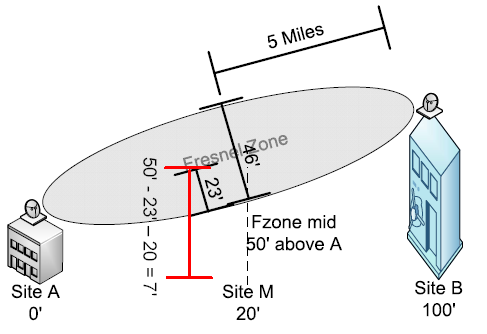
That's a spicy meatball.
It looks like the earth isn’t hitting our Fzone, but if anything stands higher than 7′ at that mid point, it will start to eat into our Fzone. What can we do? We can raise up our antennas to increase our distance from earth.
I’m sure that was very confusing, but perhaps it made sense to a few 😛
What’s new in 4.10 (2010-May-28 13:59):
*) added support for ethernet switch configuration in WinBox;
Nice addition.
*) allow to configure 11n wireless rate tx powers in WinBox;
*) dhcp server – show non-printable option 82 agent-circuit-id and
agent-remote-id values in hexadecimal notation also in winbox;
*) api – fixed ‘/ip/route/print’, was not showing ‘.id’ values;
*) console – fixed printing of OID values;
*) lcd – added support for AX89063
There are many access control systems out there. By access control I mean a system to control physical security into and out of a building. Each has it’s strengths and weaknesses. I’m in favor of the newer systems that are server based on the back end. These guys seem to be more flexible and are generally more open. This article covers adding a door to a Softwarehouse system.
If you are a regular Joe Schmoe wanting to add a door to the system, you will pretty much be out of luck, because there is zero documentation on it. I put some together a while back and decided to share.
These diagrams should be easy enough for just about anyone to follow!
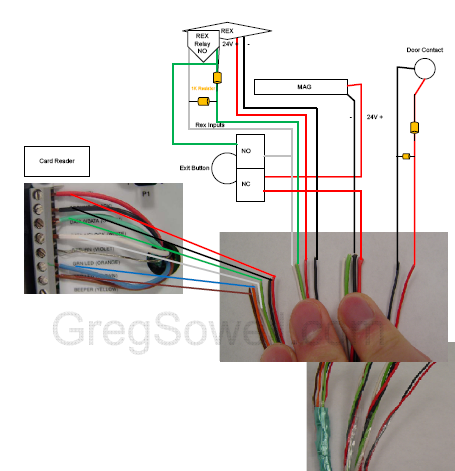
Door Side

Panel Side
Download the PDF version here: Access Control Diagrams (2273 downloads) .
The only potentially confusing part would be the 1K resistors. The rex(request to exit) and door contact use 1K resistors so that the system has a closed circuit. This informs the system that the sensor is still connected and working. They are simply looking for a change in voltage. As you can see the resistors are wired in parallel and when voltage is supplied to both resistors, it will divide the resistance.
I also made a video on adding the doors to the system, but since it has proprietary information in it, I can’t release it into the wild. If you happen to have a system that you don’t mind having portions of exposed to the internet, I can make a video based off of yours and put it up for everyone.
I’ve been getting tons of WordPress pingback spam. Pingbacks are a little wordpress notification that will tell you when some other wordpress user links to your blog. It tries to pop into your comment section. This is great unless you are me. I get 20 spam pingbacks a day. By default they are allowed on your blog, so all of my old posts had them available. Soooo, to remedy this, I wrote a little SQL query that turns off these pingbacks.
1 | UPDATE wp_posts SET ping_status = "closed"; |
Happy blogging peoples!
As you can see, the site has a new look. I’m going for a cleaner, fancy-pants look. My new logo is based off of the “flammable” warning sign. I wanted to use the logo, but I needed it in a format that would scale. How does one go about this? I found that most people used the pen tool. So I loaded up my base picture and then grabbed the pen tool. I clicked once…clicked twice…wait…this isn’t working right…what’s this thing doing?!?! The pen tool requires…*gasp!*…some instructions! Reading a manual would be full surrender, so instead I headed to youtube. I found this tutorial which is INCREDIBLE!
This video was so good, I had to email the author, which sells high res versions of his tutorials if you guys are interested in such things.
After the 25 minute tutorial, I was able to create my design in about a half hour. I also grabbed a new font from dafont.com. These guys have a “custom preview” option where you can type in some test text and it will render it in their various fonts.
Well, happy photochopping!
So I’ve got everything complete now save for the parent mister and the dump bucket. This means the swing sprayer, the drip pipe and the water cannon are fully operational.
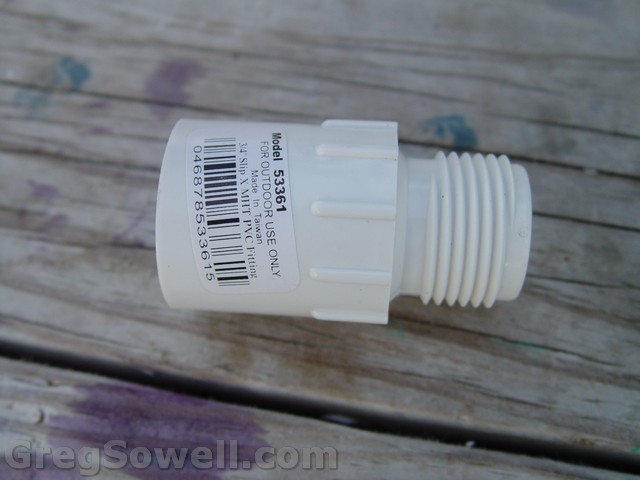
Found these near the sprinkler valves. This is a PVC to water hose adapter! I'm using these for all hose connections.
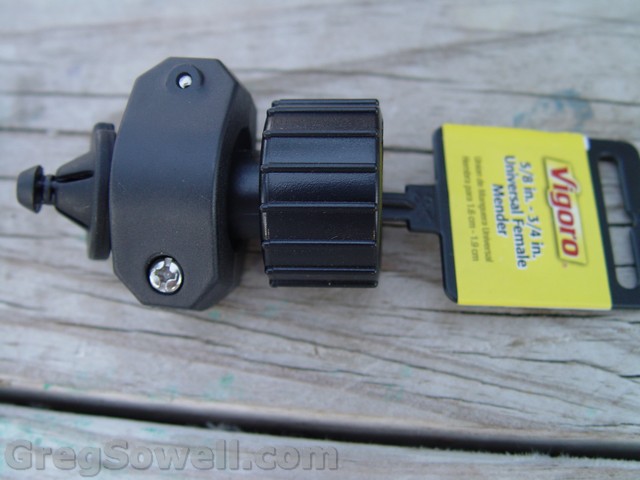
I got the cheapest water hose I could and cut the male end off and put on one of these female ends. These screw on to the PVC adapters shown above.

Here's the completed hose for the water cannon.
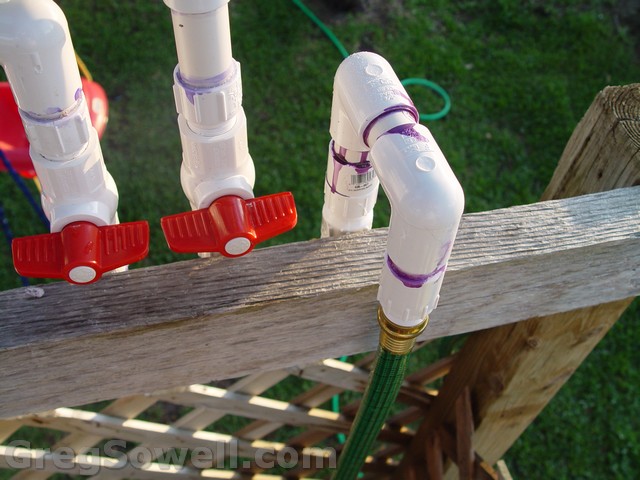
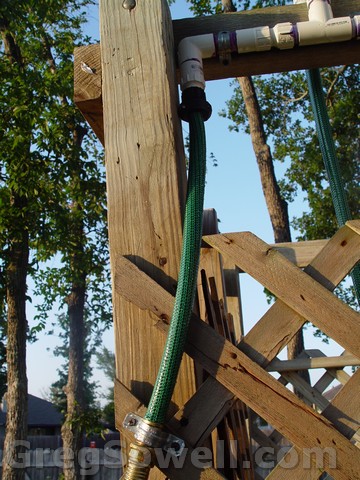
Here's the little hookup hose for the water input.
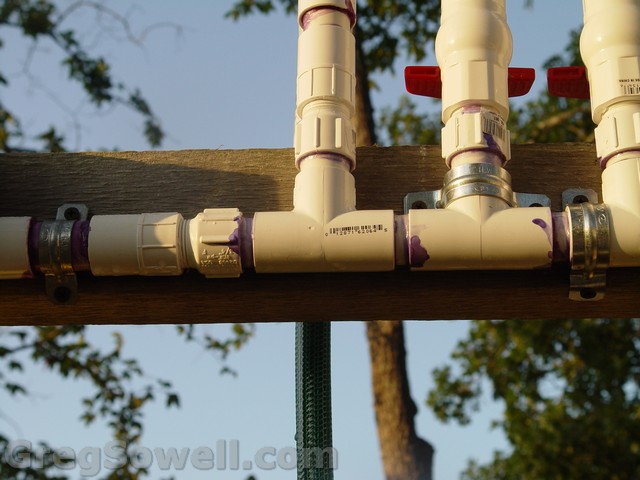
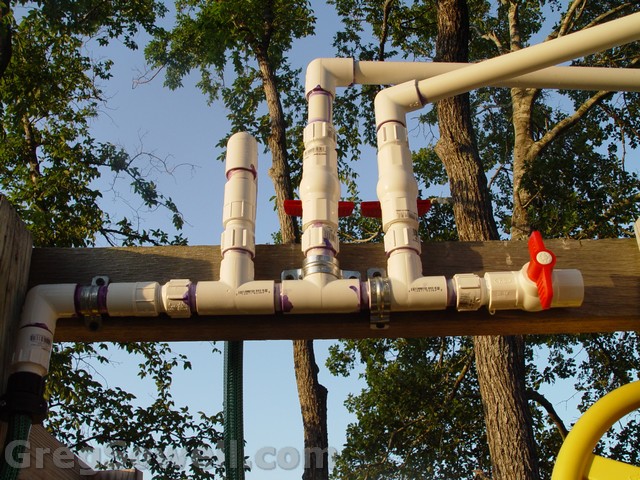
Here's the manifold strapped down with 1inch and 3/4inch conduit straps.
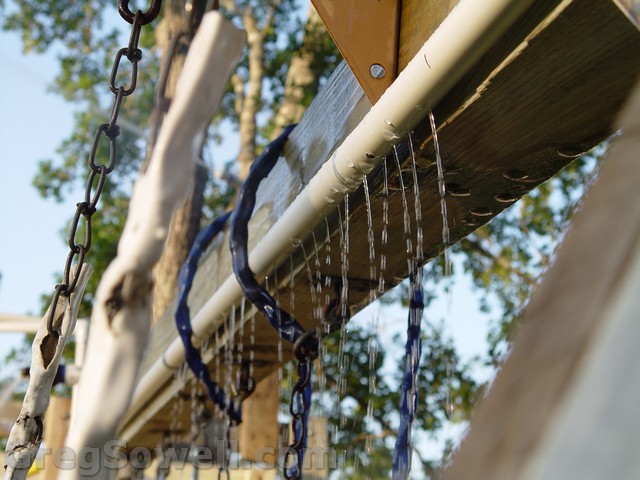
Drip pipe running. Adjusting the valve allows for a drip or something equivalent to your shower head. 🙂
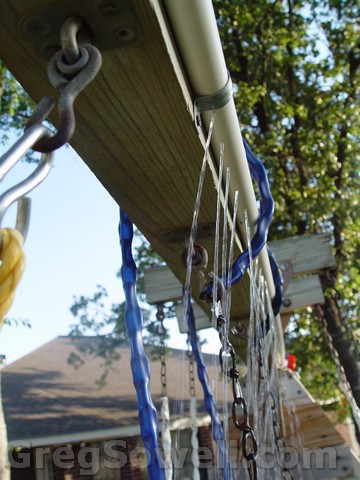
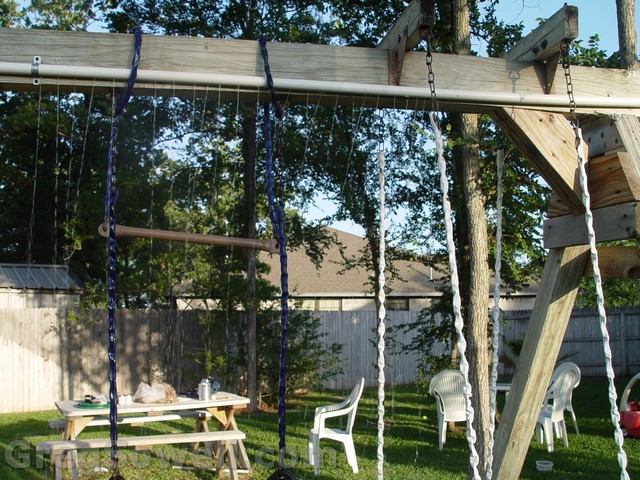
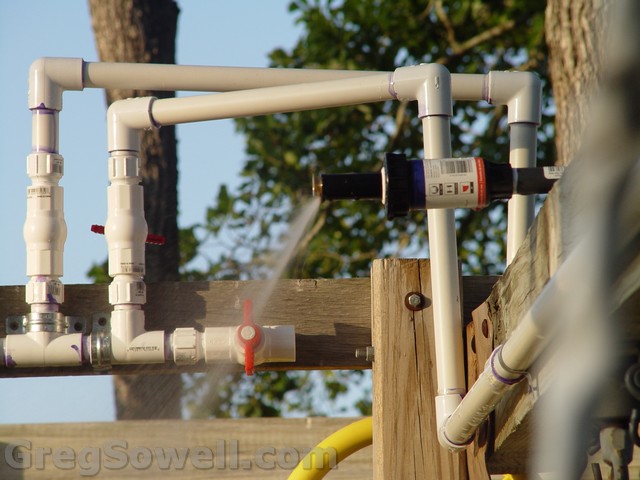
Swing sprayer in action. I might pick up some other heads just to try some different stuff.

Sprayer.

Swing sprayer and drip pipe.
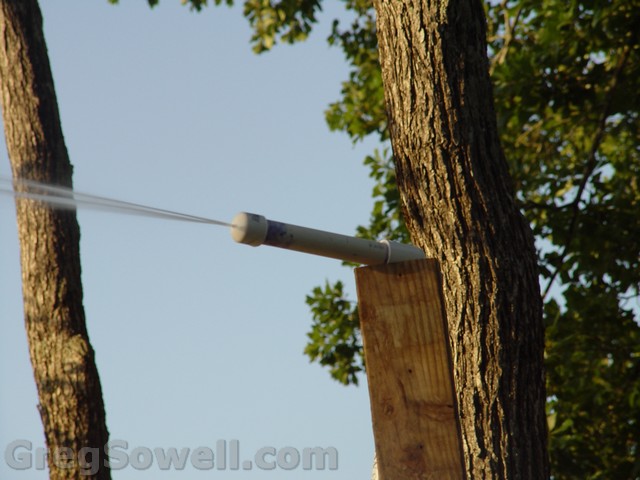
Cannon firing. At full pressure it aerosols a bit, so I might drill a bigger hole...hehe
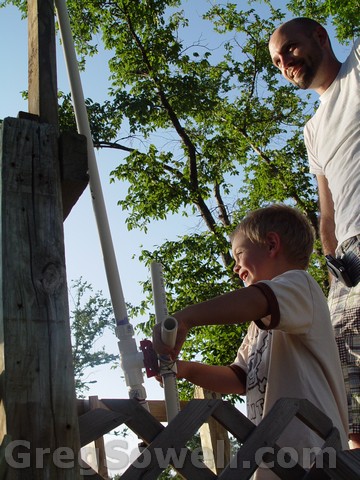
If you were wondering why I did all this...it's for that smile on my baby's face 🙂
Here’s a video of my best gal and my baby boy running from Pete’s assault!