Almost at the 2K mark 🙂
We as IT guys don’t often have to think about cabling, let alone what the bend radius is supposed to be for fiber cable going through EMT (Electrical Metallic Tubing, Aka hard conduit). Well, I found myself with the question of what should be bend radius be on 3″ EMT for fiber instillations. I found this article from Lan Shack. It gives you the formula to calculate all this goodness for fiber as well as your standard ethernet cables. I also didn’t realize that code covered how full a conduit should be…did you? This article covers fill ratios also and even adds tidbits left off of the standard papers!
I had a customer show me a strange problem they were having with hotspot. They are doing MAC based authentication off of a usermanager server with 5 or 6 hotspots distributed out in their network. They have it limited down to one login per useraccount, which is normal. The problem is that they would occasionally get strange multiple logins from their customers.
In the hotspot host tab, one will see the customer MAC address, the “address” and the “to address” fields.
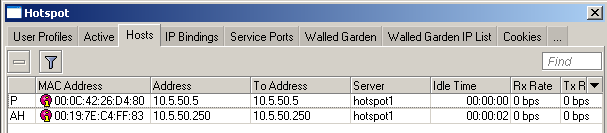
The above is an example of a normal situation.
What the client would see would be that the ghost entry would have a wacky IP set in address or sometimes no address at all would be listed. In most common situations, the address and to address should match.
I wrote the following script so that it goes through the host entries and looks for any entries that have non matching address and to address fields. If it finds a match, it clears that entry.
Winbox Version
1 2 3 4 5 6 7 8 9 10 11 12 13 14 15 16 | # define variables
:local addr
:local toaddr
:log info "Start Ghost Hotspot Script"
:foreach i in=[/ip hotspot host find] do={
:set addr [/ip hotspot host get $i address]
:set toaddr [/ip hotspot host get $i to-address]
# :log info "address = $addr and to-address = $toaddr"
:if ($addr != $toaddr) do={
# we found one to clear
:log info "clear address = $addr and to-address = $toaddr with # $i"
/ip hotspot host rem $i
}
}
:log info "Ghost Hotspot Script Complete" |
CLI Version
1 2 3 4 5 6 7 8 9 10 11 12 13 14 15 16 17 18 19 20 | /system script
add name=HotspotGhost policy=\
ftp,reboot,read,write,policy,test,winbox,password,sniff,sensitive source="#\
\_define variables\r\
\n:local addr\r\
\n:local toaddr\r\
\n:log info \"Start Ghost Hotspot Script\"\r\
\n\r\
\n:foreach i in=[/ip hotspot host find] do={\r\
\n :set addr [/ip hotspot host get \$i address]\r\
\n :set toaddr [/ip hotspot host get \$i to-address]\r\
\n# :log info \"address = \$addr and to-address = \$toaddr\"\r\
\n :if (\$addr != \$toaddr) do={\r\
\n# we found one to clear\r\
\n :log info \"clear address = \$addr and to-address = \$toaddr with # \$i\
\"\r\
\n /ip hotspot host rem \$i\r\
\n }\r\
\n}\r\
\n:log info \"Ghost Hotspot Script Complete\"" |
You would create a schedule in system -> schedule to kick off the script as frequently as you like.
1 2 3 4 | /system scheduler
add comment="" disabled=no interval=10m name=HotspotGhost on-event=\
HotspotGhost policy=read,write,policy start-date=jan/01/1970 start-time=\
00:00:00 |
So I’ve done a little more work.
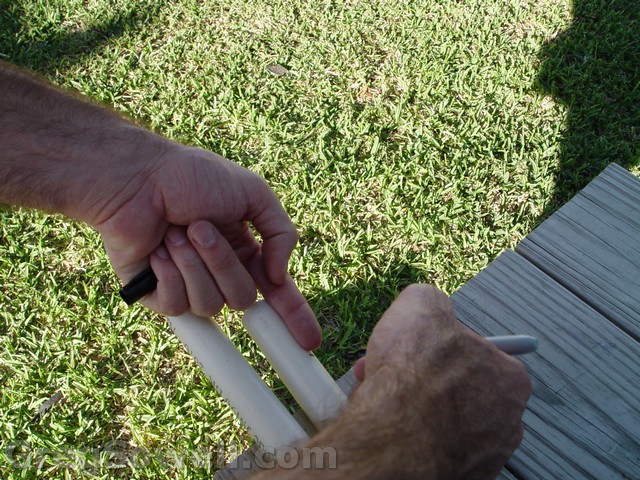
My super accurate measurement system

My lazy-man's way of cutting PVC...I learned this one from my father in law...the king of riggers.
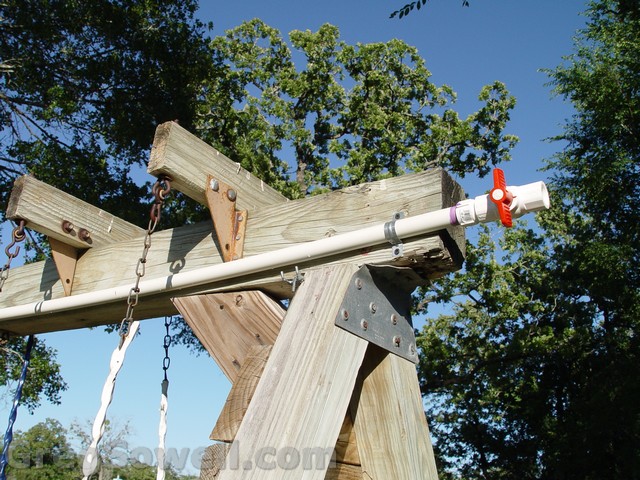
Here's the output for the dump bucket.

It appears that I may have been drunk in this picture...hehe

The brains behind the operation.
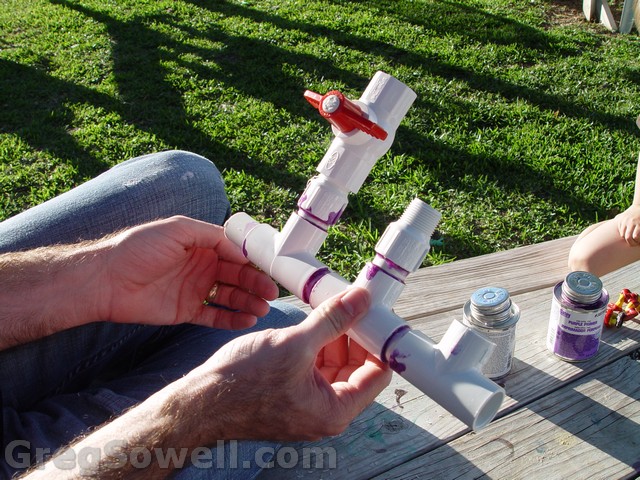
Building the manifold.
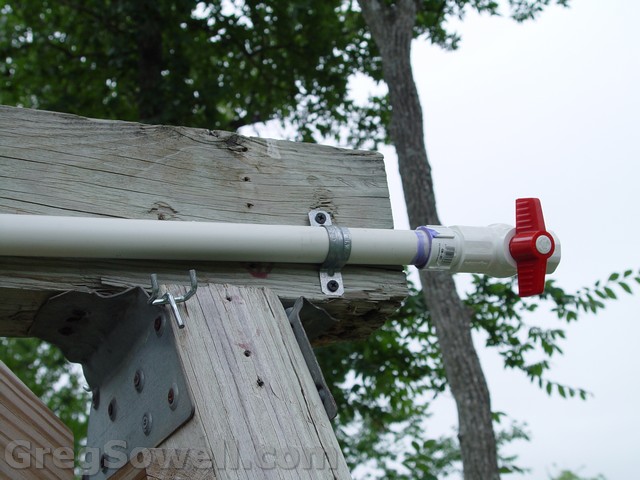
Another shot of the dump bucket pipe.
The long pipe here on the right is the feed to the dump bucket. It also has little holes drilled into the bottom of the pipe. This will make it spray down.
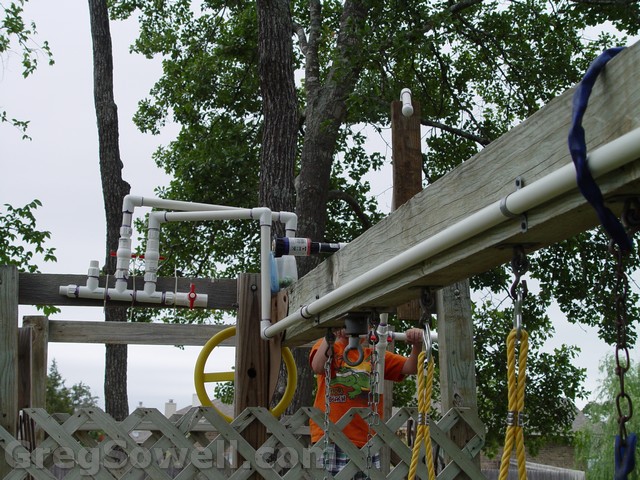
Shot down the dump bucket/drip pipe.

Drip/Spray pipe holes
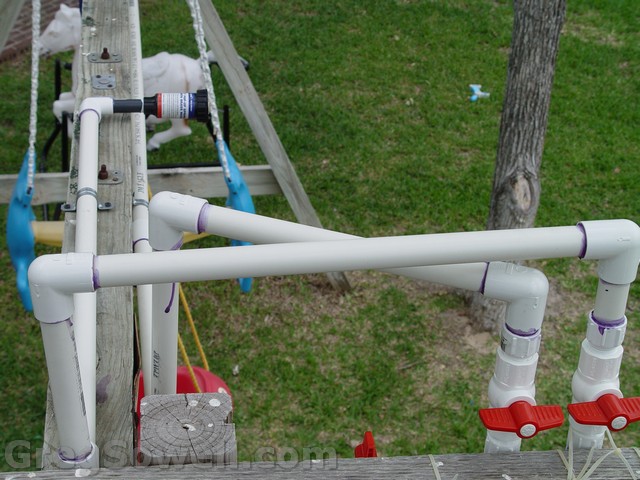
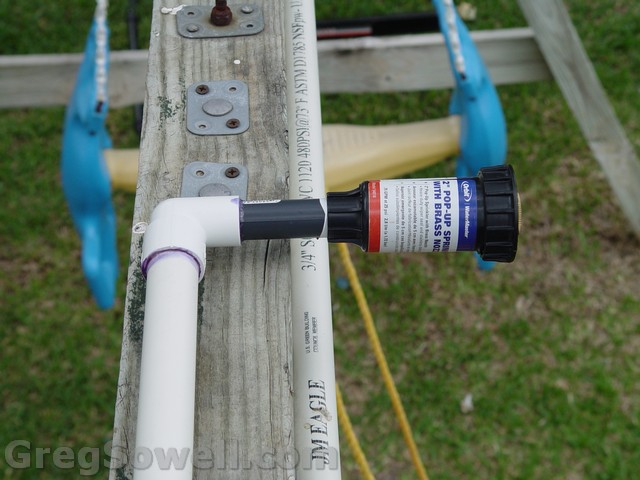
Top of the manifold. You can see the sprinkler head mounted above the swing.
Sprinkler head above the swing can be changed out to find just the right amount of coverage.
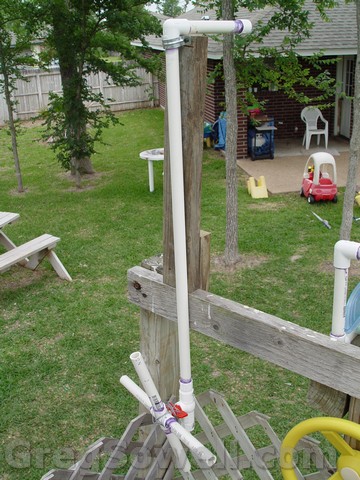
Water cannon.
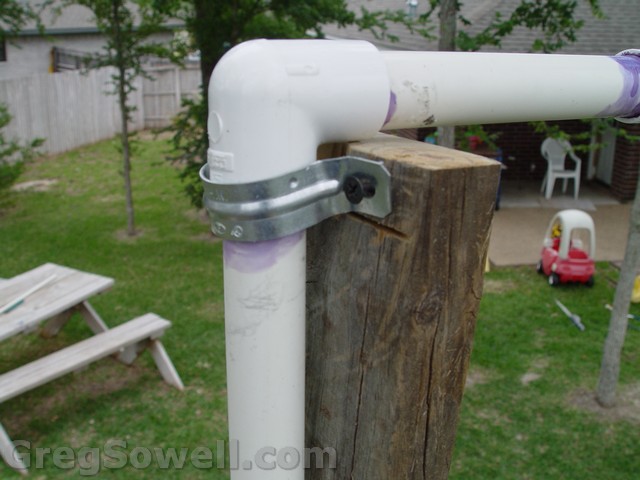
Water cannon mount. I used a 2inch conduit strap on a 2X4. I have it mounted loose with a small V cut in the wood.
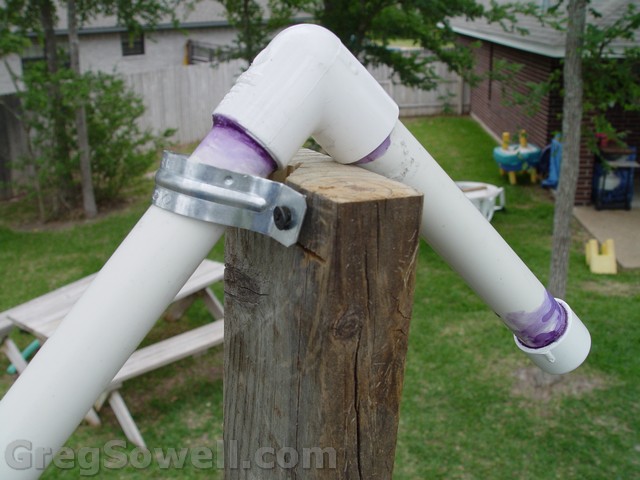
Shows movement of the cannon. The bracket is tight enough to hold the cannon on, but loose enough to allow movement.
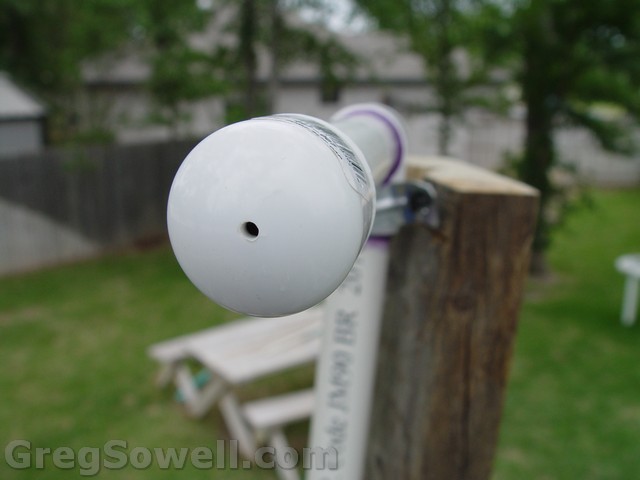
Small hole drilled into the end of the cannon. Have to test and see if we need to up the hole size.
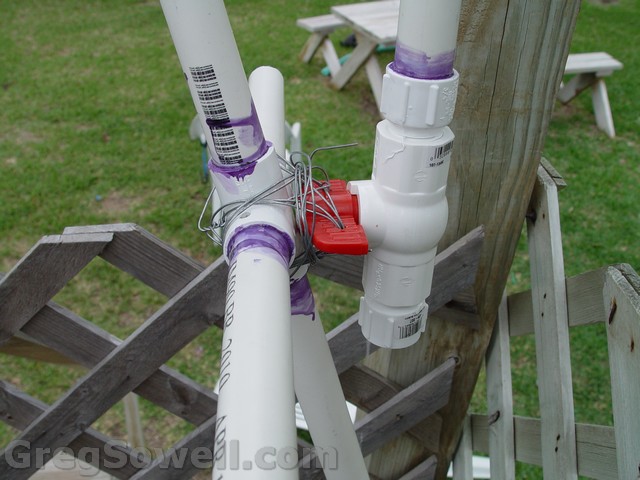
Here's the valve on the cannon. I drilled holes in a little 4 way piece of pipe, and also drilled a couple holes in the valve handle. I wired the two together. This gives my boys more leverage to turn the valve and also acts as a nifty handle for the cannon.
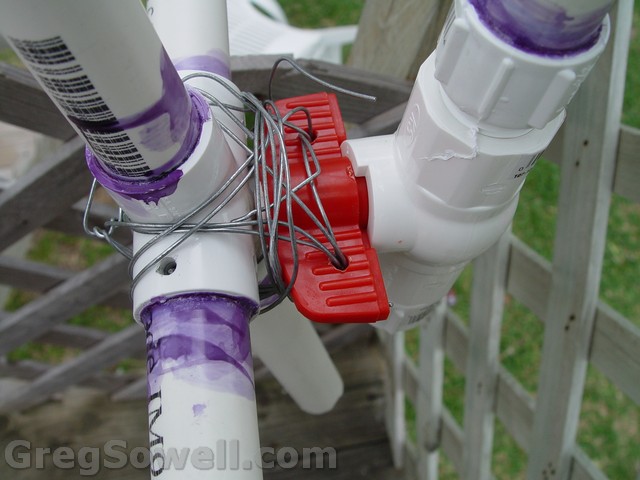
The art of lashing isn't dead. It worked for thousands of years, and it still works quite well today. I'm going to cover the wire with some material to keep little fingers out of it, though.
As you guys have noticed, I use Visio a lot…a LOT. Here are some stencils to make your diagrams oh-so pretty 🙂
Thanks to JJ for the UBNT stencils 😉
For the people that like to see the hops that their DNS entries take, there is the trace option in Dig. If you are trying to diagnose DNS SOA issues with forward or reverse zones, this is a must!
Forward traces:
1 | dig gregsowell.com +trace |
1 2 3 4 5 6 7 8 9 10 11 12 13 14 15 16 17 18 19 20 21 22 23 24 25 26 27 28 29 30 31 32 33 34 35 36 37 38 39 40 41 42 43 | [root@dns2 ~]# dig gregsowell.com +trace ; <<>> DiG 9.2.4 <<>> gregsowell.com +trace ;; global options: printcmd . 178662 IN NS i.root-servers.net. . 178662 IN NS j.root-servers.net. . 178662 IN NS k.root-servers.net. . 178662 IN NS l.root-servers.net. . 178662 IN NS m.root-servers.net. . 178662 IN NS a.root-servers.net. . 178662 IN NS b.root-servers.net. . 178662 IN NS c.root-servers.net. . 178662 IN NS d.root-servers.net. . 178662 IN NS e.root-servers.net. . 178662 IN NS f.root-servers.net. . 178662 IN NS g.root-servers.net. . 178662 IN NS h.root-servers.net. ;; Received 500 bytes from 209.189.224.40#53(209.189.224.40) in 1 ms com. 172800 IN NS d.gtld-servers.net. com. 172800 IN NS g.gtld-servers.net. com. 172800 IN NS j.gtld-servers.net. com. 172800 IN NS i.gtld-servers.net. com. 172800 IN NS c.gtld-servers.net. com. 172800 IN NS f.gtld-servers.net. com. 172800 IN NS m.gtld-servers.net. com. 172800 IN NS l.gtld-servers.net. com. 172800 IN NS b.gtld-servers.net. com. 172800 IN NS e.gtld-servers.net. com. 172800 IN NS h.gtld-servers.net. com. 172800 IN NS k.gtld-servers.net. com. 172800 IN NS a.gtld-servers.net. ;; Received 504 bytes from 192.36.148.17#53(i.root-servers.net) in 43 ms gregsowell.com. 172800 IN NS dns1.managednetworks.com. gregsowell.com. 172800 IN NS dns2.managednetworks.com. ;; Received 118 bytes from 192.31.80.30#53(d.gtld-servers.net) in 29 ms gregsowell.com. 38400 IN A 209.189.228.152 gregsowell.com. 38400 IN NS dns1.managednetworks.com. gregsowell.com. 38400 IN NS dns2.managednetworks.com. gregsowell.com. 38400 IN NS dns3.managednetworks.com. ;; Received 169 bytes from 209.189.224.40#53(dns1.managednetworks.com) in 0 ms |
Reverse traces:
1 | dig -x 209.189.228.152 +trace |
1 2 3 4 5 6 7 8 9 10 11 12 13 14 15 16 17 18 19 20 21 22 23 24 25 26 27 28 29 30 31 32 33 34 35 36 37 38 | [root@dns2 ~]# dig -x 209.189.228.152 +trace ; <<>> DiG 9.2.4 <<>> -x 209.189.228.152 +trace ;; global options: printcmd . 178553 IN NS m.root-servers.net. . 178553 IN NS a.root-servers.net. . 178553 IN NS b.root-servers.net. . 178553 IN NS c.root-servers.net. . 178553 IN NS d.root-servers.net. . 178553 IN NS e.root-servers.net. . 178553 IN NS f.root-servers.net. . 178553 IN NS g.root-servers.net. . 178553 IN NS h.root-servers.net. . 178553 IN NS i.root-servers.net. . 178553 IN NS j.root-servers.net. . 178553 IN NS k.root-servers.net. . 178553 IN NS l.root-servers.net. ;; Received 500 bytes from 209.189.224.40#53(209.189.224.40) in 1 ms 209.in-addr.arpa. 86400 IN NS W.ARIN.NET. 209.in-addr.arpa. 86400 IN NS V.ARIN.NET. 209.in-addr.arpa. 86400 IN NS Z.ARIN.NET. 209.in-addr.arpa. 86400 IN NS U.ARIN.NET. 209.in-addr.arpa. 86400 IN NS X.ARIN.NET. 209.in-addr.arpa. 86400 IN NS DILL.ARIN.NET. 209.in-addr.arpa. 86400 IN NS Y.ARIN.NET. ;; Received 169 bytes from 202.12.27.33#53(m.root-servers.net) in 195 ms 228.189.209.in-addr.arpa. 86400 IN NS dns1.managednetworks.com. 228.189.209.in-addr.arpa. 86400 IN NS dns3.managednetworks.com. 228.189.209.in-addr.arpa. 86400 IN NS dns2.managednetworks.com. ;; Received 122 bytes from 72.52.71.2#53(W.ARIN.NET) in 39 ms 152.228.189.209.in-addr.arpa. 38400 IN PTR 152.228.189.209.managednetworks.com. 228.189.209.in-addr.arpa. 38400 IN NS dns2.managednetworks.com. 228.189.209.in-addr.arpa. 38400 IN NS dns3.managednetworks.com. 228.189.209.in-addr.arpa. 38400 IN NS dns1.managednetworks.com. ;; Received 200 bytes from 209.189.224.40#53(dns1.managednetworks.com) in 0 ms |
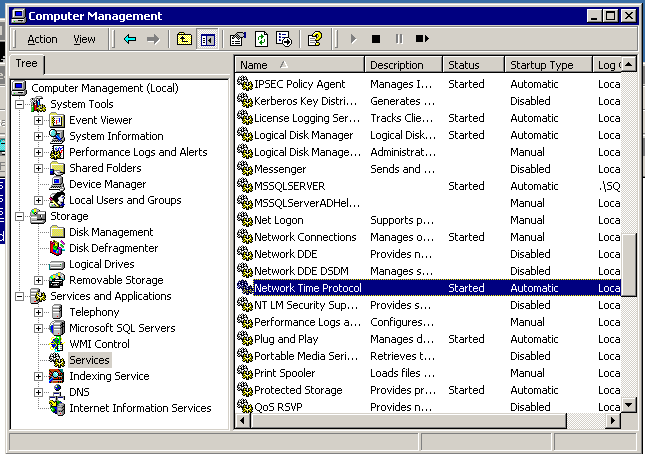
CM 4.X doesn’t use the standard windows 2000 NTP client W32Time, it uses XNTP. To configure it, you edit a config file and restart the NTP service on the server.
C:\WINNT\system32\drivers\etc\ntp.conf
1 2 3 4 | server 207.171.7.152 # Set Local Clock to Authoritive Time Source server 149.20.68.17 # Set Local Clock to Authoritive Time Source fudge 127.127.1.1 stratum 5 # Resets Stratum from default 3 to 5 driftfile C:\WINNT\system32\drivers\etc\ntp.drift # path for drift file |
Then restart the service: