

I’ve run into this a couple of times and finally fixed it…err…well…bypassed it.
Some devices don’t properly respond to snmpwalk requests. Net-snmp will return the following error:
1 | Error: OID not increasing: |
Net-snmp has a command line parameter that will ignore this “-Cc”. Though you run the risk of having an object loop indefinately when you use this parameter, so exercise caution. To get cacti to use it, you need to edit the snmp.php file:
/var/www/html/lib/snmp.php
Change this:
1 2 3 | $temp_array = exec_into_array(read_config_option("path_snmpwalk") . " -v$version -t $timeout -r $retries $hostname:$port $snmp_auth $oid");
$temp_array = exec_into_array(read_config_option("path_snmpwalk") . " -O Qn $snmp_auth -v $version -t $timeout -r $retries $hostname:$port $oid"); |
To this:
1 2 3 | $temp_array = exec_into_array(read_config_option("path_snmpwalk") . " -Cc -v$version -t $timeout -r $retries $hostname:$port $snmp_auth $oid");
$temp_array = exec_into_array(read_config_option("path_snmpwalk") . " -Cc -O Qn $snmp_auth -v $version -t $timeout -r $retries $hostname:$port $oid"); |
You guys can browse over to here and watch the Colombian action live. Hopefully you guys can speak Spanish…cause I can’t under stand a word of it.

What happens with the air conditioner falls out of the wall in an IDF? Lets also say that the AC has been missing for a year and the sprinkler system sits next to the hole.
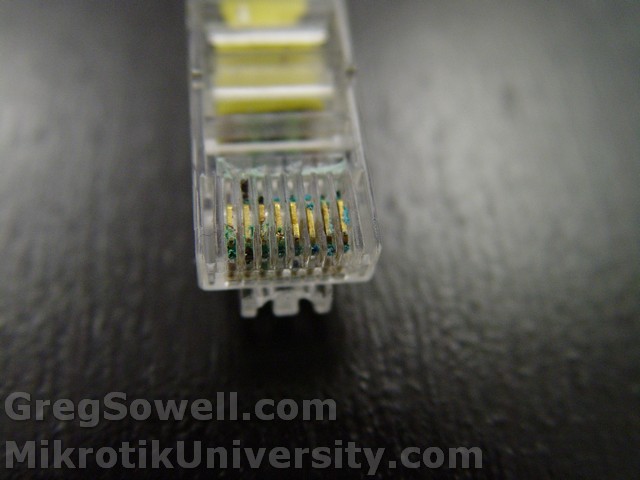
I'm thinking this could have been part of the connectivity issues...
I just recently noticed that some of my server based mikrotiks were showing “R” by ethernet interfaces that I knew were down. I did some quick searching and found that on X86 installs by default there is an option “disable-running-check” enabled. What this does is make the interface appear to always be running. As a byproduct if the interface always appears to be running, any IP addressing and routing is also still valid. This means that your router will still thinks this is a valid path.
With a quick command, you can revert this behavior to normal opperation:
In the below command I specified all three of my interfaces at once.
1 | /interface ethernet set 0,1,2 disable-running-check=no |
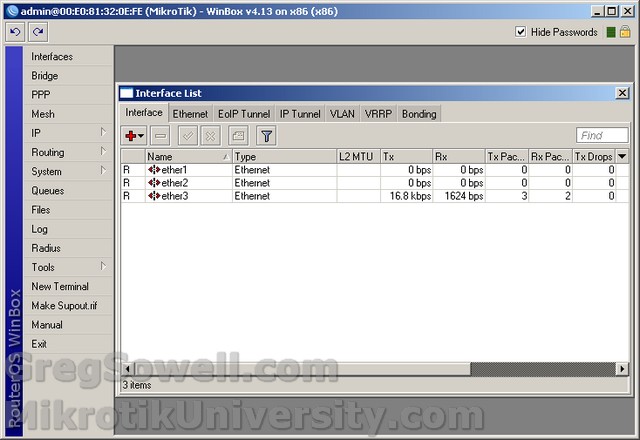
Here's the before - All ethers appear to be running, do they not?
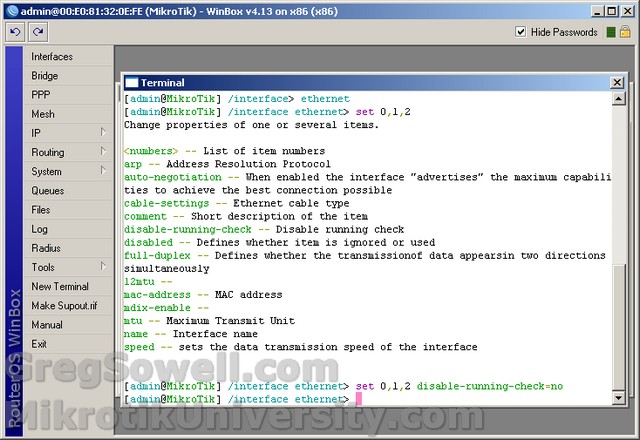
Issue the command to set it back to normal
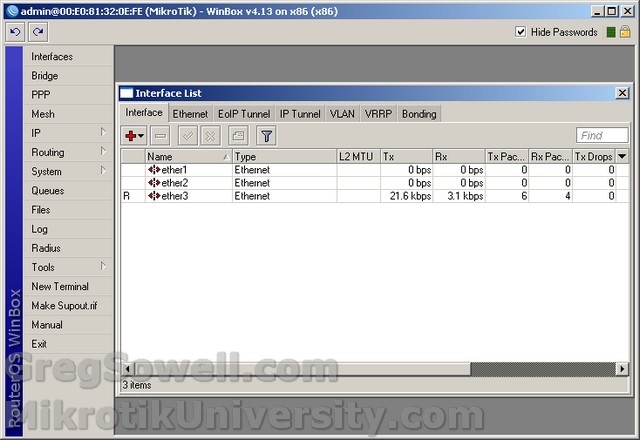
All is right with the world...the voices in my head are quited.
I was inserting lots of new syslog alerts and didn’t want to do it through the GUI, so I wrote a quick mysql query:
1 | INSERT INTO syslog_alert (name,type,message,user,date,email) VALUES("MessageTitle","messagec","MatchMe","ADMIN",1186586067,"[email protected]"),("MessageTitle2","messagec","MatchMe2","ADMIN",1186586067,"[email protected]") |
I wanted to protect my web-meetme folder on my trixbox install, so I made a couple of allowances in the apache config file like so.
1 2 3 4 5 6 7 | <Directory /var/www/html/web-meetme> #Order allow,deny Order deny,allow deny from all allow from 10.0.0.0/255.0.0.0 allow from 1.1.1.1/255.255.255.255 </Directory> |
Note the allow/deny entries.
We occasionally have to run access control reports that show who enters and exits specific doors. This is relatively easy to do in the Ccure system, as long as you know where to look.
First, click on “Options & Tools”:

Second, click on Journal:
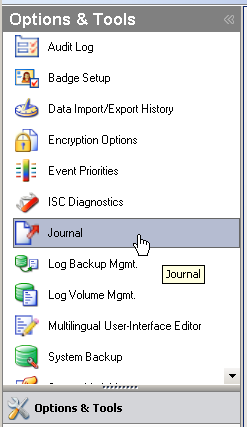
At this point the journal default query dialog will pop up. Once it does, choose the date rage you are looking for. Next you want to set the “Journal Query Assistant” options:
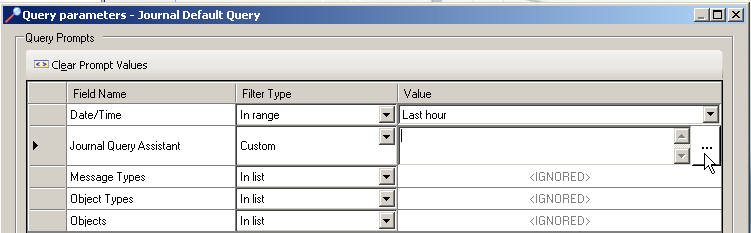
Choose message type, then set either the person you are looking for in the “Personnel Names” section or choose the doors you want to inventory in the “Door Names” section.
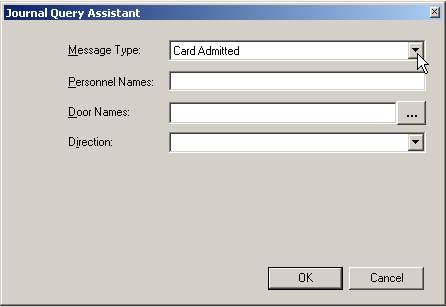
Now just click Run.