

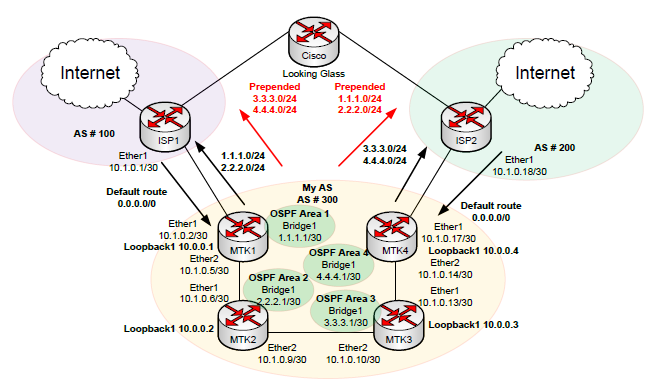
At this year’s MUM I did a presentation on multi-homed BGP. Multi-homed BGP is when your autonomous system peers with multiple internet providers. Peering via BGP with multiple providers allows you to add IP address redundancy, load-balancing inbound/outbound and have greater control of how your addressing is viewed to the internet at large.
This covers:
Here are the router configs as well as the slides: Multihomed-BGP-Part1 (4490 downloads)
Here’s part one of the video. If it doesn’t load, refresh!
One more thing of note is a letter of authorization(LOA). An LOA is written notice that you send to your upstream providers telling them what addressing to expect and what AS #’s the addressing will be sourced from. Your providers will generally build their filter lists based on this information. Give them the large subnet size, but tell them to accept any thing as big as a /24.
Hello from Australia 😉 BTW, we MISSED you Andrew!
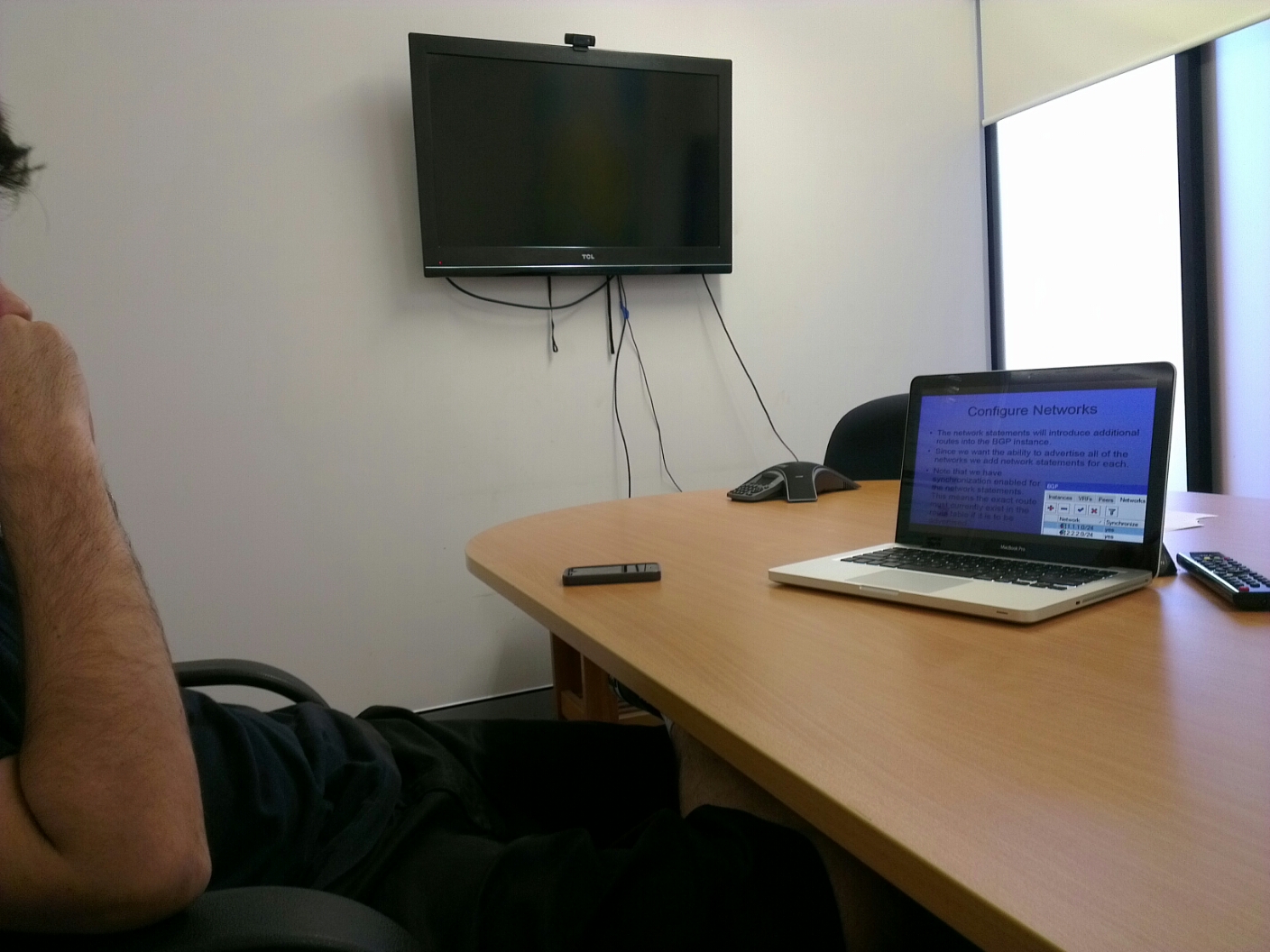

Australian Fonzie! I have no idea what this bloke’s name is…hehe.
As always, please leave me any questions or comments below. THANKS GUYS!
Random shots of random things.
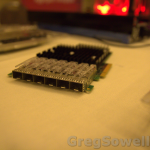
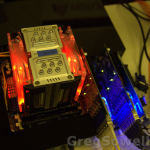
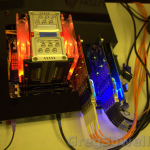
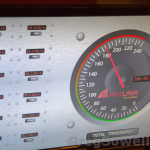


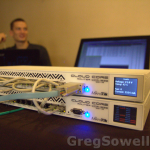
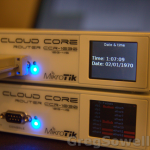
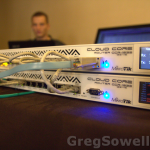
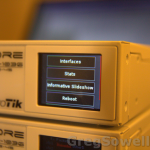
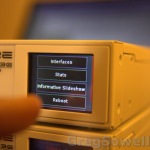
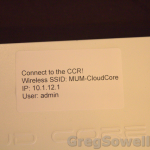

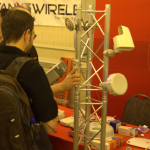

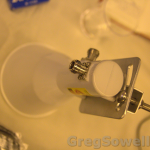
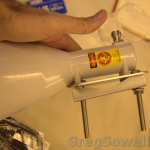
There’s not a lot to see, but Mike and I take a look. Enjoy!
Hit refresh if you don’t see the video below!
Here’s a dump of it’s current config:
1 2 3 4 5 6 7 8 9 10 11 12 13 14 15 16 17 18 19 20 21 22 23 24 25 26 27 28 29 30 31 32 33 34 35 36 37 38 39 40 41 42 43 44 45 46 47 48 49 50 51 52 53 54 55 56 57 58 59 60 61 62 63 64 65 66 67 68 69 70 71 72 73 74 75 76 77 78 79 80 81 82 83 84 85 86 87 88 89 90 91 92 93 94 95 96 97 98 99 100 101 102 103 104 105 106 107 108 109 110 111 112 113 114 115 116 117 118 119 120 121 122 123 124 125 126 127 128 129 130 131 132 133 134 135 136 137 138 139 140 141 142 143 144 145 146 147 148 149 150 151 152 153 154 155 156 157 158 159 160 161 162 163 164 165 166 167 168 169 170 171 172 173 174 175 176 177 178 179 180 181 182 183 184 185 186 187 188 189 190 191 192 193 194 195 196 197 198 199 200 201 202 203 204 205 206 207 208 209 210 211 212 213 214 215 216 217 218 219 220 221 222 223 224 225 226 227 228 229 230 231 232 233 234 235 236 237 238 239 240 241 242 243 244 245 246 247 248 249 250 251 252 253 254 255 256 257 258 259 260 261 262 263 264 265 266 267 268 269 270 271 272 273 274 275 276 277 278 279 280 281 282 283 284 285 286 287 288 289 290 291 292 293 294 295 296 297 298 299 300 301 302 303 304 305 306 307 308 309 310 311 312 313 314 315 316 317 318 319 320 321 322 323 324 325 326 327 328 329 330 331 332 333 334 335 336 337 338 339 340 341 342 343 344 345 346 347 348 349 350 351 352 353 354 355 356 357 358 359 360 361 362 363 364 365 366 367 368 369 370 371 372 373 374 375 376 377 378 379 | MMM MMM KKK TTTTTTTTTTT KKK
MMMM MMMM KKK TTTTTTTTTTT KKK
MMM MMMM MMM III KKK KKK RRRRRR OOOOOO TTT III KKK KKK
MMM MM MMM III KKKKK RRR RRR OOO OOO TTT III KKKKK
MMM MMM III KKK KKK RRRRRR OOO OOO TTT III KKK KKK
MMM MMM III KKK KKK RRR RRR OOOOOO TTT III KKK KKK
MikroTik RouterOS 6.0rc1 (c) 1999-2012 http://www.mikrotik.com/
/interface ethernet
set 0 arp=enabled auto-negotiation=yes disabled=no full-duplex=yes l2mtu=1590 \
mac-address=00:0C:42:00:AE:1F mtu=1500 name=ether1 speed=100Mbps
set 1 arp=enabled auto-negotiation=yes disabled=no full-duplex=yes l2mtu=1590 \
mac-address=00:0C:42:00:AE:20 mtu=1500 name=ether2 speed=100Mbps
set 2 arp=enabled auto-negotiation=yes disabled=no full-duplex=yes l2mtu=1590 \
mac-address=00:0C:42:00:AE:21 mtu=1500 name=ether3 speed=100Mbps
set 3 arp=enabled auto-negotiation=yes disabled=no full-duplex=yes l2mtu=1590 \
mac-address=00:0C:42:00:AE:22 mtu=1500 name=ether4 speed=100Mbps
set 4 arp=enabled auto-negotiation=yes disabled=no full-duplex=yes l2mtu=1590 \
mac-address=00:0C:42:00:AE:23 mtu=1500 name=ether5 speed=100Mbps
set 5 arp=enabled auto-negotiation=yes disabled=no full-duplex=yes l2mtu=1590 \
mac-address=00:0C:42:00:AE:24 mtu=1500 name=ether6 speed=100Mbps
set 6 arp=enabled auto-negotiation=yes disabled=no full-duplex=yes l2mtu=1590 \
mac-address=00:0C:42:00:AE:25 mtu=1500 name=ether7 speed=100Mbps
set 7 arp=enabled auto-negotiation=yes disabled=no full-duplex=yes l2mtu=1590 \
mac-address=00:0C:42:00:AE:26 mtu=1500 name=ether8 speed=100Mbps
set 8 arp=enabled auto-negotiation=yes disabled=no full-duplex=yes l2mtu=1590 \
mac-address=00:0C:42:00:AE:27 mtu=1500 name=ether9 speed=100Mbps
set 9 arp=enabled auto-negotiation=yes disabled=no full-duplex=yes l2mtu=1590 \
mac-address=00:0C:42:00:AE:28 mtu=1500 name=ether10 speed=100Mbps
set 10 arp=enabled auto-negotiation=yes disabled=no full-duplex=yes l2mtu=1590 \
mac-address=00:0C:42:00:AE:29 mtu=1500 name=ether11 speed=100Mbps
set 11 arp=enabled auto-negotiation=yes disabled=no full-duplex=yes l2mtu=1590 \
mac-address=00:0C:42:00:AE:2A mtu=1500 name=ether12 speed=100Mbps
set 12 arp=enabled auto-negotiation=no disabled=no full-duplex=yes l2mtu=1590 \
mac-address=00:0C:42:00:AE:1B mtu=1500 name=sfp1 sfp-rate-select=high \
speed=1Gbps
set 13 arp=enabled auto-negotiation=no disabled=no full-duplex=yes l2mtu=1590 \
mac-address=00:0C:42:00:AE:1C mtu=1500 name=sfp2 sfp-rate-select=high \
speed=1Gbps
set 14 arp=enabled auto-negotiation=no disabled=no full-duplex=yes l2mtu=1590 \
mac-address=00:0C:42:00:AE:1D mtu=1500 name=sfp3 sfp-rate-select=high \
speed=1Gbps
set 15 arp=enabled auto-negotiation=no disabled=no full-duplex=yes l2mtu=1590 \
mac-address=00:0C:42:00:AE:1E mtu=1500 name=sfp4 sfp-rate-select=high \
speed=1Gbps
/interface wireless security-profiles
set [ find default=yes ] authentication-types="" eap-methods=passthrough \
group-ciphers=aes-ccm group-key-update=5m interim-update=0s \
management-protection=disabled management-protection-key="" mode=none name=\
default radius-eap-accounting=no radius-mac-accounting=no \
radius-mac-authentication=no radius-mac-caching=disabled radius-mac-format=\
XX:XX:XX:XX:XX:XX radius-mac-mode=as-username static-algo-0=none \
static-algo-1=none static-algo-2=none static-algo-3=none static-key-0="" \
static-key-1="" static-key-2="" static-key-3="" static-sta-private-algo=\
none static-sta-private-key="" static-transmit-key=key-0 \
supplicant-identity=MikroTik tls-certificate=none tls-mode=no-certificates \
unicast-ciphers=aes-ccm wpa-pre-shared-key="" wpa2-pre-shared-key=""
/ip dhcp-client option
set clientid code=61 name=clientid value="0x01\$(CLIENT_MAC)"
set hostname code=12 name=hostname value="\$(HOSTNAME)"
/ip hotspot profile
set [ find default=yes ] dns-name="" hotspot-address=0.0.0.0 html-directory=\
hotspot http-cookie-lifetime=3d http-proxy=0.0.0.0:0 login-by=\
cookie,http-chap name=default rate-limit="" smtp-server=0.0.0.0 \
split-user-domain=no use-radius=no
/ip hotspot user profile
set [ find default=yes ] idle-timeout=none keepalive-timeout=2m name=default \
shared-users=1 status-autorefresh=1m transparent-proxy=no
/ip ipsec proposal
set [ find default=yes ] auth-algorithms=sha1 disabled=no enc-algorithms=3des \
lifetime=30m name=default pfs-group=modp1024
/ip pool
add name=dhcp_pool1 ranges=10.1.12.10-10.1.12.254
/ip dhcp-server
add address-pool=dhcp_pool1 authoritative=after-2sec-delay bootp-support=static \
disabled=no interface=ether12 lease-script="" lease-time=10m name=dhcp1
/port
set 0 baud-rate=auto data-bits=8 flow-control=none name=serial0 parity=none \
stop-bits=1
/ppp profile
set 0 change-tcp-mss=yes name=default only-one=default use-compression=default \
use-encryption=default use-mpls=default use-vj-compression=default
set 1 change-tcp-mss=yes name=default-encryption only-one=default \
use-compression=default use-encryption=yes use-mpls=default \
use-vj-compression=default
/queue type
set 0 kind=pfifo name=default pfifo-limit=50
set 1 kind=pfifo name=ethernet-default pfifo-limit=50
set 2 kind=sfq name=wireless-default sfq-allot=1514 sfq-perturb=5
set 3 kind=red name=synchronous-default red-avg-packet=1000 red-burst=20 \
red-limit=60 red-max-threshold=50 red-min-threshold=10
set 4 kind=sfq name=hotspot-default sfq-allot=1514 sfq-perturb=5
set 5 kind=pcq name=pcq-upload-default pcq-burst-rate=0 pcq-burst-threshold=0 \
pcq-burst-time=10s pcq-classifier=src-address pcq-dst-address-mask=32 \
pcq-dst-address6-mask=128 pcq-limit=50 pcq-rate=0 pcq-src-address-mask=32 \
pcq-src-address6-mask=128 pcq-total-limit=2000
set 6 kind=pcq name=pcq-download-default pcq-burst-rate=0 pcq-burst-threshold=0 \
pcq-burst-time=10s pcq-classifier=dst-address pcq-dst-address-mask=32 \
pcq-dst-address6-mask=128 pcq-limit=50 pcq-rate=0 pcq-src-address-mask=32 \
pcq-src-address6-mask=128 pcq-total-limit=2000
set 7 kind=none name=only-hardware-queue
set 8 kind=mq-pfifo mq-pfifo-limit=50 name=multi-queue-ethernet-default
set 9 kind=pfifo name=default-small pfifo-limit=10
/routing bgp instance
set default as=65530 client-to-client-reflection=yes disabled=no \
ignore-as-path-len=no name=default out-filter="" redistribute-connected=no \
redistribute-ospf=no redistribute-other-bgp=no redistribute-rip=no \
redistribute-static=no router-id=0.0.0.0 routing-table=""
/routing ospf instance
set [ find default=yes ] disabled=no distribute-default=never in-filter=ospf-in \
metric-bgp=auto metric-connected=20 metric-default=1 metric-other-ospf=auto \
metric-rip=20 metric-static=20 name=default out-filter=ospf-out \
redistribute-bgp=no redistribute-connected=no redistribute-other-ospf=no \
redistribute-rip=no redistribute-static=no router-id=0.0.0.0
/routing ospf area
set [ find default=yes ] area-id=0.0.0.0 disabled=no instance=default name=\
backbone type=default
/snmp community
set [ find default=yes ] addresses=0.0.0.0/0 authentication-password="" \
authentication-protocol=MD5 encryption-password="" encryption-protocol=DES \
name=public read-access=yes security=none write-access=no
/system logging action
set 0 memory-lines=100 memory-stop-on-full=no name=memory target=memory
set 1 disk-file-count=2 disk-file-name=log disk-lines-per-file=100 \
disk-stop-on-full=no name=disk target=disk
set 2 name=echo remember=yes target=echo
set 3 bsd-syslog=no name=remote remote-port=514 src-address=0.0.0.0 \
syslog-facility=daemon syslog-severity=auto target=remote
/user group
set read name=read policy="local,telnet,ssh,reboot,read,test,winbox,password,web\
,sniff,sensitive,api,!ftp,!write,!policy" skin=default
set write name=write policy="local,telnet,ssh,reboot,read,write,test,winbox,pass\
word,web,sniff,sensitive,api,!ftp,!policy" skin=default
set full name=full policy="local,telnet,ssh,ftp,reboot,read,write,policy,test,wi\
nbox,password,web,sniff,sensitive,api" skin=default
/interface bridge settings
set use-ip-firewall=no use-ip-firewall-for-pppoe=no use-ip-firewall-for-vlan=no
/interface l2tp-server server
set authentication=pap,chap,mschap1,mschap2 default-profile=default-encryption \
enabled=no max-mru=1460 max-mtu=1460 mrru=disabled
/interface ovpn-server server
set auth=sha1,md5 certificate=none cipher=blowfish128,aes128 default-profile=\
default enabled=no keepalive-timeout=60 mac-address=FE:E8:38:24:3C:BE \
max-mtu=1500 mode=ip netmask=24 port=1194 require-client-certificate=no
/interface pptp-server server
set authentication=mschap1,mschap2 default-profile=default-encryption enabled=\
no keepalive-timeout=30 max-mru=1460 max-mtu=1460 mrru=disabled
/interface sstp-server server
set authentication=pap,chap,mschap1,mschap2 certificate=none default-profile=\
default enabled=no keepalive-timeout=60 max-mru=1500 max-mtu=1500 mrru=\
disabled port=443 verify-client-certificate=no
/interface wireless align
set active-mode=yes audio-max=-20 audio-min=-100 audio-monitor=\
00:00:00:00:00:00 filter-mac=00:00:00:00:00:00 frame-size=300 \
frames-per-second=25 receive-all=no ssid-all=no
/interface wireless sniffer
set channel-time=200ms file-limit=10 file-name="" memory-limit=10 \
multiple-channels=no only-headers=no receive-errors=no streaming-enabled=no \
streaming-max-rate=0 streaming-server=0.0.0.0
/interface wireless snooper
set channel-time=200ms multiple-channels=yes receive-errors=no
/ip accounting
set account-local-traffic=no enabled=no threshold=256
/ip accounting web-access
set accessible-via-web=no address=0.0.0.0/0
/ip address
add address=10.1.12.1/24 disabled=no interface=ether12 network=10.1.12.0
/ip dhcp-server config
set store-leases-disk=5m
/ip dhcp-server network
add address=10.1.12.0/24 dhcp-option="" dns-server=10.1.12.1 gateway=10.1.12.1 \
ntp-server="" wins-server=""
/ip dns
set allow-remote-requests=no cache-max-ttl=1w cache-size=2048KiB \
max-udp-packet-size=4096 query-server-timeout=2s query-total-timeout=10s \
servers=""
/ip firewall connection tracking
set enabled=yes generic-timeout=10m icmp-timeout=10s tcp-close-timeout=10s \
tcp-close-wait-timeout=10s tcp-established-timeout=1d tcp-fin-wait-timeout=\
10s tcp-last-ack-timeout=10s tcp-syn-received-timeout=5s \
tcp-syn-sent-timeout=5s tcp-syncookie=no tcp-time-wait-timeout=10s \
udp-stream-timeout=3m udp-timeout=10s
/ip firewall service-port
set ftp disabled=no ports=21
set tftp disabled=no ports=69
set irc disabled=no ports=6667
set h323 disabled=no
set sip disabled=no ports=5060,5061 sip-direct-media=yes
set pptp disabled=no
/ip hotspot service-port
set ftp disabled=no ports=21
/ip neighbor discovery
set sfp1 disabled=no
set sfp2 disabled=no
set sfp3 disabled=no
set sfp4 disabled=no
set ether1 disabled=no
set ether2 disabled=no
set ether3 disabled=no
set ether4 disabled=no
set ether5 disabled=no
set ether6 disabled=no
set ether7 disabled=no
set ether8 disabled=no
set ether9 disabled=no
set ether10 disabled=no
set ether11 disabled=no
set ether12 disabled=no
/ip proxy
set always-from-cache=no cache-administrator=webmaster cache-hit-dscp=4 \
cache-on-disk=no enabled=no max-cache-size=none max-client-connections=600 \
max-fresh-time=3d max-server-connections=600 parent-proxy=0.0.0.0 \
parent-proxy-port=0 port=8080 serialize-connections=no src-address=0.0.0.0
/ip service
set telnet address="" disabled=no port=23
set ftp address="" disabled=no port=21
set www address="" disabled=no port=80
set ssh address="" disabled=no port=22
set www-ssl address="" certificate=none disabled=yes port=443
set api address="" disabled=yes port=8728
set winbox address="" disabled=no port=8291
/ip smb
set allow-guests=yes comment=MikrotikSMB domain=MSHOME enabled=no interfaces=\
all
/ip smb shares
set [ find default=yes ] comment="default share" directory=/pub disabled=no \
max-sessions=10 name=pub
/ip smb users
set [ find default=yes ] disabled=no name=guest password="" read-only=yes
/ip socks
set connection-idle-timeout=2m enabled=no max-connections=200 port=1080
/ip traffic-flow
set active-flow-timeout=30m cache-entries=4k enabled=no inactive-flow-timeout=\
15s interfaces=all
/ip upnp
set allow-disable-external-interface=yes enabled=no show-dummy-rule=yes
#error exporting /ip usb client
#error exporting /ip usb server
/lcd
set backlight-timeout=never enabled=yes
/lcd slideshow-screen
set 0 disabled=no timeout=10s
set 1 disabled=no timeout=10s
set 2 disabled=no timeout=10s
set 3 disabled=no timeout=10s
set 4 disabled=no timeout=10s
set 5 disabled=no timeout=10s
/mpls
set dynamic-label-range=16-1048575 propagate-ttl=yes
/mpls interface
set [ find default=yes ] disabled=no interface=all mpls-mtu=1508
/mpls ldp
set distribute-for-default-route=no enabled=no hop-limit=255 loop-detect=no \
lsr-id=0.0.0.0 path-vector-limit=255 transport-address=0.0.0.0 \
use-explicit-null=no
/port firmware
set directory=firmware ignore-directip-modem=no
/ppp aaa
set accounting=yes interim-update=0s use-radius=no
/queue interface
set sfp1 queue=only-hardware-queue
set sfp2 queue=only-hardware-queue
set sfp3 queue=only-hardware-queue
set sfp4 queue=only-hardware-queue
set ether1 queue=only-hardware-queue
set ether2 queue=only-hardware-queue
set ether3 queue=only-hardware-queue
set ether4 queue=only-hardware-queue
set ether5 queue=only-hardware-queue
set ether6 queue=only-hardware-queue
set ether7 queue=only-hardware-queue
set ether8 queue=only-hardware-queue
set ether9 queue=only-hardware-queue
set ether10 queue=only-hardware-queue
set ether11 queue=only-hardware-queue
set ether12 queue=only-hardware-queue
/radius incoming
set accept=no port=3799
/routing bfd interface
set [ find default=yes ] disabled=no interface=all interval=0.2s min-rx=0.2s \
multiplier=5
/routing mme
set bidirectional-timeout=2 gateway-class=none gateway-keepalive=1m \
gateway-selection=no-gateway origination-interval=5s preferred-gateway=\
0.0.0.0 timeout=1m ttl=50
/routing rip
set distribute-default=never garbage-timer=2m metric-bgp=1 metric-connected=1 \
metric-default=1 metric-ospf=1 metric-static=1 redistribute-bgp=no \
redistribute-connected=no redistribute-ospf=no redistribute-static=no \
routing-table=main timeout-timer=3m update-timer=30s
/snmp
set contact="" enabled=no engine-id="" location="" trap-generators="" \
trap-target="" trap-version=1
/system clock
set time-zone-name=manual
/system clock manual
set dst-delta=+00:00 dst-end="jan/01/1970 00:00:00" dst-start=\
"jan/01/1970 00:00:00" time-zone=+00:00
/system console
set [ find port=serial0 ] channel=0 disabled=no port=serial0 term=vt102
/system health
set fan-mode=auto use-fan=main
/system identity
set name=CouldCoreRouter
/system logging
set 0 action=memory disabled=no prefix="" topics=info
set 1 action=memory disabled=no prefix="" topics=error
set 2 action=memory disabled=no prefix="" topics=warning
set 3 action=echo disabled=no prefix="" topics=critical
/system note
set note="" show-at-login=yes
/system ntp client
set enabled=no mode=broadcast primary-ntp=0.0.0.0 secondary-ntp=0.0.0.0
/system resource irq
set 0 cpu=auto
set 1 cpu=auto
set 2 cpu=auto
set 3 cpu=auto
set 4 cpu=auto
set 5 cpu=auto
set 6 cpu=auto
set 7 cpu=auto
/system resource irq rps
set sfp1 disabled=yes
set sfp2 disabled=yes
set sfp3 disabled=yes
set sfp4 disabled=yes
set ether1 disabled=yes
set ether2 disabled=yes
set ether3 disabled=yes
set ether4 disabled=yes
set ether5 disabled=yes
set ether6 disabled=yes
set ether7 disabled=yes
set ether8 disabled=yes
set ether9 disabled=yes
set ether10 disabled=yes
set ether11 disabled=yes
set ether12 disabled=yes
/system routerboard settings
set baud-rate=115200 boot-delay=2s boot-device=nand-if-fail-then-ethernet \
boot-protocol=bootp enable-jumper-reset=yes enter-setup-on=any-key \
force-backup-booter=no memory-frequency=1066DDR silent-boot=no
/system upgrade mirror
set check-interval=1d enabled=no primary-server=0.0.0.0 secondary-server=\
0.0.0.0 user=""
/system watchdog
set auto-send-supout=no automatic-supout=yes no-ping-delay=5m watch-address=\
none watchdog-timer=yes
/tool bandwidth-server
set allocate-udp-ports-from=2000 authenticate=yes enabled=yes max-sessions=100
/tool e-mail
set address=0.0.0.0 from=<> password="" port=25 start-tls=no user=""
/tool graphing
set page-refresh=300 store-every=5min
/tool mac-server
set [ find default=yes ] disabled=no interface=all
/tool mac-server mac-winbox
set [ find default=yes ] disabled=no interface=all
/tool mac-server ping
set enabled=yes
/tool sms
set allowed-number="" channel=0 keep-max-sms=0 receive-enabled=no secret=""
/tool sniffer
set file-limit=1000KiB file-name="" filter-ip-address="" filter-ip-protocol="" \
filter-mac-address="" filter-mac-protocol="" filter-port="" filter-stream=\
yes interface=all memory-limit=100KiB memory-scroll=yes only-headers=no \
streaming-enabled=no streaming-server=0.0.0.0
/tool traffic-generator
set latency-distribution-scale=10 test-id=0
/user aaa
set accounting=yes default-group=read exclude-groups="" interim-update=0s \
use-radius=no
[admin@CouldCoreRouter] > |
The LCD options seem limited…on and off and the timing for the slideshow.
A lot of good guys out there in the exhibitor hall. A lot of good distributors and people in the user account management area.
New products:
2.4Ghz Metal AP/CPE
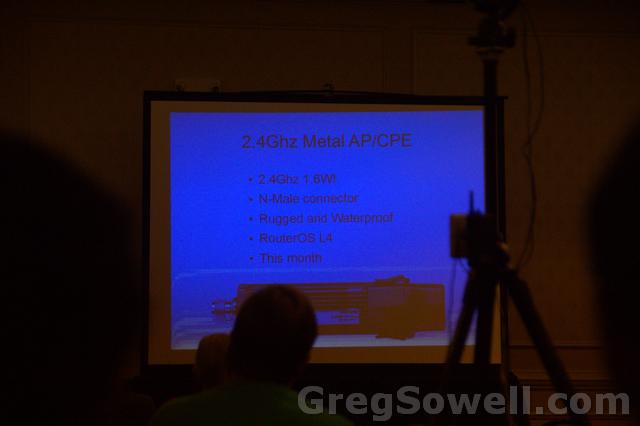
2.4Ghz miniPCI

2.4Ghz AP/CPE SXTG-2HnD
SXT G-5HnD
CCR no longer has RAM limitation! I’m assuming this is a V6 upgrade.
Sorry for the blue pics…the projector does weird stuff.
Normands, you are the man, good presentation;)
A tremendous friend of mine was kind enough to give me a bottle of Black Balsam. For those of you that don’t know, BB is “a traditional Latvian herbal liqueur made with many different natural ingredients mixed in pure vodka, giving a 45% abv (90 proof) drink.” I love the fact that they also refer to it as being used as a traditional medicine…hehe. If you can’t beat a cold, then burn it out of ya!
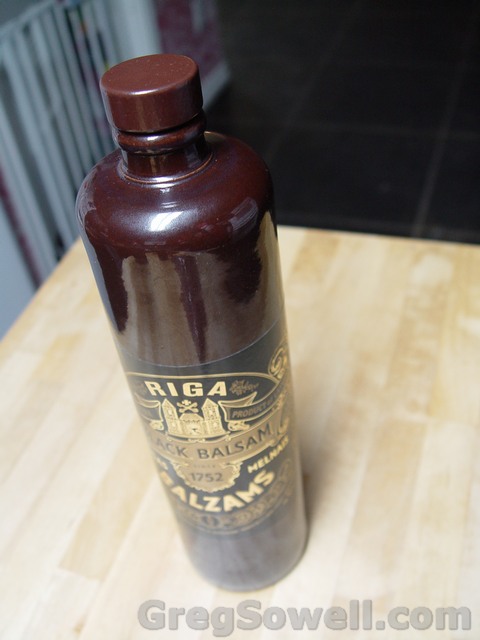
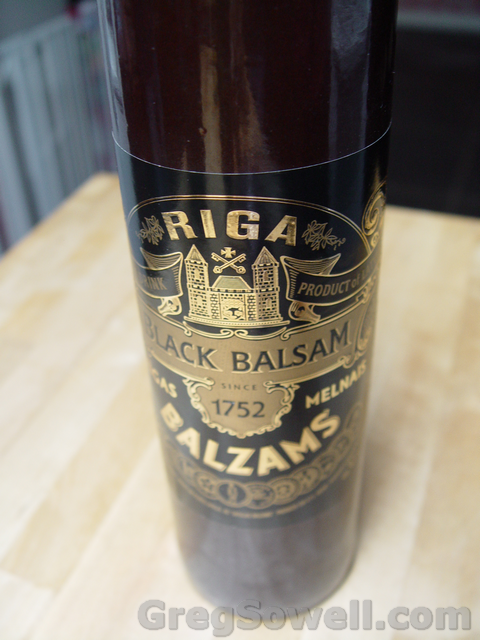

I’m going to say right off the bat that I don’t drink 🙂 So why would I accept such a gift you ask? If a good friend of yours from halfway across the globe brings you a gift YOU ACCEPT IT! What I did with it was to entertain friends 🙂 Following is a couple pictures of Jimmy’s attempt 😛

Jimmy steps up to the plate.
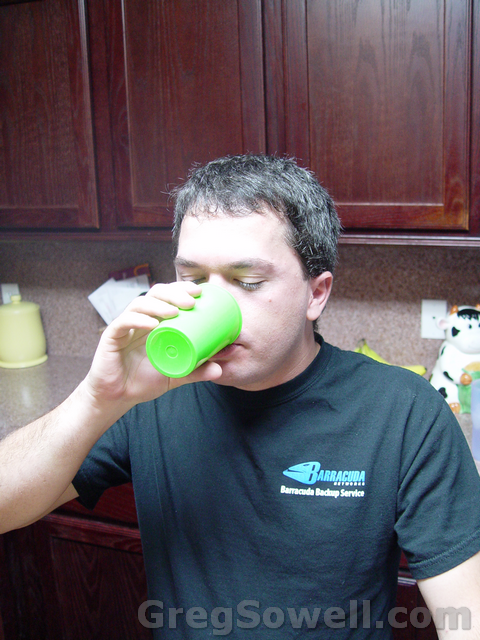
Here’s the pitch.
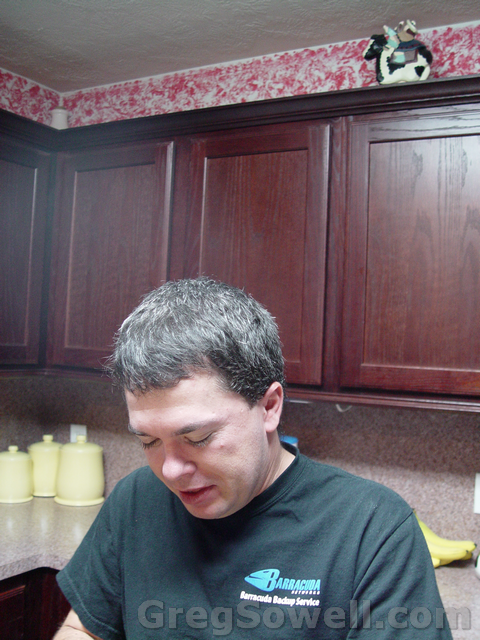
Swing and a miss…you’re out! hehehe
The only person here who matters is Daniel. Daniel is the closest thing to a connoisseur I have, and I believe he reviewed it quite well. Here is what he had to say:
Riga Black Balsam
At first whiff of Riga Black Balsam, I detected the high alcohol content but there is a nice syrupy coffee scent that follows. The aroma is quite complex, but it is hard to pinpoint independent ingredients. When I took my first taste, I was surprised at the strong, bitter flavor because I expected it to be sweet from the scent. When I worked my way past the initial shock, the flavor was of a robust, dark coffee with some slight complexity of a flowery nature. I haven’t really experienced anything quite like it. Kahlúa and Jägermeister are the closest things I can compare this drink to, but it isn’t really like them either. If you are looking for a unique liqueur to add to your liquor cabinet, I would recommend it. It’s not something I’ll drink on a regular basis, but I can definitely see myself imbibing with a glass of it during a casual evening with some friends. I can see this being an excellent drink for cold, winter nights. Sitting in front of the fireplace, having a passionate debate over politics, history, or philosophy with some friends, Black Balsam would be a great accompaniment.
I love the bottle too. it is made out of some kind of porcelain…or something. It’s got a stout feel and looks very cool on my shelf of treasures. I’ve got better photos that will follow soon.
I don’t know if the special donor wants to remain anonymous or not…I don’t think he supplied too many people with a bottle, but thank you sir! If you don’t mind me calling you by name, then just let me know 😉
*RouterOS v6 release candidate 1 has been released*
v6 has many new features, among them:
– Doubles performance for Simple Queues
– New kernel and drivers
– Increases multicore system performance 25% or more
– Increases single core performance 10% or more
– High speed configuration for filters, scripting and other features
What’s new in 6.0rc1 (2012-Sep-20 13:13):
*) i386 – increased number of supported cores to 64;
*) userman – fix unpaid profile activation while authenticating;
*) dhcp client – custom options;
*) dhcp options – allow mixing different data types;
*) console – “export compact” now is the default, use “export verbose” to get
previous behaviour;
*) ntp – make it work again;
*) tftpd – if real-file is a existing directory then prefix request with it;
*) RB333 ethernets are back;
*) dns – rotate servers only on failure;
V6 is almost full release which means the CCR is close to market 😉
Looking forward to the increased performance!
MUM is next week and I hope I see you all there. I’ll be running around in my new shirts, so be sure to get one. This year I’m selling them, though I’m just trying to break even, so they won’t be breaking the bank.
Oh, BTW, they will have a live demo of the CCR…I wonder if they will let us borrow it for our LIVE TheBrothersWISP cast.
*MUM United States is NEXT WEEK!!!* New Orleans, LA, September 27-28
*Cloud Core Router LIVE demonstration
*Free registration extended
*Free RB951-2n AP/Router If you show up and wanna trade your router for swag, let me know 😉
*two full days of workshops and presentations
*parties at MUM
*great prizes on raffle
I’ll be giving a presentation on Multi-homed BGP and Justin will be doing one on install standardization. Find us and say hellllllloooooooooooo!