

When you have multiple internet providers, how do you really know what’s going on with your subnets? There are looking glasses (web based interfaces), which give you insight into a providers BGP tables. You can also get BGP info via route servers. These are generally routers that you can telnet into and issue show ip bgp commands. You can often get more detail this way. One of the down sides to this is that a BGP router will only advertise his best route to other peers. If your subnet comes from multiple sources directly to him, he will pick which subnet is the best path and advertise that NLRI to his neighbors. This is fine and is the way the internet functions. If I want to verify all of my direct peers are accepting and advertising my routes, this can sometimes be a problem. Like with Sprint. Sprint has a terrible looking glass (ping and traceroute only) and no direct route servers. If the route servers you hit have already chosen a better path upstream somewhere you may not see your Sprint advertised addressing. Some remarkable route server’s I’ve just found are the ones at the University of Oregon(http://www.routeviews.org)…of all places…heh. These guys have great connectivity and they house live information from LOTs of carriers. Give them a peek. They seem to have some other tools on their page that could be useful.
So I got in some monitoring gear from Geist a little while back.
Got in the RSMINI163. This is a 1U rack mount guy. He has 16 ports for 16 probes. He also has 3 analog inputs for dry contact connections. This guy has a built-in temp sensor to boot.
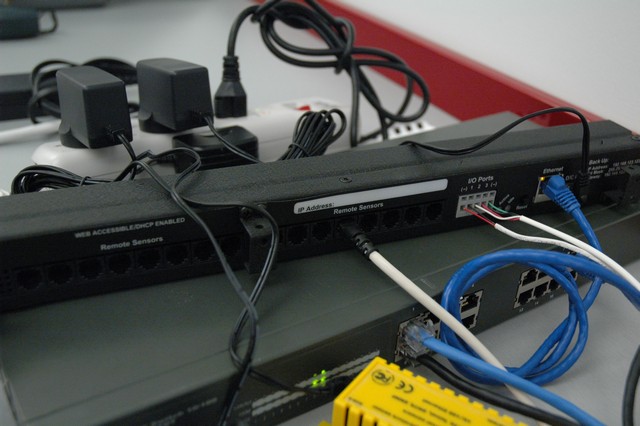
RSMINI163
We also got one of the little yellow guys, the RSMINI. This is also a 16 probe module, though it only has a single port. You use a phone splitter to extend the sensor ring. This module also contains a built-in temp sensor.
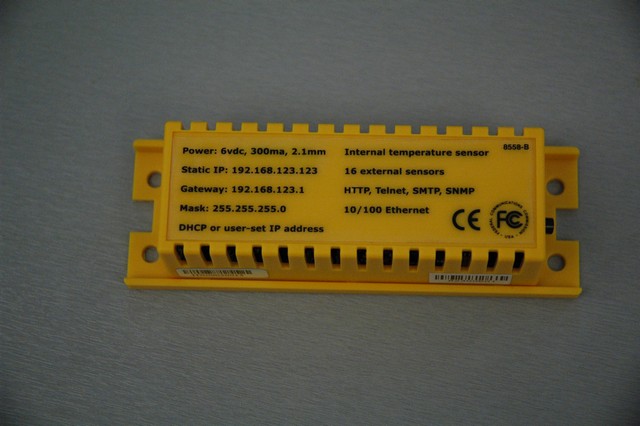
RSMINI
Probes:
- RTAFH-12, which is a 12′ temp/humidity/airflow sensor.
- Door contact
- RLE300 with a short bit of seahawk cord
Initial impressions of the web interface is positive. It is limited, but it gives you quick access to graphs of all your probes. You can setup thresholds with alerts for each probe with relative ease. One thing you can’t do is put in a hold time. You can’t say send me an email when threshold has been breached for X minutes. Every probe is available via SNMP, which is where most people will use these guys. You can set a password for view/config/admin, which is nice.
The modules have a quality build. All the temp probes are digital and serially addressed. All you have to do is plug them in and they auto register with the system; you don’t have to do any configuration to add them to the module.
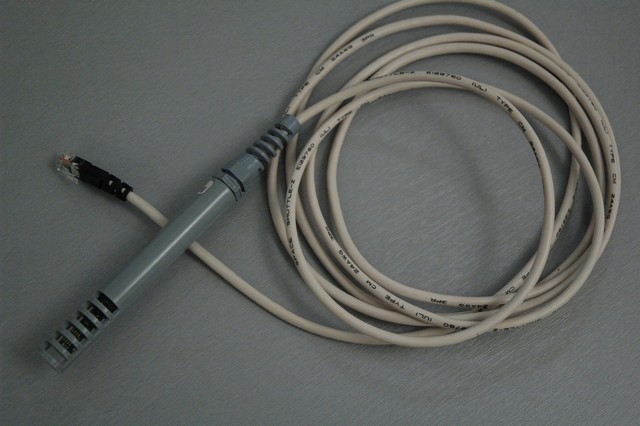
RTAFH - temp airflow humidity
The analog door sensor is a simple magnetic switch, nothing fancy. You could picukup any off the shelf sensor.
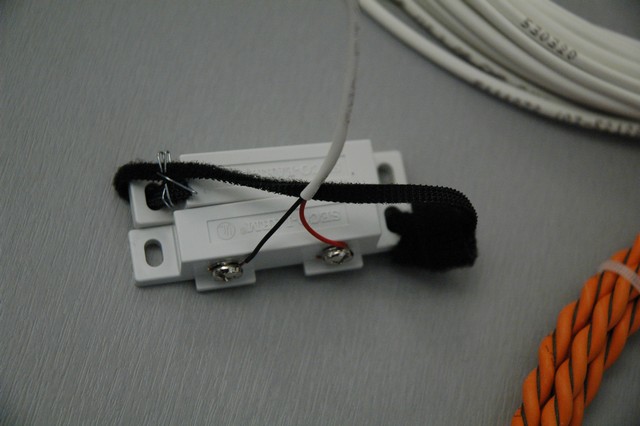
Geist Door
The RLE Seahawk sensor is an off the shelf RLE device. The 300 will support 300′ of sensor rope. It has two single pole double throw relays that give fault (rope cut) and water sensed. These guys have some shunts inside that will allow you to set the sensitivity of the detection:low, medium and guess what…high. The RL300 will run you around $150 online and the rope is either $4.75 per foot, or considerably more expensive for pre-made lengths. The orange cable in the picture is the sensing cable.
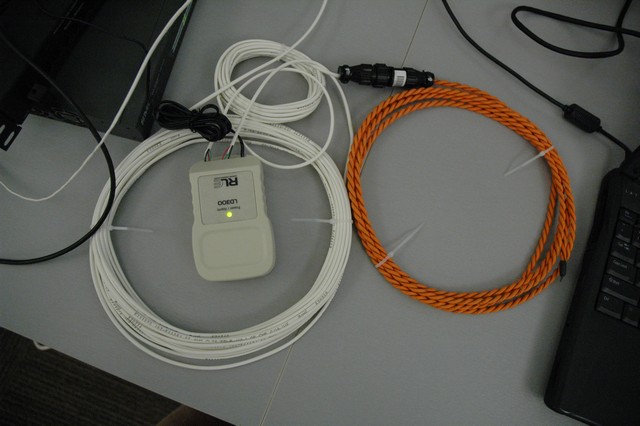
RLE300
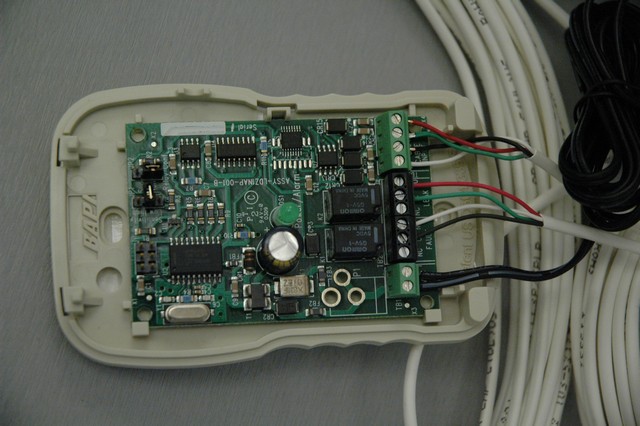
RLE300
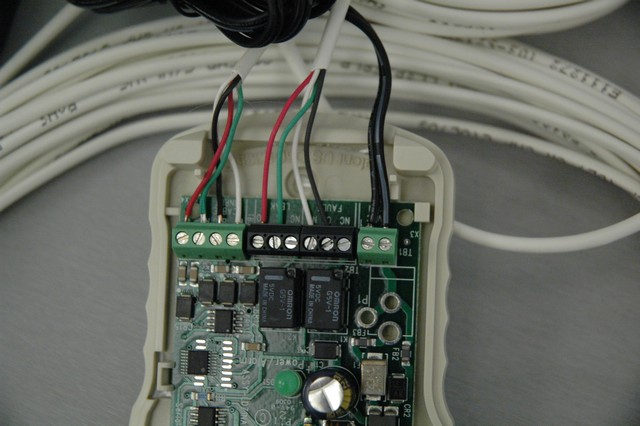
RLE300 - contacts
Analog for the 163 is great, but can get used very quickly. They have a digital module called the CCAT which can allow you to hook up a dry contact, but they aren’t cheap. These will run you ~$40. I wouldn’t try and use these guys for any serious analog collection.
These don’t have a lot of features or frills, but you can get probe density at a great price. You can get the temp probes for somewhere around $25 each, which is a good price. The yellow can be had for around $175 and the 1U is around $280. If you want to do a lot of temp probes for just a little $, then look no further.
I needed the ability to conveniently test fiber, and I needed a light source for a light meter at the office. To buy one would have cost us around $600-1200, so I just made one for around $12 and some parts we already had. 🙂
Parts:
- I used a multimode to singlemode transceiver we had lying around. This way you can test both MM and SM!
- 2 slide switches
- 1 momentary pushbutton switch.
- 1 9volt battery and battery holder
- 2 AA batteries and battery holder
- 1 power plug
- some extra wire
- heat shrink tubing
- project box
Here’s the wiring diagram:
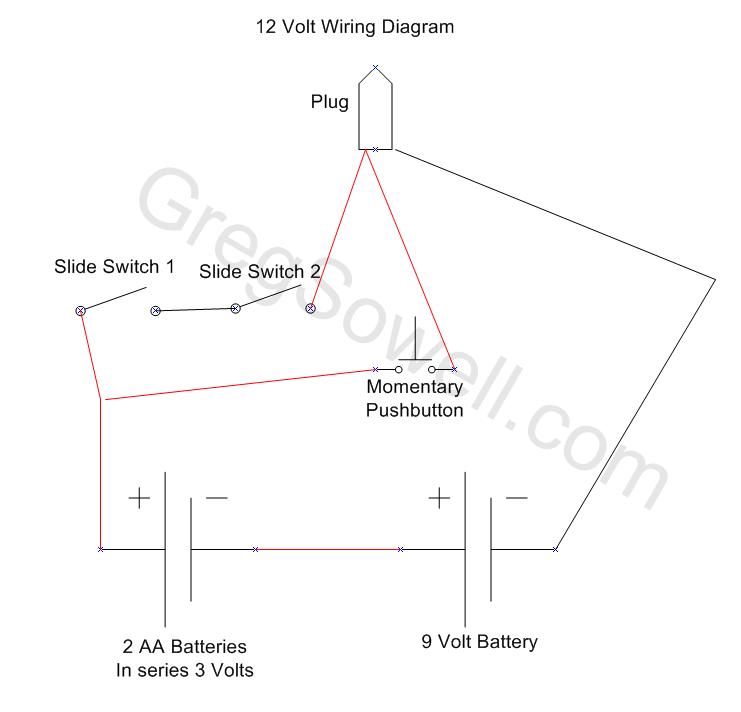
Fiber Tester Wiring Diagram
As you can see the batteries are wired in series. The two slide switches are wired in series also. This allows you to turn the transceiver on steady, but you have to flip two switches to make it happen. Keeps you from accidentally turning it on. The momentary button is also wired into series with the batteries, so you can just give it a quick push to test.
Here is the finished product:
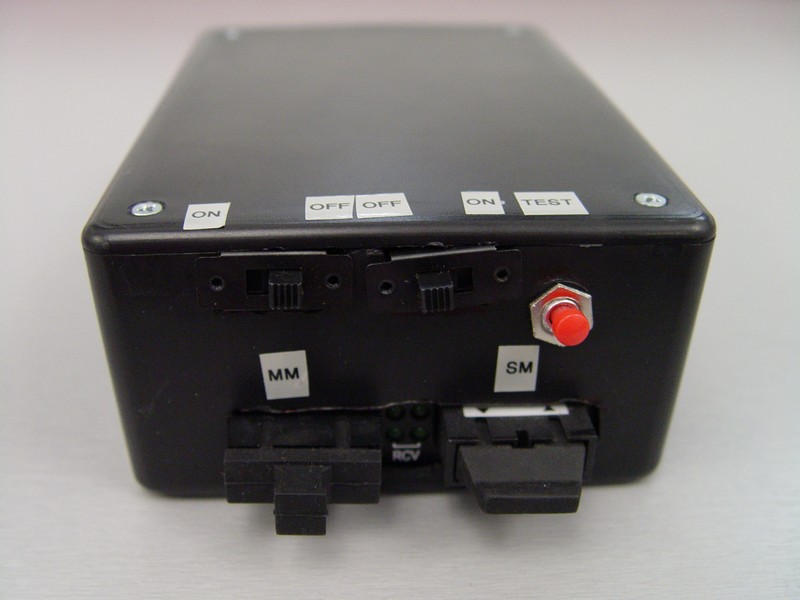
Front
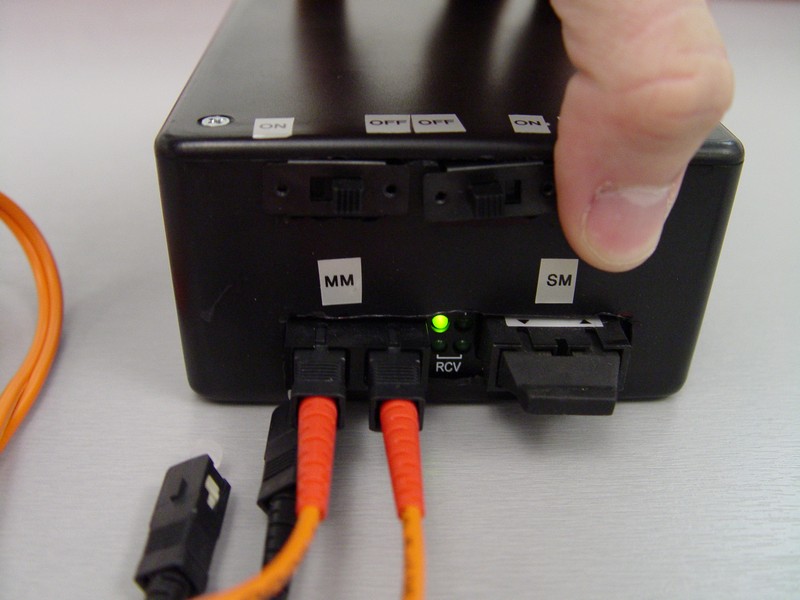
Momentary...light = good.
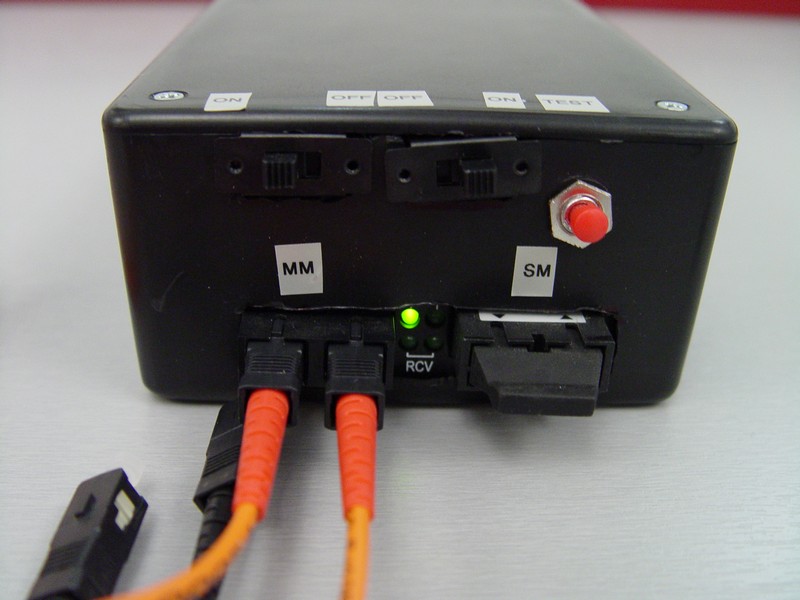
Slide Switches = more gooder
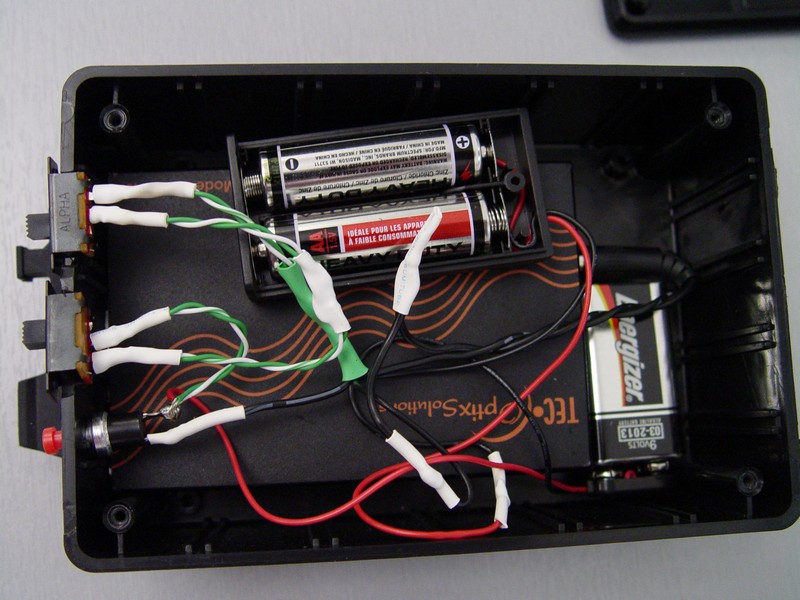
The Guts
My friend Brian was looking for something to keep track of his IP in is smaller enterprise. IPPlan is what we use at the DC/ISP and isn’t precisely tailored for smaller shops. He found this. They have a cute little video that gives you the quick and dirty. This guy doesn’t run as a service natively, but if you have read my Thumb drive articles, you will remember a couple of programs that allow you to do just that.
You may have seen metarouter in some of the Mikrotik change logs. First off, what is it?
Metarouter is a way to have logical routers running on your routerboard. In essence, you create a virtual router on your RB, then you assign some interfaces to it. You then can hand this virtual router off to a customer hand allow them to administer it without effecting any of the core functions necessary on the device. I’ve thought of a couple of ways this could be used.
One would be to segregate a wireless CPE into two. In this way, you can control from the wireless radio back into your core, while the customer can control the ethernet side. This will allow them to forward ports, setup DHCP, manipulate the firewall, all while protecting your backbone.
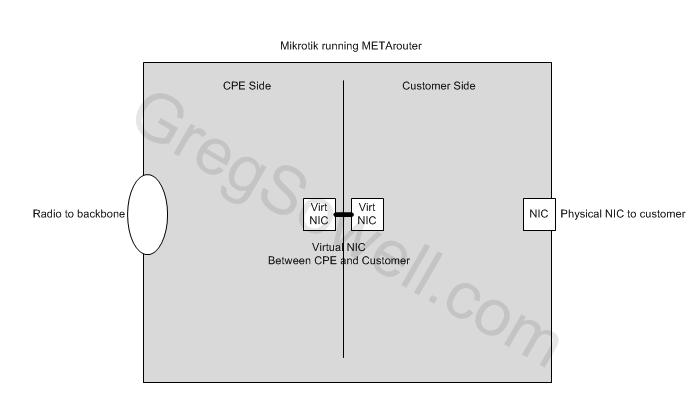
METArouter CPE
Another useful scenario is using an RB450 in a multi-tenant location. Say Ether1 is your internet connection, and you control that port. You create 4 virtual routers, one for each remaining internal port and hand those virtual routers to different customers. On your master router, you create a queue that limits that customer’s traffic.
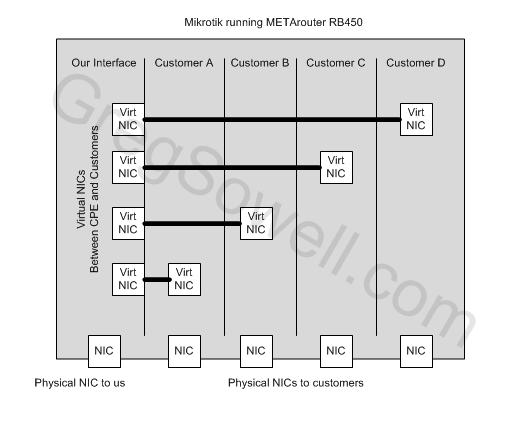
METArouter on RB450
What kind of stuff do you guys usually get?


1GB USB
The idea for this tutorial is you only have a /30 on our outside interface. You have an FTP server on the inside of your network you want to make publicly accessible. What we are going to do is NAT the FTP port on the outside interface to our FTP server on the inside. We will do all of this while still NAT Overloading on that same IP.
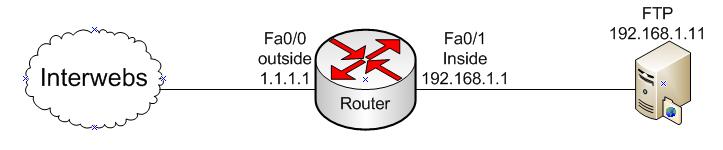
1 2 3 4 5 6 7 8 9 10 11 12 13 14 15 16 17 18 19 | interface fa0/0 desc outside-interface ip address 1.1.1.1 255.255.255.252 ip nat outside ! interface fa0/1 desc inside-interface ip address 192.168.1.1 255.255.255.0 ip nat inside ! ip route 0.0.0.0 0.0.0.0 1.1.1.2 ! ip access-list extended nat permit ip 192.168.1.0 0.0.0.255 any ! ip nat inside source list nat interface fastEthernet 0/0 overload !Here's where the magic begins. We are doing our specific FTP NATs below. ip nat inside source static tcp 192.168.1.11 21 interface FastEthernet0/0 21 ip nat inside source static tcp 192.168.1.11 20 interface FastEthernet0/0 20 |
You’ll notice that the two last lines are where everything happens. You are basically saying everything that comes in the outside interface destined for ports 21 and 20 to redirect to the specific inside host of 192.168.1.11.
1 2 | ip nat inside source static tcp 192.168.1.11 21 interface FastEthernet0/0 21 ip nat inside source static tcp 192.168.1.11 20 interface FastEthernet0/0 20 |