

Evidence
Here’s the only evidence you need.

Let me focus in a little:

Little closer…

That’s it folks…I’m officially famous. I’m now retiring…I don’t need the blog or to show up to MUMs anymore. Good day sir.
Thanks for spotting it Andrew 😛
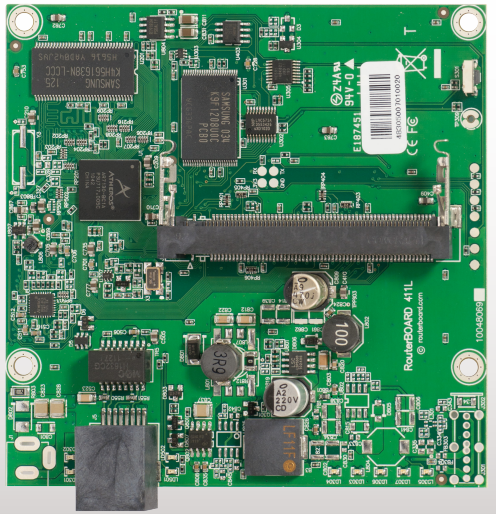
RB400 L series
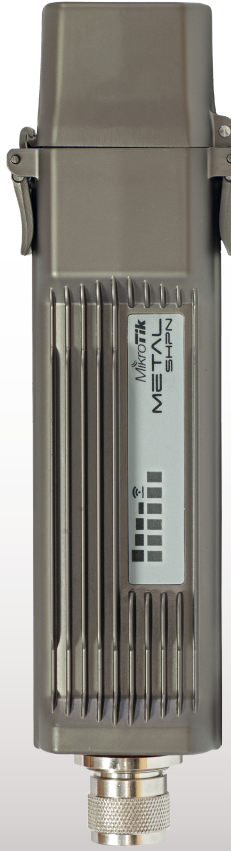
Metal
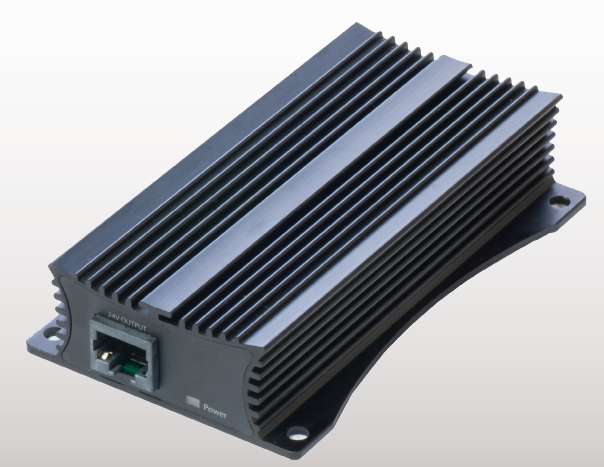
48V to 24V PoE converter

Hardware descriptions:
– RB411GL
– RB411UAHL
– RB711-2HnD
– RBPOE-CON-HP
– RB2011L
– RB2011L-IN
– RBWMK
– RBSXTG-5HnD
Schedule this program to run at whatever interval you like. It creates a folder for Year and Month. It then saves the statistical information in a CSV file via the name of the day.
To change what URL you are accessing and the file to save it as, edit the config.txt file 🙂
It records the poll time and the time in milliseconds it took to load the file…wwwwwwweeeeeeeeeee
Download compiled files here: DownloadTimer (1793 downloads)
1 2 3 4 5 6 7 8 9 10 11 12 13 14 15 16 17 18 19 20 21 22 23 24 25 26 27 28 29 30 31 32 33 34 35 36 37 38 39 40 41 42 43 44 45 46 47 48 49 50 51 52 53 54 55 56 57 58 | #Region ;**** Directives created by AutoIt3Wrapper_GUI **** #AutoIt3Wrapper_UseX64=n #EndRegion ;**** Directives created by AutoIt3Wrapper_GUI **** ; Advanced example - downloading in the background #include <file.au3> $timer = 0 $timeout = 0 ;open config.txt and load our page and file name Dim $aConfig If Not _FileReadToArray(@ScriptDir & "\config.txt",$aConfig) Then MsgBox(4096,"Error", " Error reading log to Array error:" & @error) Exit EndIf $URL = $aConfig[1] $File = $aConfig[2] ;create our output folders. DirCreate(@ScriptDir & "\" & @YEAR) DirCreate(@ScriptDir & "\" & @YEAR & "\" & @MON) ;pull file Local $hDownload = InetGet($URL, @ScriptDir & "\" & $File, 1, 1) Do $timer = $timer + 5 Sleep(5) if $timer > 40000 Then ;ran over 40 seconds kill it. $timeout = 1 _WriteFile() Exit EndIf Until InetGetInfo($hDownload, 2) ; Check if the download is complete. Local $nBytes = InetGetInfo($hDownload, 0) InetClose($hDownload) ; Close the handle to release resourcs. _WriteFile() ;call function to write file. Func _WriteFile() $fData = FileOpen(@ScriptDir & "\" & @YEAR & "\" & @MON & "\" & @MDAY & ".csv", 1) ; Check if file opened for writing OK If $fData = -1 Then MsgBox(0, "Error", "Unable to open file. Make sure excel doesn't have it open.", 5) Exit EndIf if $timeout == 0 Then FileWriteLine($fData, @HOUR & ":" & @MIN & ":" & @SEC & "," & $timer & @CRLF) Else FileWriteLine($fData, @HOUR & ":" & @MIN & ":" & @SEC & ",timeout" & @CRLF) EndIf FileClose($fData) EndFunc |
The first announcement that I’ve seen so far from the European MUM is the new CCR-1036.
(Image courtesy Honzam from the MTK forum)

It pretty much looks like an 1100AH, though the specs are bananas.
I know QoS is heavy CPU wise. Does this mean that all QoS will be processed on a single 1.2Ghz core or will it be multicore aware and distribute the processing? My guess is that it will relegate the processing to a single core, which isn’t the worst thing in the world…it’s just with the theoretical throughput the router can handle it would choke trying to do QoS on a single core with that much interwebs moving through.
Can’t wait for more news and thanks for the tip Andrew!
Everything is more fun with Australians…even installing Linux apps!
