

Highlights:
802.11n support! They are showing the RB600a(now $195), pushing 185Mb with routing and connection tracking!!!!!!! I will be happy to test this for anyone who wants to send me some hardware! Anyone doing any real world testing, please let me know! Nstream dual, anyone?
R52n($49) and R2n($39), new N series cards.
Their wiki has been updated with some additional metarouter info. Looks like they are showing how to make custom images…nice.
Cisco Live
San Fran, here I come. Any of you guys going to be there? What should I see, where should I go?
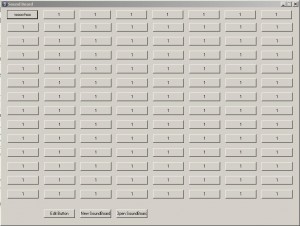
We get a copious amount of sales calls, so one of my coworkers used an online soundboard (Miss Cleo is my favorite) while speaking to the sales people. Sooo I thought it would be funny for us to record our own and attempt to use it. I wrote a little Autoit script to do just that. It has 115 buttons that you can assign sound files to. You can also change the description of the button. When you try to change to a new sound board or exit the current sound board, it will save it. Really simple. You can download the exe here
Autoit soundboard (1936 downloads)
or click the link below to view the code.
 read more…
IRB is Integrated Bridging and Routing. Bridging is synonymous with switching, as a bridge is roughly equivalent to two ports of a switch. Sooo, what this allows us to do is to set a couple of ports on a router to bridge across. You can also create a BVI (Bridge Group Virtual Interface) interface that allows you to route on this bridge. Turning on IRB on an interface allows the VLAN tag to remain intact across the router. You can now turn your router into a switch that routes…if there were only some way to do this with a switch…like a 3550 or 3560 or 3750 or virtually any catalyst switch 😉 All jokes aside, it does have its uses. One such use is for HA (High Availability).
You can use an older router to be somewhat more redundant layer 2.
Here is an example scenario:
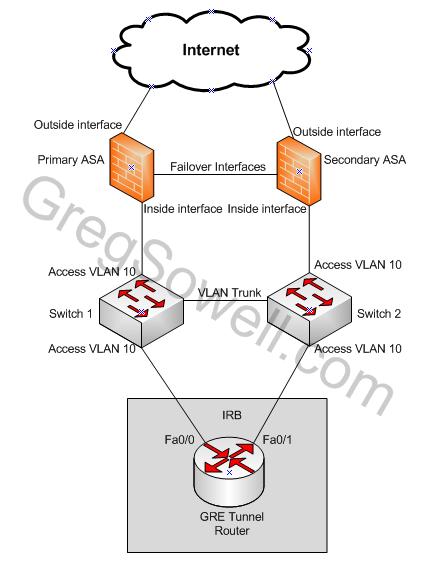
Itegrated Routing and Bridging
As you can see in the diagram, we have a single router acting as a GRE tunnel router. This is going to be an older commodity router. To give as high availability as possible, we are going to connect port fa0/0 and fa0/1 to the same L2 access VLAN. Below is the pertinent configurations for this.
1 2 3 4 5 6 7 8 9 10 11 12 13 14 15 16 17 18 19 20 | bridge irb ! interface Fa0/0 no ip address no ip directed-broadcast bridge-group 1 ! interface Fa0/1 no ip address no ip directed-broadcast bridge-group 1 ! interface BVI1 ip address 192.168.1.2 255.255.255.0 ! bridge 1 protocol ieee ! bridge 1 route ip ! ip route 0.0.0.0 0.0.0.0 192.168.1.1 |
This is what Cisco has to say about it.
I’m not saying that I’m an old-world craftsman, but you do have to admire my work.
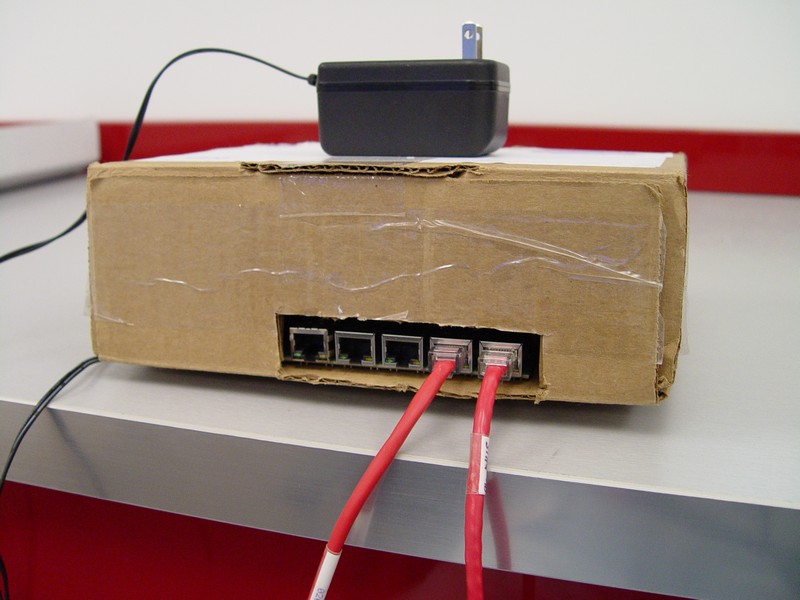
behold...
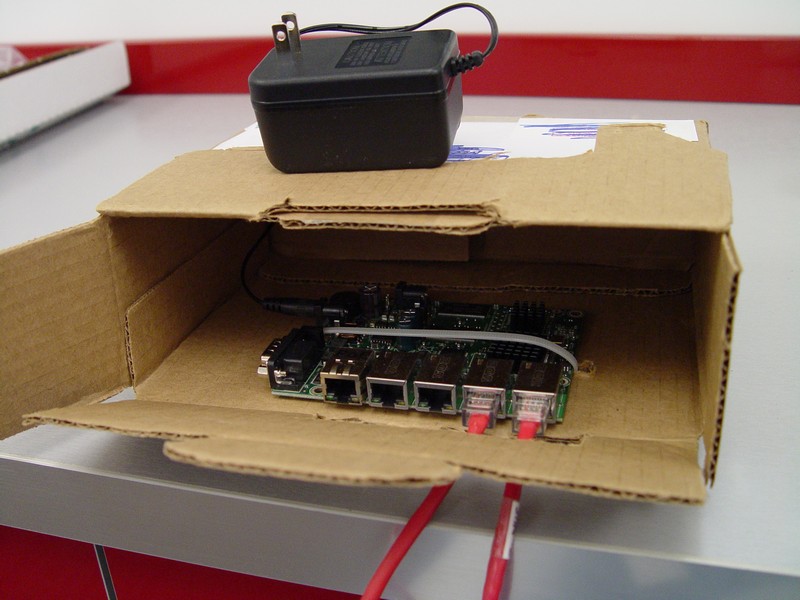
feast thine eyes
As you know, or should know, shame on you for not knowing, the 450G is the new 5 port gig router. It’s features at a glace:
- 5 gig ports, though port 1 to any port is full gig while all other ports will only get ~650Mb between each other
- METArouter support
- 256 megs of ram (full internet route table will require around 100MB)
- 680Mhz processor.
Tests running code 3.23.
***265K BGP Routes***
Using Quagga (I wrote an article on easily configuring Quagga), I advertised around 265K routes over to him…the internet route table is around 256K routes, so it is a pretty accurate test.
With No Traffic Running
When bringing up a single peer, the route table isn’t completely full for around 2 minutes on average. Also, the CPU stays at 100% for right around 3 minutes on average.
When bringing up the second peer it takes around 5 minutes for all routes to hit the 450G and CPU stays at 100% for around 7 minutes.
With Traffic Running
80Mb throughput test
While running the bandwidth tests, the CPU remains at 100% with or without BGP enabled.
From the time the first peer starts to come up my throughput averaged 40Mb. It took roughly 5 mins 40 secs on average to pull the routes. My throughput didn’t go back up until 7.4 minuts had passed, on average.
Second peer coming up takes the same amount of time as the first peer.
I noted that once you have both peers established and stable, if you drop one peer the router becomes pretty much completely unresponsive to winbox or serial. My throughput remains at 40Mb for about 15 minutes, at which time the only remaining peer flaps. After the flap the router reestablishes and begins to rectify the route table. For this entire 20 minute procedure, the route table remains the same; all routes still exist, even from the missing peer! The new peer takes the average loaded time to complete.
Here is a little screen shot of the failure:
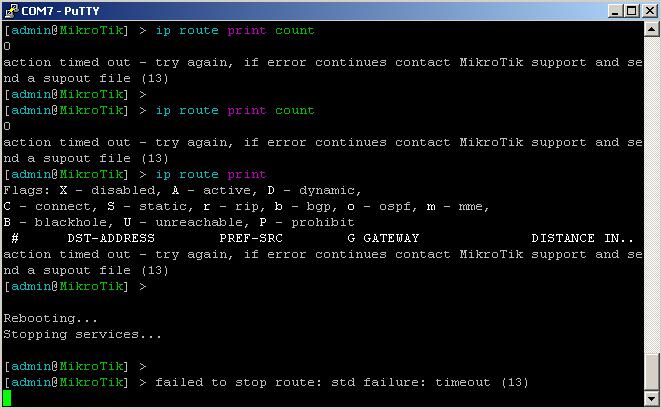
Brick house
2Mb Throughput Test
First and second peer take roughly 2 mins to pull routes and roughly 5 mins for the CPU to return to normal.
The same peer flap happens even with a lightly loaded link. We have two full peers and drop one. After 20 minutes of the router being unresponsive to administration, the second peer flaps and then everything starts to respond again. During this 20 minute interval, all routes from both peers, even the dropped peer, remain. I need to test if this bug exists when I do a larger server based install. Not to say this is really a bug…I believe it more to be the fact that the 450G just doesn’t have enough CPU.
***10 BGP Routes***
Peers come up and down withing seconds. CPU is virtually unaffected. Everything works flawlessly. I’m pretty sure this is the realm this router was designed for. This could be connecting a small internet connection as well as peering you into a provider’s MPLS network.
Summary
| Throughput | # BGP Routes | 1 peer pull routes | 1 peer normalize | 2nd Peer pull routes | 2nd peer normalize |
| 2Mb | 10 | 5 Secs | 10 Secs | 5 Secs | 10 Secs |
| 2Mb | 265,000 | 2 Mins | 5 Mins | 2 Mins | 5 Mins |
| 80Mb | 10 | 5 Secs | 10 Secs | 5 Secs | 10 Secs |
| 80Mb * | 265,000 | 5.5 Mins | 7.5 Mins | 5.5 Mins | 7.5 Mins |
*40Mb was attainable while processing was being performed
All in all, my impressions are positive. I wouldn’t suggest pulling the full internet route table with one of these guys, though they are technically capable of it. As you could see from the testing, definately DO NOT dual peer these guys with the full internet route table! If one of your peers drops you will black hole your traffic for around 25 mins, or if you reboot the router, you can cut that down to about 5 minutes. Also, if you only have a single peer and you flap the link, you pay a 10 minute or so penalty until the peer will reestablish.
I’ve also noticed that when you flap peers that the prefix statistics gets way off, AKA the count of routes learned from each peer. This would be another bug.
On the other hand, if you use this router as it was intended, it works splendidly! If you are holding a few hundred routes via BGP, you can rely on this guy to work efficiently.
450G loaned for testing by Learnmikrotik.com
It seems portions of your config are not in the obscure hashed format. They sit in flash in plain text until you issue a show run. VPN PSKs and AAA creds are some of those values.
1 | more system:running-configuration |