Another riveting change log 🙂
*) fixed problem – wireless packet bridging with nstreme enabled
sometimes was very slow on RB1xx, RB5xx and RB4xx;
*) fixed problem – ipv6 traffic was not bridged if ipv6 package was not enabled;
*) ‘/user active’ now lists type of api connections as ‘api’
*) fixed getting interface stats in dude
*) fixed metarouter stability problem on RB400s & RB750s;
*) fixed metarouter – it didn’t work on RB1000 with 2Gb;
*) fixed metarouter – it locked up on RB800;
*) fixed problem – SFQ queues did not work on interfaces (wireless) if none
of simple or tree queues were added;
*) fixed RB800 temperature;
*) silentboot feature updated;
*) multicast – fixed possible crash during PIM startup;
*) ospf – changed “/routing ospf route” to show type 2 metric instead of
internal metric for type 2 external routes;
Yep, I found that bug…I’m so much cooler than you 😛
*) report platform name in “/sysrem resource”;
*) fixed problem – vlans were not working on RB750 ether1;
!
*) fixed mac address handling on RB750, some specific arp requests did not work;
!
*) more than two dns servers allowed in /ip dns;
*) sniffer and torch could process packet from other interfaces;
!
*) dns cache rotates order of records in reply messages;
*) ospf – fixed DR and BDR election;
Hey there my peoples. I’m back from vacation with an update on the dude. If you are unfamiliar with the dude, it is a free monitoring tool that can build weathermaps of your network with links between devices. It will do icmp monitoring and syslog collection(I still prefer cacti, but this is pretty easy to use and works well). Version 3.6 has been released. Change log says:
So the Panduit rep was here with one of our customers and he had a few things to show us…he just happens to keep this kind of thing in his pocket ;). He showed us the port blocker and the cable locker.
The little port blocker guy is a tiny blue piece of plastic that fits into any RJ-45 jack. They make a special little tool to remove the blocker. The idea is you can block out seldom used ports in conference rooms and such.
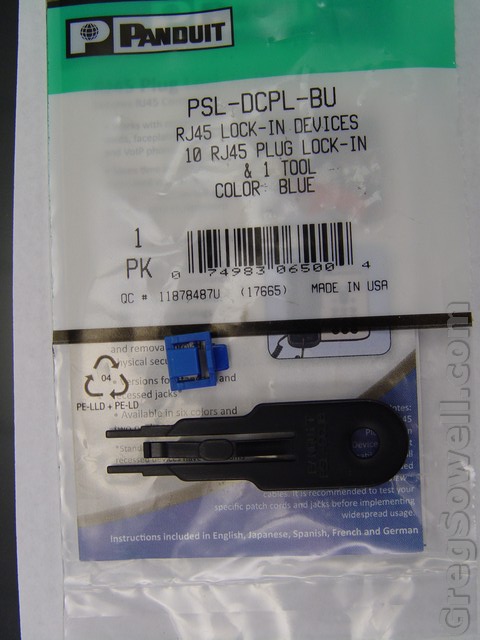
I'm too lazy to write the model # down, so I took a picture.
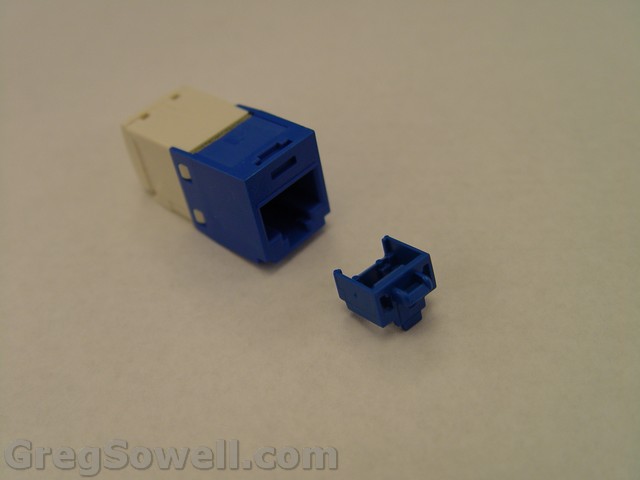
Before
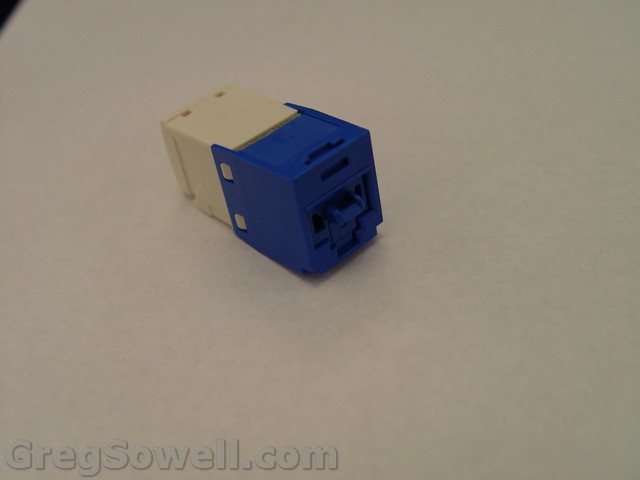
After
Then you have the cable locker. You thread your cable into it and twist. The little locker holds the tab up so you can’t depress it to remove it.
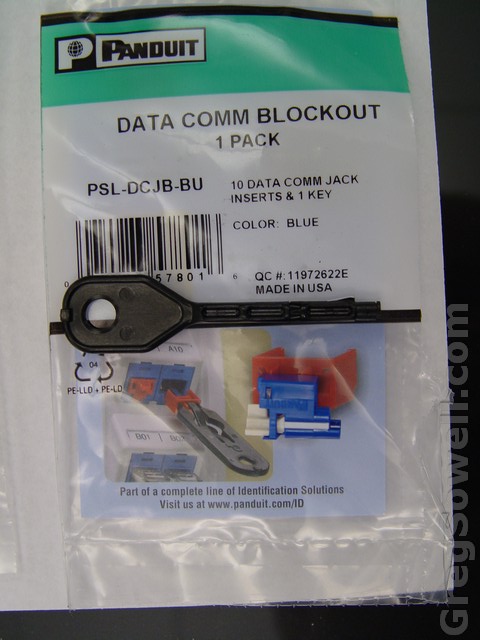
Again, lazy.
The locker with the key inserted.
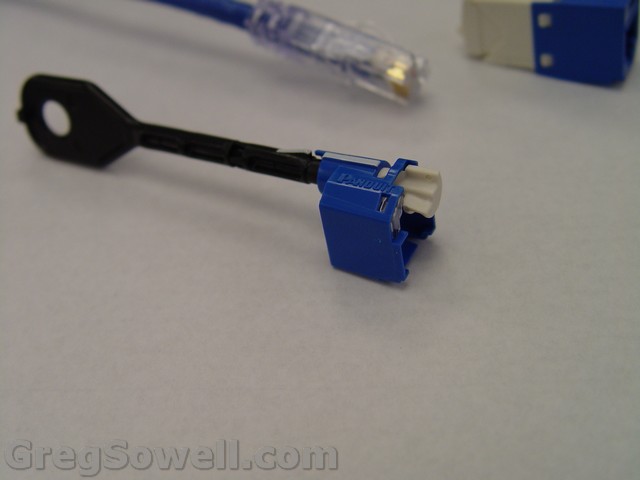
I'm the gatekeeper, are you the keymaster?
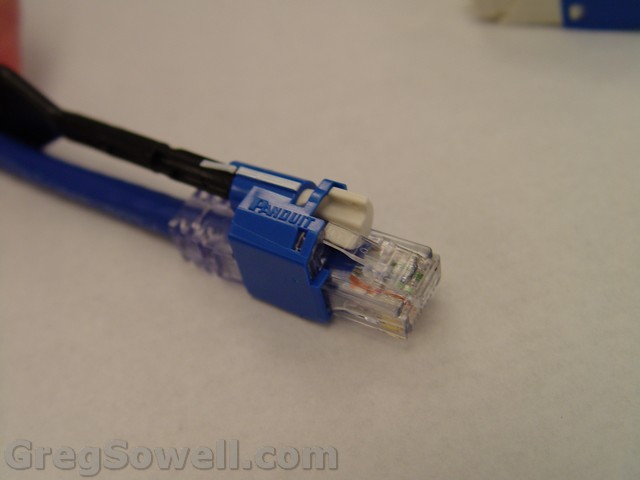
Inserted and locked
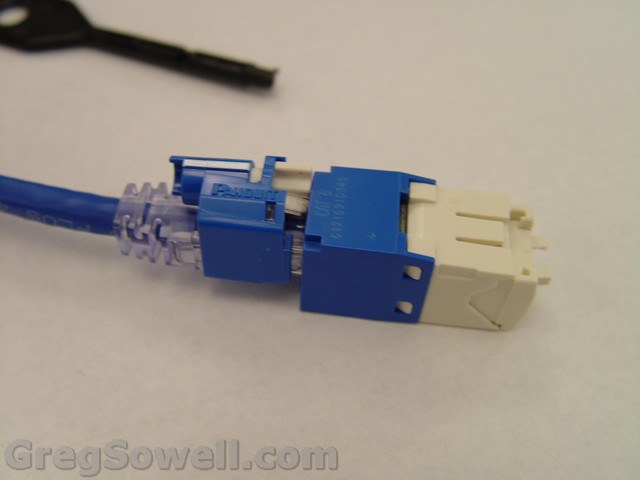
In the jack.
We did notice that using a precision screw driver, you can unlock these guys, but it will keep the casual wanker out.
Here is my lovely assitant, Jacob, showing you how everything works in video form.
I’m probably reflecting on how much fun I had. Trying to recover from how I was busy doing all sorts of things with stuff. Maybe I miss you guys a little…just maybe. 😉
Here. I don’t miss you, not even a little.
Here. Still not thinking about you guys.
A buddy of mine JJ is running the new beta4 firmware for his UBNTs, so he forwarded me the change log and a couple of initial comments:
Here are the fixes for BETA4:
– WEP/WPA-TKIP aggregation for Kite/Kiwi radio chipset — fixed
– Power control fix — completed
– AirView mode fixes, including endless process while switching back to normal operating mode
– Ping timeout and connection drop fix
– New: Improve ACL rules management: increase max MAC ACL entry count to 32
AirOS v5.2 planned and implemented features:
– New: Speed test tool
– New: AirView tool (Spectrum Analyzer mode)
– New: Routing scenario: Network mode “Soho Router”
– New: NanoStation M5/M2 Second Ethernet port functionality — now it is possible to bridge with wireless port
– New: Antenna gain and cable loss fields for compliance
– New: AirMax ON in default configuration
– New: Intelligent GUI improvement
– New: Console agent: Restore active heartbeat connections after firmware upgrade
– New: Report 802.11 information messages into syslog
Improvements/change requests:
– CCR: RADIUS client support in AP mode
– CCR: PEAP/MSCHAPv2 support
– CCR: Add static routes via WEB UI
– CCR: Show Station and AP IP address
– CCR: Hide WPA password with “*”
– CCR: Ability to de-associate station from Station list via WEB UI
– CCR: Add support for SSH authorized keys in configuration file
– CCR: Change apply configuration logic
– CCR: Missing ppp0 interface information on Main page, when PPPoE session is initialized
– CCR: Add System Startup Time/Date field (critical for 802.1x supplicant)
– CCR: Allow ping when device is in TFTP recovery mode
– CCR: Include PPTP/GRE NAT modules
– CCR: Add MAC clone/change option for WAN interface when operating in SOHO router mode
Major Fixes:
– MAJOR: Chain signal mismatch on reported signal strength/ Power control fix for M5 2×2 chain devices
– MAJOR: Improve noise level calculation
– Remove DFS 5250-5350 frequency for US country code (all M series products) , but keep the link alive if DFS frequency was used
– No more trimmed channels on Compliance country code
– Frequency list issue fix for counties :
Uzbekistan
Brazil
Honduras
Peru
Philippines
Russia
South Africa
Sri Lanka
Thailand
Here’s JJ’s comments:
Already noticed known issues:
– Antenna gain /cable loss fields should be not available in NanoStation M2/M5
– Under IE8 some entry fields returns error
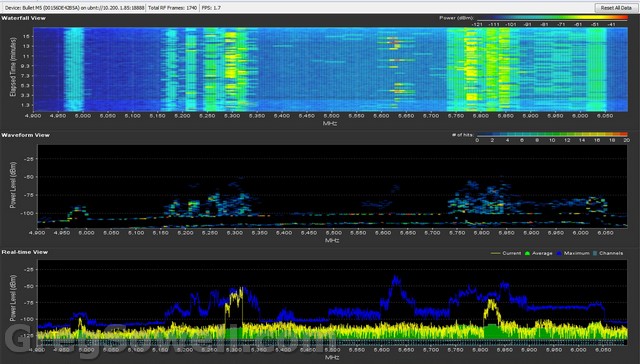
Here’s a shot of the new spectral analyzer: