

For all of you riding the bleeding edge, here is the quick bug fix for the last round of bug fixes 😉
*) wireless – fixed disconnect problem on long distance
802.11 40MHz links;
*) wireless nv2 – fixed station mode that broke when station-bridge
was introduced
*) wireless – more improvements for 11n compatibility;
*) routing – fixed problem with best route selection, sometimes inferior route
could get selected as the active, problem was introduced in 5.0rc8;
*) kvm – fix guest starting;
I’ve always loved working with 12V and I’ve used some remote control 12V stuff in the past. Here’s a couple of cool relays…that are pretty cheap.
Two remotes for 1 relay, $16.95.

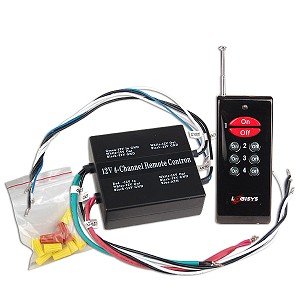
1 remote, 4 relays momentary action $23.67.

GSM activated 7 relays $145.99.

You send an SMS message and it reboots devices. You should be able to get a prepaid SIM card and rock this for $20 a year.
12 relays/8 analog inputs/8 digital inputs – web controlled $132.
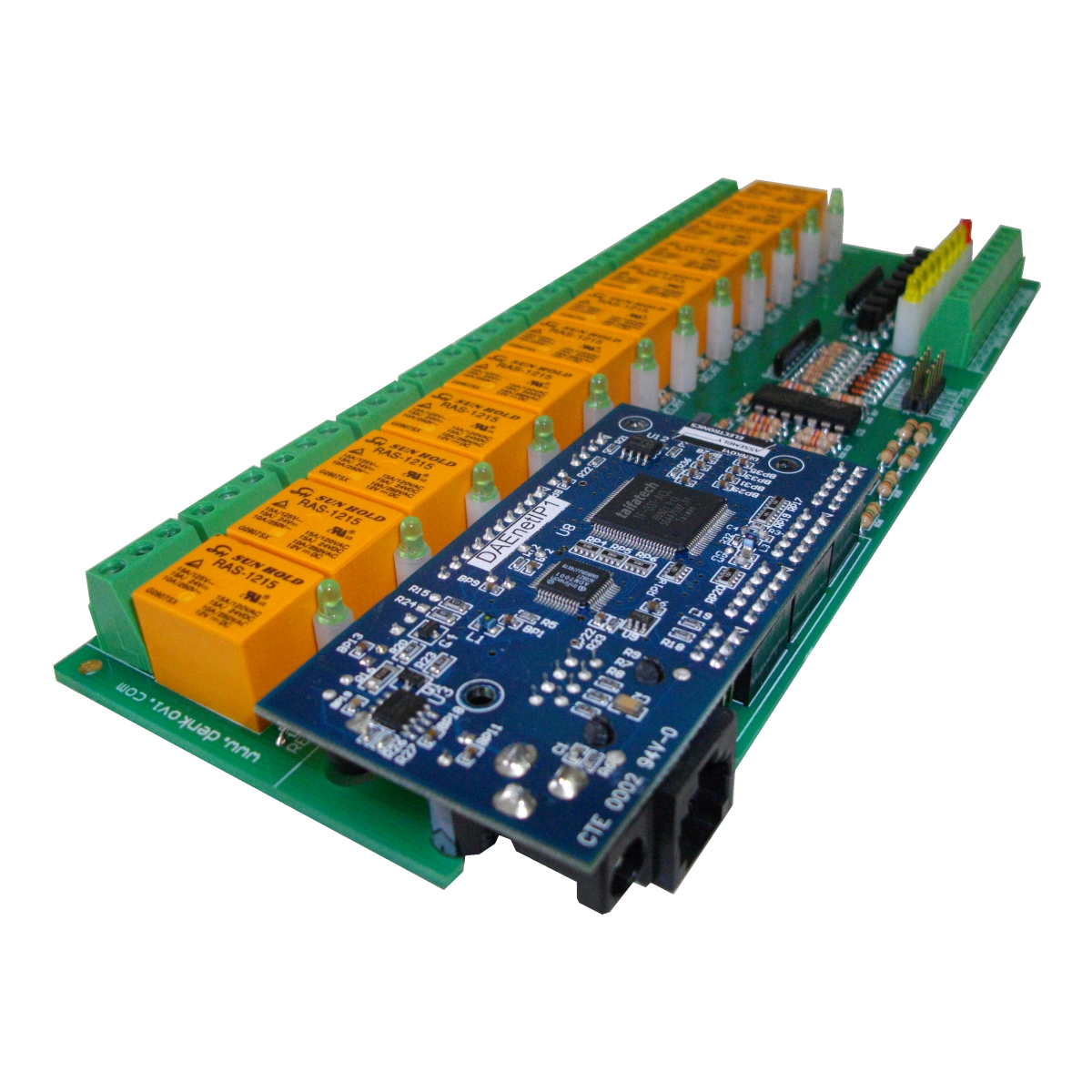
denkovi.com has crazy prices on cool products. All of their web controlled devices have analog/digital inputs as well as snmp control.
I know I don’t put many personal posts on here, but here is one for you. This narrative was inspired by the cold weather. Here in central/south Texas we don’t get many really cold days. We’ve had temperatures down to 15 degrees…which is exceedingly cold for us (I hate it!).
This means that Monday night I got an hour of sleep, then got called into work. Granted I did go to sleep late…the thinking was “I’ll probably be stuck at work tomorrow, so I’ll stay up with the wife tonight to watch a movie.” So since we are a Tier 4 designed facility, we have a plethora of redundancy. This being said, we have three chillers and five generators on the roof.
The chillers that aren’t running have to have their isolation valves cracked juuuuust right to keep water flowing through their coils, otherwise the water stagnating inside might freeze and burst their coils. Folks up north run glycol systems to avoid this.
Also, diesel fuel has something called a “gel point”. This is the point at which the paraffin wax inside the fuel begins to congeal. Once the temperature drops below freezing the wax begins to gel. Around 15 degrees it gels to the point where fuel filters will clog and starve your generator! To work around this issue you can install fuel heaters or just add a treatment to the fuel. Since we really only have two weeks of this a year, the treatment is the preferred route. To treat the fuel, one adds about a gallon of treatment to every 1000 gallons of fuel. This will lower your gel point to around 0, which is perfectly acceptable for us.
So, nearing the end of my first night, I started getting alerts on one of my VMs. It seems that I lost a drive on the host server and it degraded performance enough to be noticed to the VM. So, I started to work on that. I was finished in the early afternoon and headed home to sleep about 3 hours. I then showed back up at 7PM and then worked again through to about 10AM.
Fast forward to the day I’m writing this, which is Saturday night because I’ve worked that same schedule ALL week. We make rounds to all the gear on a bi-hourly basis ensuring everything is rocking and rolling.
I would offer this as a word of warning to anyone considering working for a data center. You aren’t just a network guy, or a server guy…you are an EVERYTHING guy. My background lends itself to such endeavors because I’ve never been great at any one thing, but mediocre at tons of stuff…hehehe.
One more thing of note: it’s not the sleep I missed, it was my family. Then again, they are the reason we keep jobs like this in the first place, is it not. 🙂
What’s new in 5.0rc8 (2011-Feb-01 14:03):
*) added led trigger – change leds on different events;
*) snmp – restored access to routing tables;
*) snmp – fixed memory leak for OID 1.3.6.1.2.1.25.2;
*) ipsec – added ipv6 support;
*) removed broadcast setting from ip address;
*) radv – fixed problem when wrong link local address was used
to send advertisements on bridge interface;
*) ppp – make IPv6 work again (introduced in v5.0rc7);
*) ppp – fixed problem when user re-authenticated and traffic accounting
included data from previous session;
*) fixed traffic-flow on x86-smp (could stop sending flows);
*) improved usb modem mode switching;
*) kvm – fixed problem when sometimes virtualization detection fails;
*) routing – route with recursive gateway sometimes was not selected as
active, if another inferior route with directly reachable gateway
was present;
*) bgp – removed “interface” property from bgp peer configuration, now
ipv6 link local remote address must be specified using the
“address%interface” notation;
*) added extended ethernet statistics (/interface ethernet print stats) for RB800,RB1000,RB1100 and RB7xx with AR7241 or newer cpu;
*) wireless – improved 11n compatibility;
*) wireless nv2 – added support for station-bridge mode;
*) wireless nv2 – added area support;
*) wireless – added ability to set registration-table comment using RADIUS
attribute;
*) implemented usb power-reset command on RB SXT 5HnD;
The PDF is here.
SXT 5HnD
The first item is the new SXT 5HnD. This is a dual polarity 802.11a/n device that is all in one(16dbi antenna with routerboard). They look like they are taking the UBNT nanobridge head on with this product. The price tag should be around $90 and it ships with a level 3 license, though this is fine for station mode or to act as a bridge for P2P.
This guy is supposed to have a standard voltage sensor as well as a temperature sensor.
400Mhz, 32MB RAM, 64MB flash.
This router was built with Nv2 in mind!

The design reminds me of some licensed frequency stuff I’ve seen, so it definitely looks carrier class.

You can see on the back that they have the, now, industry standard signal LEDs. The plastic clip system on the back looks interesting…almost like you will be able to disconnect it without too much trouble(unlike the nano bridges). The little flappy flap hides the ethernet port as well as a USB port.

It looks like the poll mount just clips right onto the back of the unit. I also see a slot to use a pole clamp.
Nv2 mode station-bridge
This is a new Nv2 only extension that basically connects to an AP and bridges clients right through the CPE. I love this quote from the wiki: “This mode is safe to use for L2 bridging and should be used whenever there are sufficient reasons to not use station-wds mode.” They don’t bother mentioning what might be a sufficient reason to not use station-wds 🙂
SwOS 1.4
Looks mostly like bug fixes.
What’s new in 1.4:
*) added ability to limit access by VLAN;
*) added ability to disable Mikrotik Discovery Protocol;
*) fixed problem – connecting to SwOS over VLAN did
not work;
*) fixed problem – switch sometimes stopped
responding;
/system leds
You now have a bit of control of your SXT, 711 and 400 series routers.
“you can configure each of the RouterBOARD LED lights to show one of these things: “flash access, interface rx or tx, interface activity, interface status, wireless signal level”.”
Do yourself a favor and dump your ESXi syslog messages.
Cisco has the link here.
Remember to use your:
1 2 3 | show serialX/X show controllers serial X/X show service-module # this most importantly |
General T1 troubleshooting is here.