

Mikrotik SMB (Windows Share) Support
As of ROS V 5.12 SMB support was added to Mikrotik.
By default you now have a /pub folder in your file list. In the SMB settings there is now a default share of /pub.
[admin@MikroTik] /ip smb> print
       enabled: no
        domain: MSHOME
       comment: MikrotikSMB
  allow-guests: yes
interfaces: all |
[admin@MikroTik] /ip smb> .. -- go up to ip edit -- export -- Print or save an export script that can be used to restore configuration get -- Gets value of item's property print -- Print values of item properties set -- Change item properties shares -- users -- |
As you can see by default the service is disabled, guests are allowed to connect, and all interfaces have sharing access.
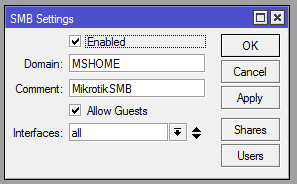
/IP SMB - Default settings enabled.
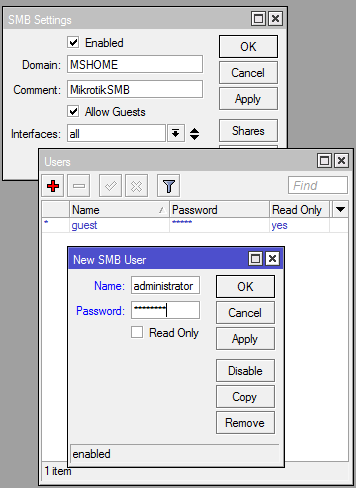
Users - Adding new users and or disabling the guest user.
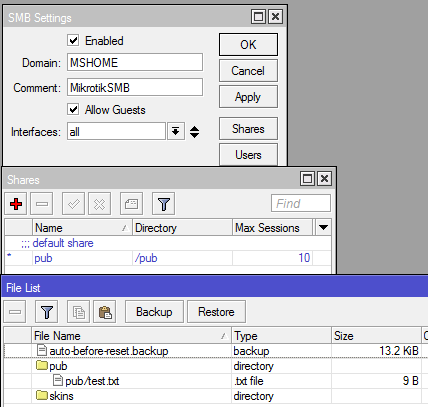
Share - This allows you to share specific folders. You can see how it corresponds in the file listing.
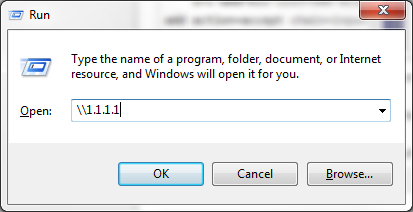
Connect via windows 😉
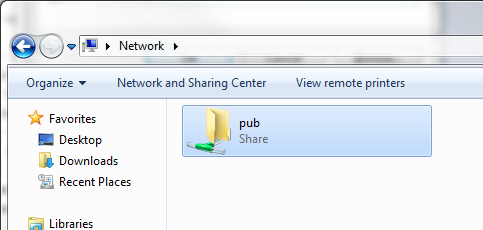
Well well well, lookie there =)
SMB Firewall Rules:
SMB uses a combination of TCP and UPD ports. Here are a few firewall rules that will protect access:
1 2 3 4 5 6 7 8 9 10 11 12 13 14 15 16 17 | /ip firewall filter
# Allow winbox in for sure ;)
add action=accept chain=input disabled=no dst-port=8291 protocol=tcp
# Allow established and related into your router
add action=accept chain=input connection-state=established disabled=no
add action=accept chain=input connection-state=related disabled=no
# Here are the TCP/UDP ports necessary for SMB. Using address-list smb-allow to grant access.
add action=accept chain=input disabled=no dst-port=137-138 protocol=udp \
src-address-list=smb-allow
add action=accept chain=input disabled=no dst-port=137,139 protocol=tcp \
src-address-list=smb-allow
# Block everything else.
add action=drop chain=input disabled=no
# The address list for access to the SMB.
/ip firewall address-list
add address=1.1.1.1 disabled=no list=smb-allow |
Now, map your USB hard drive or USB thumb drive. This could be used as a great little file share system. Perhaps I’ll test throughput via an X86 with an extra HD installed. See if I can stream video :). I think this could also be used as an alternate method to backup your configs/update hotspot files. What do you guys think?
Got some benchmarks for us Greg? Are we talking a complete FullHD video storage here, or are we talking boring config backups?
@Sam
So far I’ve tested with a 751U which has a 400MHz proc.
While transferring to the router the CPU goes to 100% and takes around 2 minutes to transfer 170MB.
While trying to stream the video the CPU goes to 100% again and video stops after about 5 seconds. I’m going to test on an x86 box just to see what it will do.
I’m assuming a larger CPU is what limits the streaming capabilities.
UBNT firmware upgrade in a remote place !!
Hi Greg,
Thanks for a very helpful article. I almost managed to get it working following your guide, but your guide is shorting one port which also needs to be forwarded. TCP 445 (http://en.wikipedia.org/wiki/List_of_TCP_and_UDP_port_numbers)