

While cactiEZ does make some things easy, editing the syslog alerts in bulk isn’t one of them. To do it quickly, simply do the following from the Mysql CLI:
1 2 3 | update syslog_alert set email='[email protected], [email protected]' where email like '%[email protected]%'; |
The set command will replace the email field with whatever is entered between the single quotes. Be sure to use a comma and space between email addresses.
In the where clause, change whatever needs to be matched in between the %. The percent sign is a wildcard.
Have fun folks.

We are back peeps! Greg, Mike, Justin Miller, Justin Wilson, Alex, Tomas, and Tom chat about a few important things, and a lot of everything else. We gave a shout out to a few new people we’ve met, but please forgive me for forgetting a few(looking at you forestry service guys and Costa Ricans).
Topics include:
To see the video please visit the link below!!!
Spoiler alert, Mike has some new recording equipment, so let’s see what he does with it.
Mike, Wilson and Miller went to WISPAmerica 2016 in Louisville, KY last week. We came out with six interviews that are of far better quality than last fall in Vegas. The show just started a week ago and we already have 3/5ths of the views of the new videos. We interviewed Baicells, Mimosa, VISP, Trango, IgniteNet and TowerOne.
If you need to find the SNMP Ifindex of your Cisco router you can simply enter :
1 2 3 | !change the interface name for your desired entry. router# show snmp mib ifmib ifindex TenGigabitEthernet1/1 Interface = TenGigabitEthernet1/1, Ifindex = 1 |
For an IOS-XR router it is:
1 | show snmp int Te0/0/0/0.1651 ifindex |
I had a customer ask for a very odd configuration.
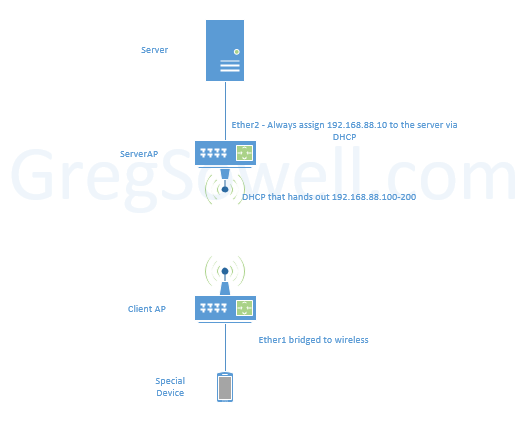
Off of the ServerAP, Ether 2 must always hand out 192.168.88.10. The routers need to be a generic config so they can use them no matter what MAC address the server has.
They also want the ClientAP to just bridge everything together so the remote special devices will pull DHCP from the server AP. Oh yeah…and they all have to be in the same “subnet” and accessible to each other. What to do, what to do…
Well, this is what I did:
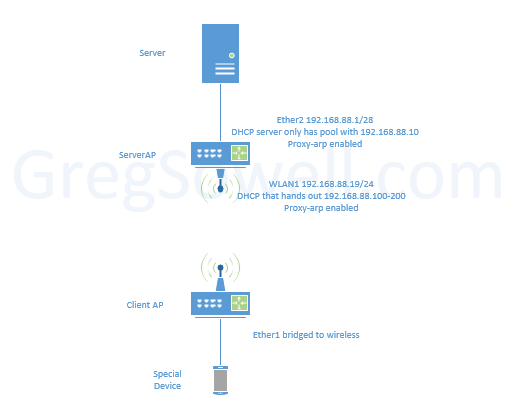
The ServerAP has proxy-arp enabled for both Ether2 and WLAN1.
I then set Ether2 to IP 192.168.88.1/28 and configured a DHCP server on it to only hand out 192.168.88.10. If you don’t add an interface with an IP, the DHCP won’t enable. I first thought about bridging Ether2 and WLAN1, but if you do this, you can only run a single DHCP server…which means we can’t set aside a special IP for the server. So by breaking the subnet up we can run multiple servers.
Ether2 is configured for 192.168.88.19/24 with a DHCP handing out 192.168.88.100-254.
The ClientAPs then run in station bridge to allow them to connect wirelessly and bridge their ether interfaces over. Now wired clients can pull DHCP from the ServerAP.
Here’s the configs:
ServerAP:
1 2 3 4 5 6 7 8 9 10 11 12 13 14 15 16 17 18 19 20 21 22 23 24 25 26 27 28 29 30 31 32 33 34 35 36 37 38 39 | /interface ethernet
set [ find default-name=ether2 ] arp=proxy-arp
/interface wireless security-profiles
set [ find default=yes ] supplicant-identity=MikroTik
add authentication-types=wpa2-psk eap-methods="" management-protection=\
allowed mode=dynamic-keys name=profile1 supplicant-identity="" \
wpa2-pre-shared-key=popcorn
/interface wireless
set [ find default-name=wlan1 ] adaptive-noise-immunity=ap-and-client-mode \
arp=proxy-arp band=2ghz-b/g/n disabled=no mode=ap-bridge \
security-profile=profile1 ssid=p48923
/ip pool
add name=dhcp_pool1 ranges=192.168.88.10
add name=dhcp_pool2 ranges=192.168.88.100-192.168.88.254
/ip dhcp-server
add address-pool=dhcp_pool1 disabled=no interface=ether2 lease-time=30s name=\
dhcp1
add address-pool=dhcp_pool2 disabled=no interface=wlan1 lease-time=10m30s \
name=dhcp2
/ip address
add address=192.168.88.1/28 interface=ether2 network=192.168.88.0
add address=192.168.88.19/24 interface=wlan1 network=192.168.88.0
/ip dhcp-client
add default-route-distance=0 dhcp-options=hostname,clientid disabled=no \
interface=ether1
/ip dhcp-server network
add address=192.168.88.0/28 dns-server=8.8.8.8,8.8.4.4 gateway=192.168.88.1
add address=192.168.88.0/24 dns-server=8.8.8.8,8.8.4.4 gateway=192.168.88.19
/ip firewall nat
add action=masquerade chain=srcnat out-interface=ether1
/ip service
set telnet disabled=yes
set ftp disabled=yes
set www address=192.168.88.0/24
set ssh disabled=yes
set api disabled=yes
set api-ssl disabled=yes
/system identity
set name=ServerAP |
ClientAP:
1 2 3 4 5 6 7 8 9 10 11 12 13 14 15 16 17 18 19 | /interface bridge
add name=bridge1
/interface wireless security-profiles
set [ find default=yes ] supplicant-identity=MikroTik
add authentication-types=wpa2-psk eap-methods="" management-protection=\
allowed mode=dynamic-keys name=profile1 supplicant-identity="" \
wpa2-pre-shared-key=popcorn
/interface wireless
set [ find default-name=wlan1 ] adaptive-noise-immunity=ap-and-client-mode \
band=2ghz-b/g/n disabled=no mode=station-bridge security-profile=profile1 \
ssid=p48923
/interface bridge port
add bridge=bridge1 interface=ether1
add bridge=bridge1 interface=ether2
add bridge=bridge1 interface=wlan1
/ip dhcp-client
add default-route-distance=0 dhcp-options=hostname,clientid interface=bridge1
/system identity
set name=ClientAP |
As odd as this config seems, it worked a treat. The real secret is that proxy-arp allows the devices on different subnets to communicate even though it seems as though they shouldn’t be able to.
This is a weird one for sure. How would you guys have approached this? What would you have done different?
There is a really clean Youtube stream of the EU MUM going on right now!
Just look what you are missing!
I dare you to look away
Be sure to find Foxy Coxy while you are there:
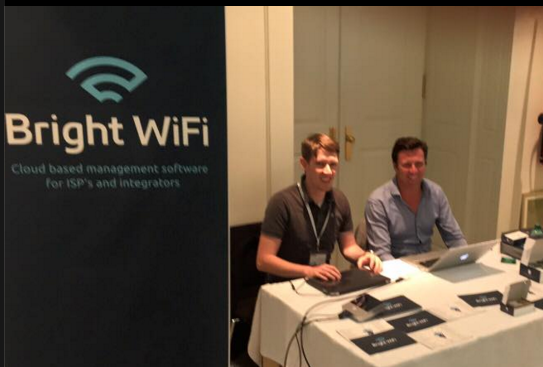
Catch some of that sweet sweet Aussie action.
Here’s the announcement PDFs => MUM EU16 PDF (1190 downloads)
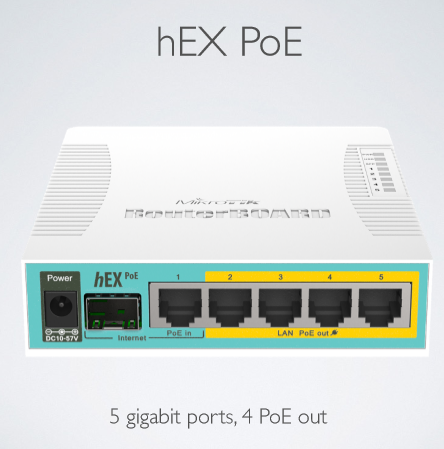
No details on this yet, but since it doesn’t say “6 port” I’m assuming the SFP cage is somehow shared with port 1. Pretty hyped for this one.
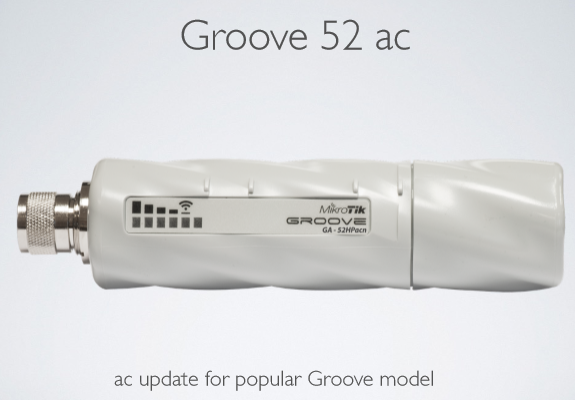
New AC Groove
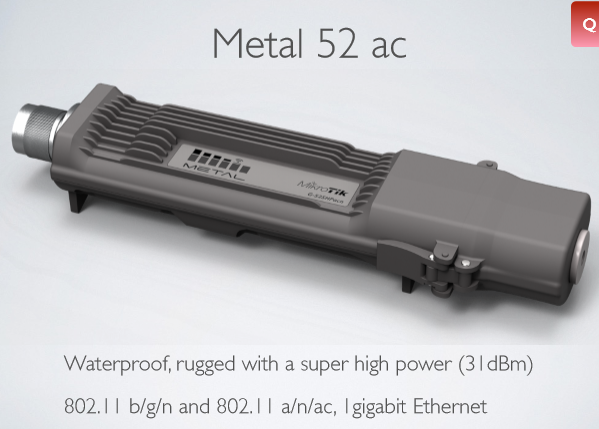
New AC Metal
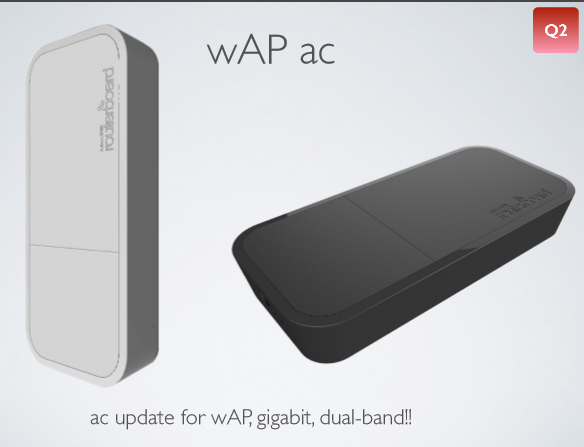
Looks like a dual band wAP will be hitting us in Q2. So this will be 5Ghz AC and a 2Ghz N.

And the prize for coolest looking kid on the block goes to the new LHG5. This is a dual chain N client with integrated radio. It also sports a 24.5 dBi antenna. The pattern makes it look pretty light, and the perforations should cut down on wind load.
I’m sure there will be some cool presentations, so let me know if you get to catch any of them.
Mike(Mom), Tom, Tomas, Justin Miller, and Alex talk about how much they wish Greg was no this cast…but alas, he is not.
Some of the things discussed:
WISPAPalooza video interviews
WISPAPalooza in general
Cambium ePMP
ICANN
Mimosa B11
AirFiber NxN
Docker
NetXMS
The Dude
SDN\OpenFlow\Performant Networks\Bonding\ etc.
New TBW formats
Other stuff I probably forgot
To see the video please visit the link below!!!