


This special cast we have Sakid and Dmitry from Cambium along with, Wilson, Mike, Greg, and special guest Brian Gray.
What is Cambium at a glance, what is the difference between PMP and ePMP, what is Elevate and how is it being used in the real world. Brian Gray speaks openly and extremely honestly about his experiences with both ePMP and elevate in his network.
Keep contacting us: contactus (at) thebrotherswisp.com or https://facebook.com/thebrotherswisp
Here’s the video:(if you don’t see it, hit refresh)

Greg, Mr. Wiiiillllsssoooon, Tomas and Mike chat nicely about all vendors great and small 😉 This is the newer, friendlier TBW hehehe.
This cast we talk about:
Mikrotik newsletter 78
UBNT UAP‑AC‑SHD
Outdoor Boxes
Tomas Unimus Updates
CBRS Rules
Keep contacting us: contactus (at) thebrotherswisp.com or https://facebook.com/thebrotherswisp
Click the link below to view the article!
Greg, Mike, and Miller do the thing with the talking and the laughing.
This cast we talk about:
Hurricane Harvey
BGP Looking Glasses
Route Servers
CLI Ransomware
Thermal Inversions
Mike moves cables on his B5cs
google dns servers under atttaaaaacccckkkk!
Mikrotik wAP60 hit FCC
Rain fade calculations
Rain fade link 2
Chassis-based Radios
Keep contacting us: contactus (at) thebrotherswisp.com or https://facebook.com/thebrotherswisp
Click the link below to view the article!
Greg and Mike go down the tangent hole, and have a good time doing it.
This cast we talk about:
Ubiquti Front Row
Ubiquiti UCRM
Bridgewave has 10Gb AES 256 80ghz link
BGP for redundant customer connections
WISPAPALOOZA Calendar
Midwest IX is looking for a sales leader
Dragonwave Bankruptcy
100G switches
Unimus Beta licenses expiring
Keep contacting us: contactus (at) thebrotherswisp.com or https://facebook.com/thebrotherswisp
Click the link below to view the article!
I like many people often balance price with need. It’s often difficult to look into my crystal ball and determine what piece of gear I need at a site…do I need an expensive router(both in cost and power) or can I get away with a switch…?
In some scenarios I will use a layer 2 point-to-point(transport) to connect to a remote location. At that site I might connect to one more more BGP peers. If I can just use a switch at that site it can save me a lot of money since I don’t have to put a big beefy router out at the site.
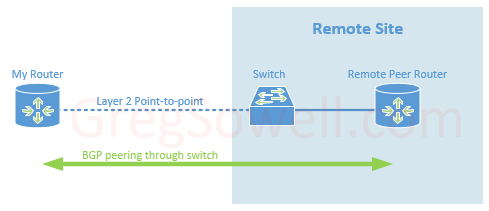
This puts me in a delicate position sometimes. When connecting to BGP peers they will default to sending hello messages every 60 seconds. If they miss three hellos, the peer is considered down and all routes from them are flushed. If these peers are directly connected this usually isn’t an issue since an interface flap will immediately flush all peer learned routes. What if, for example, you are using a switch to connect the peers together. If the transport link goes down, the peer connected to that switch has no idea…so that peer will continue to announce your routes for up to 3 minutes by default, blackholing all of that traffic! While it’s true that you should be able to lower these hello times, some of my peers won’t allow that…what to do…?
If only I could flap the peer interfaces when my transport drops…well, with Cisco Embedded Event Manager, you can.
First, configure tracking of an interface. This will allow the switch to watch the interface, and when it goes up or down, log it:
1 2 3 4 | !Here I'm tracking Gigabit 1/17 on the switch track 1 interface Gi1/17 line-protocol !I configure it here to wait 5 seconds before alerting that the interface has returned. This can easily be extended. delay up 5 |
The delay command can also have a down delay set so that it has to be down X seconds before being declared down. It would be configured as “delay up X down Y”.
Next I create an EEM script that reacts to the syslog messages that are created when the interface goes down:
Catalyst
1 2 3 4 5 6 7 8 9 | event manager applet transit-flap-down event syslog pattern "TRACKING-5-STATE: 1 interface Gi1/17 line-protocol Up->Down" action 1.0 cli command "enable" action 1.5 syslog msg "transport flap down" action 2.0 cli command "conf t" action 3.0 cli command "interface gi1/2" action 4.0 cli command "shutdown" action 5.0 syslog msg "shutdown BGP Peer1 gi1/2" action 5.1 cli command "end" |
Nexus
1 2 3 4 5 6 7 8 9 | event manager applet transit-flap-down event tra 1 st down action 1.5 syslog priority notifications msg transport flap down action 2.0 cli conf t action 3.0 cli interface g1/2 action 4.0 cli shutdown action 5.0 syslog priority notifications msg shutdown BGP Peer1 gi1/2 action 5.1 cli end action 10.0 event-default |
Here’s the opposite script that watches for the transport interface to return, then bring the peer interface back up:
Catalyst
1 2 3 4 5 6 7 8 9 | event manager applet transit-flap-up event syslog pattern "TRACKING-5-STATE: 1 interface Gi1/17 line-protocol Down->Up" action 1.0 cli command "enable" action 1.5 syslog msg "transport flap up" action 2.0 cli command "conf t" action 3.0 cli command "interface gi1/2" action 4.0 cli command "no shutdown" action 5.0 syslog msg "enabled BGP Peer1 gi1/2" action 5.1 cli command "end" |
Nexus
1 2 3 4 5 6 7 8 9 | event manager applet transit-flap-up event tra 1 st up action 1.5 syslog priority notifications msg transport flap up action 2.0 cli conf t action 3.0 cli interface g1/2 action 4.0 cli no shutdown action 5.0 syslog priority notifications msg enabled BGP Peer1 gi1/2 action 5.1 cli end action 10.0 event-default |
So in action, the transport interface goes down, and Gi1/2 is shutdown until it returns. This could shutdown multiple peer interfaces if you had multiple peerings off of this switch. EEM is pretty versatile and can be extremely useful.
Well, happy routing folks!
We were at the classic gaming fest in Austin a few days ago, and they had bins full of all kinds of retro games. Some of the bins had classic Atari 2600 carts for a buck…and I figured I could find a reason to buy one. After a second or two of noodling I figured a HapMini would likely fit nicely inside…and I was right!
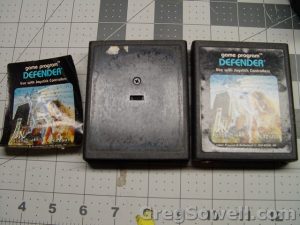
There’s a screw hiding under the labels. I used a heat gun to peel it off.
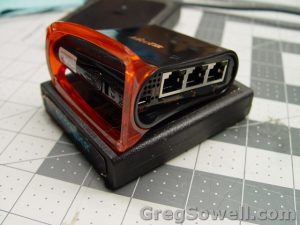
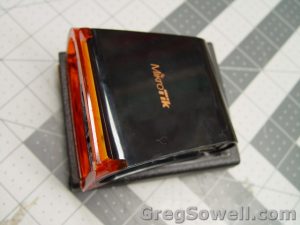
Looks like it will fit…
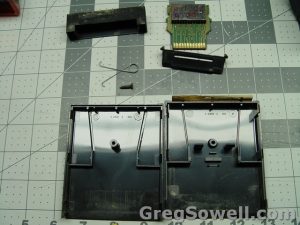
Not really much to it
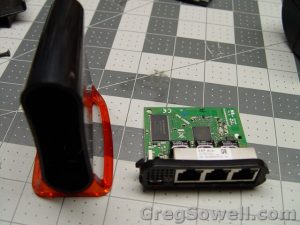
The HapMinis open up quite easily.
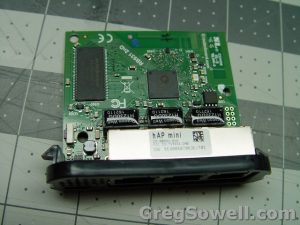
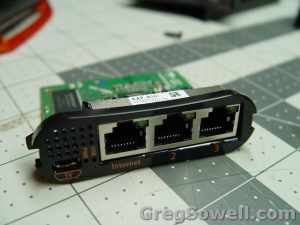
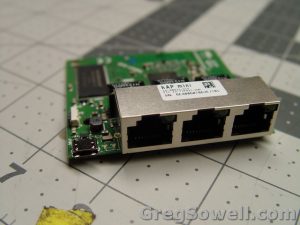
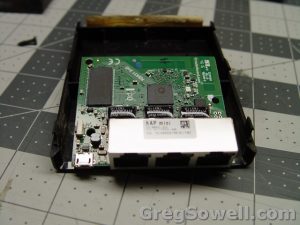
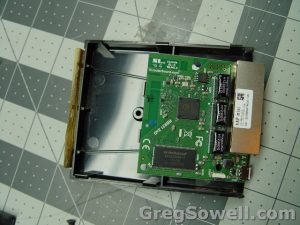
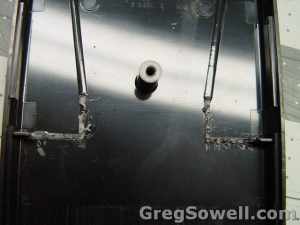
The supports I nipped of with some pliers so the board would sit flatish
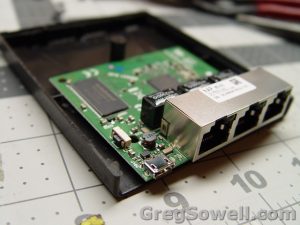
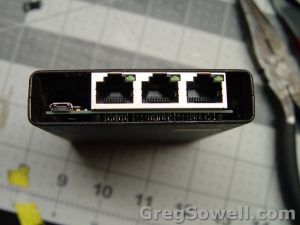
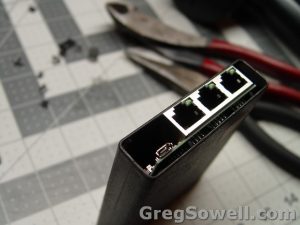
Dry fit looks good.
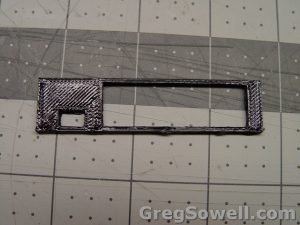
I 3d printed a face plate just to clean up the look a bit.
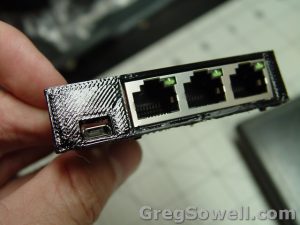
I brushed it with acetone to strengthen the part.
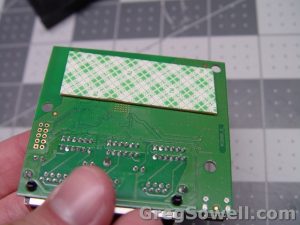
I used puffy double stick tape to lock it in place.
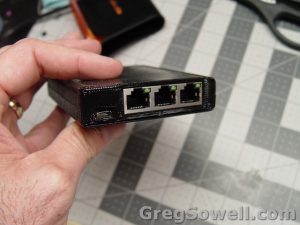
Taped in place
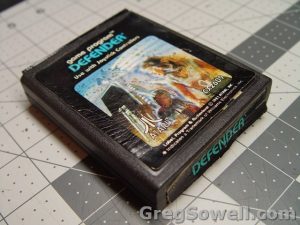
Reassembled
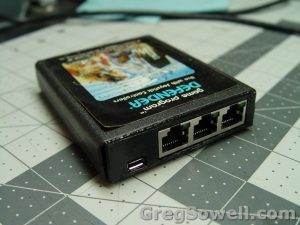
I used a little hot glue to attach the face plate to the Mikrotik.
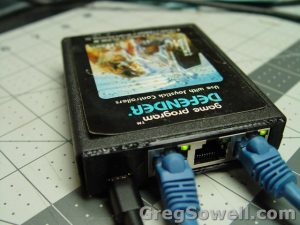
Ahhh, lovely blinking lights.
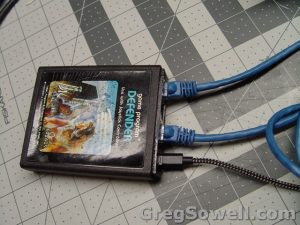
Boooyaaaaa
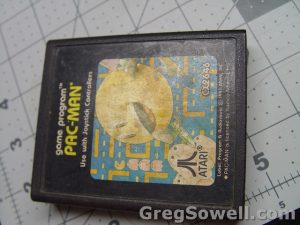
Anyone want a Pac-tik?
This was a fun quick/dirty mod that is going to be a lot of fun keeping in my laptop bag. I think it will get some fairly positive reactions when I pull it out to fix a network or demonstrate an idea. This is one of those “stop and smell the roses” projects I never take time to do anymore. Hopefully I’ll be getting my hands dirty some more soon. Have fun and happy routing 🙂
This is a special cast with Thrift dropping some knowledge bombs on: Wilson, Mike, and Tomas.
This cast we talk about:
New chips Mikrotik is using in the CRS3xx line.
In particular, these two: CRS317 and CRS326
Here’s a bit of information on what Marvell’s eBridge functionality means
Here’s a bit on Carrier Ethernet
Mikrotik’s bridge hardware offloading
NV2 AP Sync
Keep contacting us: contactus (at) thebrotherswisp.com or https://facebook.com/thebrotherswisp
Here’s the video:(if you don’t see it, hit refresh)