

I’ve got the new training site up, so pop over and tell me how I should fix that, and change this…hehe. I’m not yet a certified trainer, but after Wednesday in Phoenix, I will be! I hope I see some of you guys there. Oh, BTW I’ll have tshirts to hand out 😉

The log is here.
A whole slew of bug fixes with added jumbo frame support.
I’ll have to retest and see if I still see some of the bugs I noticed before.
*) fixed problem – reset configuration & reboot did not work;
*) fixed problem – VLAN header present/not present matcher did not work in ACL;
*) fixed problem – could not match all packets in ACL;
*) fixed problem – deleting one ACL entry did not have immediate effect;
*) fixed problem – could not enable watchdog after it was disabled;
*) added ability to connect to SwOS with VLANs;
*) added save backup & restore backup ability;
*) added support for jumbo frames (up to 9k);
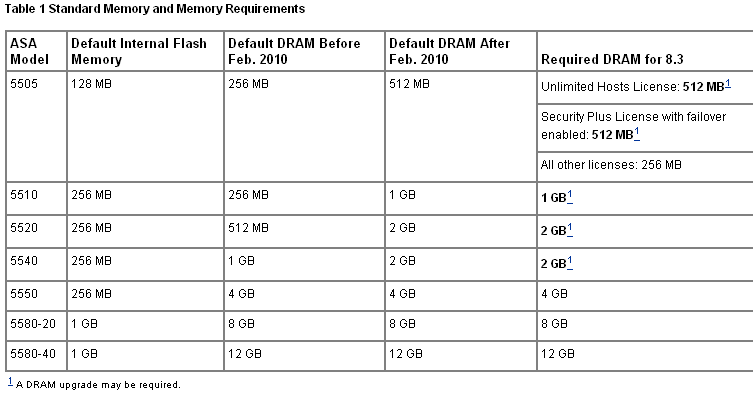
It seems that as of version 8.3 of the ASA code, you have to have 2GB of RAM in your 5520 and 5540, a meager 1GB is necessary for your 5510. The funny thing is that prior to February, all of these devices shipped with only 512MB of memory…that’s a pretty significant jump, wouldn’t you say?!?!
wowzers
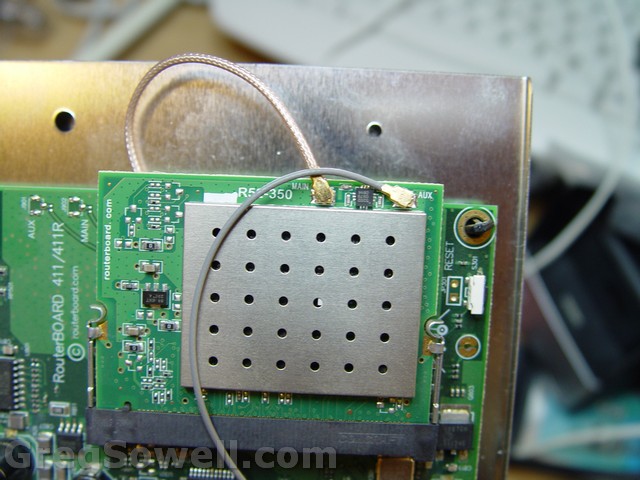
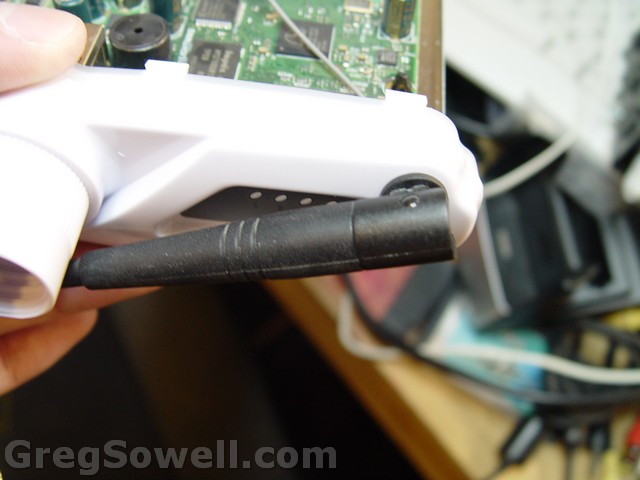
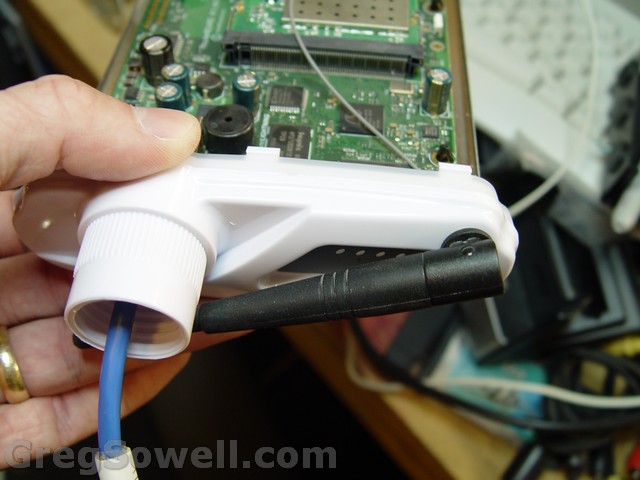
I wanted to have my laptop AP directional, hense the mikropoynt, but I also wanted my little omni that is 2.4 and 5.8. So, I drilled a hole in the bottom and mounted the extra antenna. I then hooked the extra antenna to the side B connection on the wireless card. If I want to switch to the omni, I can just select the B antenna in the wireless interface settings.
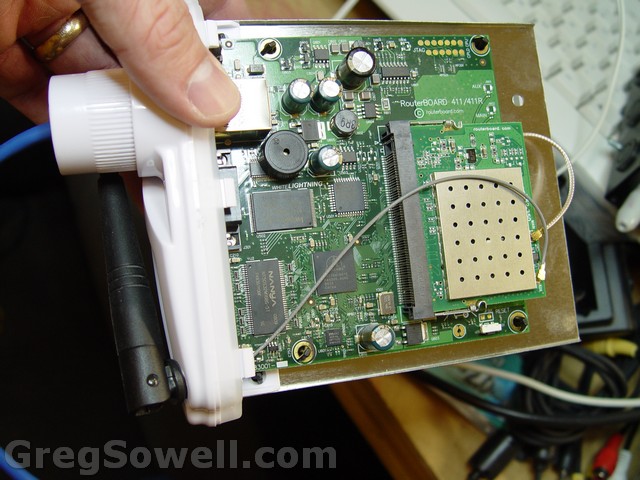
WwwwwwWWWeeeEEEEEEeeeeeeeeee 😉
I wanted a slim directional enclosure for my laptop bag, so I grabbed one of the Poynting Mikropoynts.
These guys weigh in at around $25. They come with concrete studs, a pole clamp and even suction cups! I also like that it has light pipes for the boards LEDs.
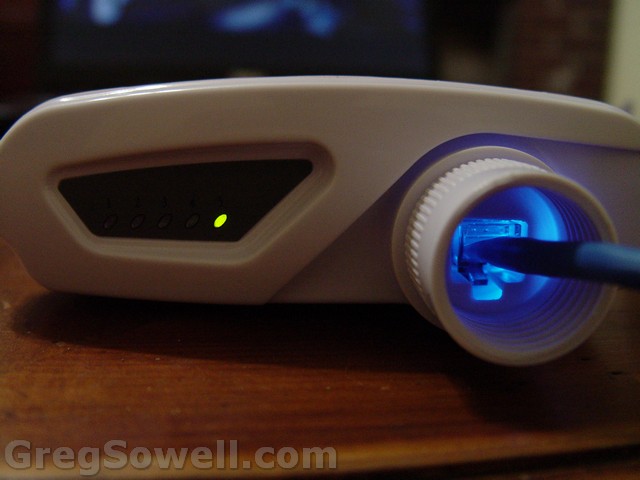
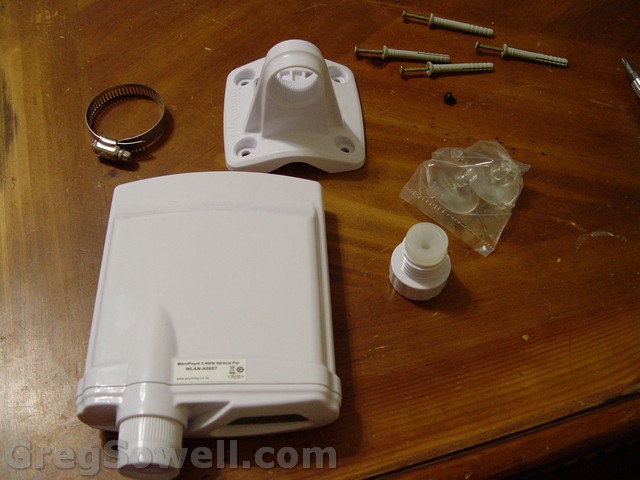
I made a video of the assembly, have a look:
Wikipedia will be happy to explain.
In a nutshell TTL is a field in the IP header that sets how many routers a packet can traverse. If you have a routing loop and TTL didn’t exist, then the packets could indefinately loop. What’s the problem with that? Packets can travel between two routers with virtually no delay. As the packet races in a loop from router to router it consumes bandwidth and CPU resources…no good-o!
So here’s my test setup:
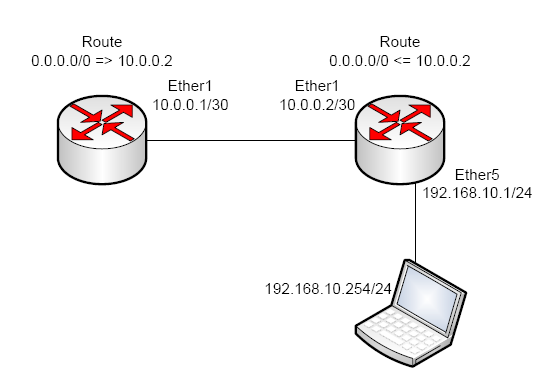
It's like looking at some Davinci
As a packet moves through a router the forwarding router reads the packets TTL, subtracts one from it and then forwards it on. If a packet has a TTL of one as it reaches a router it will be dropped before it has an opportunity to forward the packet. In the Mikrotik, the TTL is decremented first thing in the forward chain.
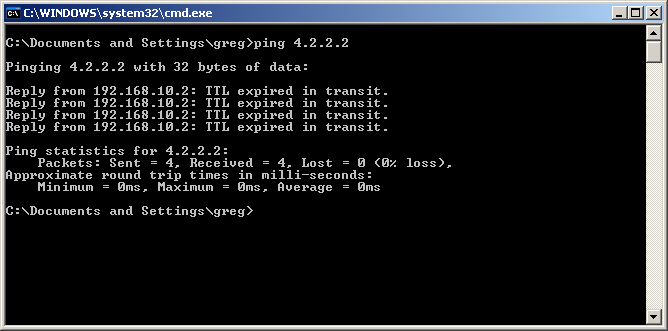
What a ping message shows for an expired TTL packet.
This would be the normal operation, but Mikrotik has a little trick up it’s port. There is a mangle rule that can be created to adjust the TTL to whatever value you want! I was thinking how fun it would be to create a routing loop…so I did. You might be surprised at how adversely a single ICMP packet can affect a router in an infinite loop. (Excuse the screaming children and the random cat noises hehe)
Screenshots for the mangle rules to set TTL to 10:
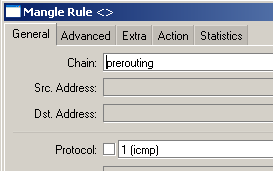
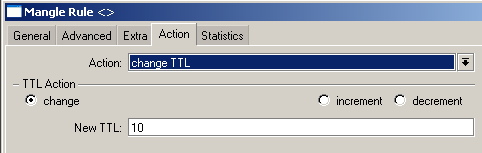
The action I set to change TTL. Increment/Decrement will use specified value to adjust by.
Here’s the code version:
1 2 | /ip firewall mangle add action=change-ttl chain=prerouting comment="" disabled=no new-ttl=set:10 protocol=icmp |
So what would be an advantage of adjusting the TTL manually? You can adjust the TTL down to a lower value so that specific traffic won’t have the opportunity to travel any farther than you want. You could set the TTL on a packet to 1 as it exits the router so that only a host can exist behind your equipment.
Have fun kids!
This is particularly for the DGS-3526. This will block rogue DHCP servers.
1 2 3 | create access_profile ip udp src_port_mask 0xFFFF profile_id 10 config access_profile profile_id 10 add access_id 1 ip udp src_port 67 port 25-28 permit config access_profile profile_id 10 add access_id 2 ip udp src_port 67 port 1-24 deny |