

I’ve had a looooong week. I felt like screaming, then moving to the beach. Instead, I decided to build something…which is something I haven’t done in ages. While walking around harbor freight my nephew and I picked up a swivel wheel. Daniel says “Why don’t we build a ripstick”.
A Ripstick is basically a skateboard that only has two swivel wheels and it twists in the middle. Sounds simple enough, right? hehehe.

So, to build ours, I decided to build it redneck style. This means we don’t make plans, we don’t measure and we certainly don’t make it pretty.
Our material list is:
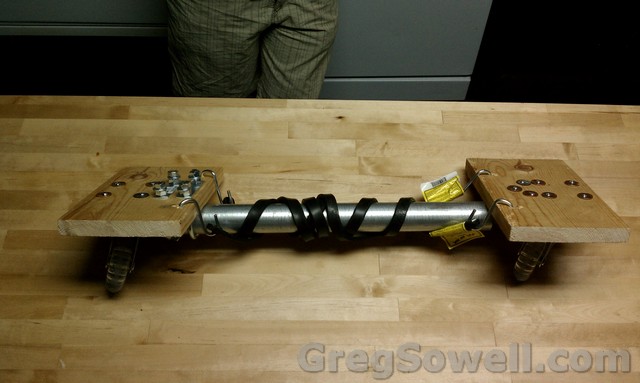
Behold the masterpiece!
As you can see it is about as ugly as they come…hehehe.
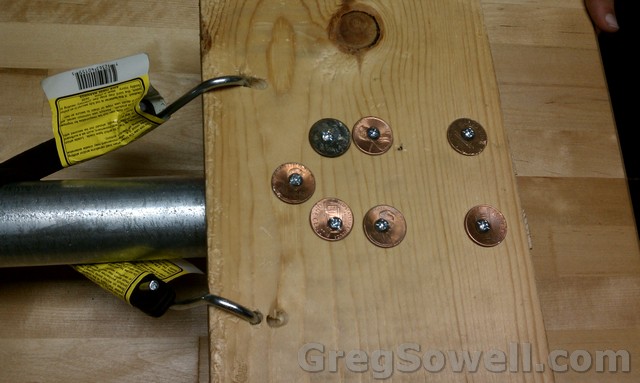
This is the top of the front. You will notice my homemade washers…err…government minted washers. It is actually cheaper to use money for washers than to buy actual washers. You will be amazed how much in life can be actually made out of money…for less. Make magazine often explores this idea.
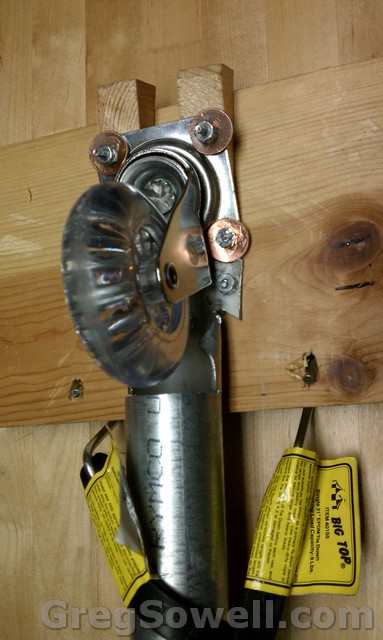
Here’s the bottom of the front. You will notice that the front has the conduit bolted straight on. The swiveling happens on the back. The conduit has a notch cut out that allows the wheel to swing freely.
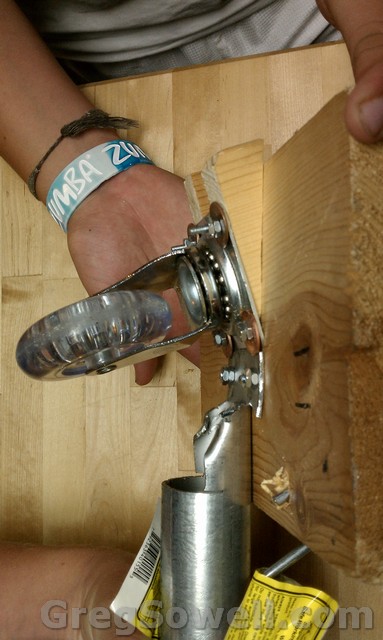
Side view of the front.
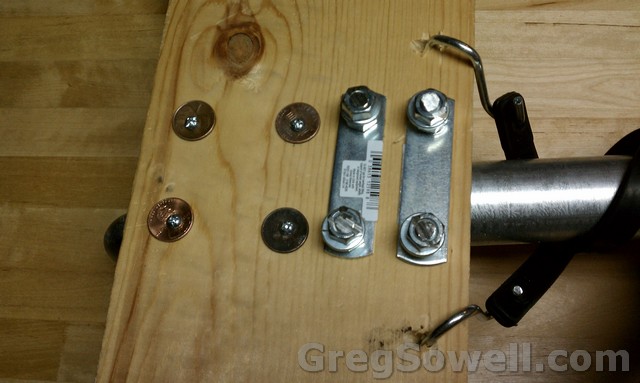
This would be the back. Another few penny washers and the tops of the Ubolts.
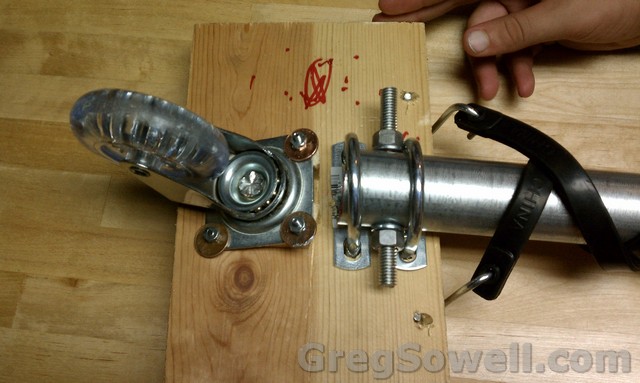
Here’s the bottom of the back. You’ll see that I put a piece of all thread through the pipe. This serves two purposes: it limits the amount of twist in the board and it also keeps the pipe from slipping out.
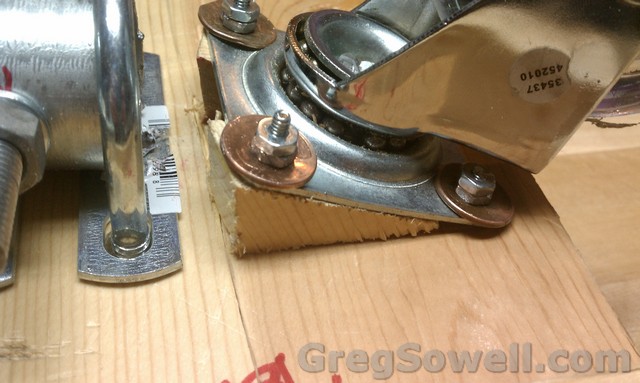
Here’s a closer shot of the wheel mounted. You will see that we mounted it on a slight incline. This adds stability to the swivel…which is the same way the ripstick guys do 🙂
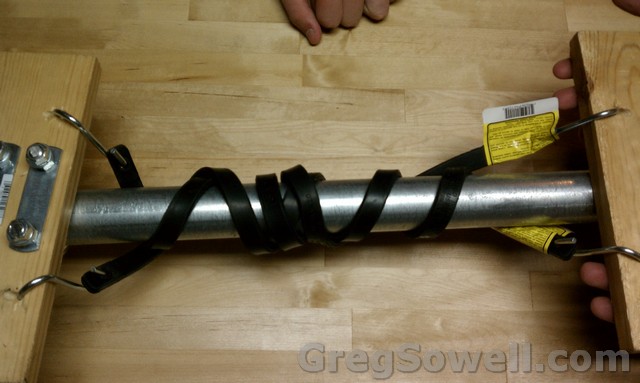
Now you will notice that I have counter wound bungie cords. This forces the RR to center itself.
Enough with the pictures, time for the video. Here’s me testing the board:
As you will notice, I snapped the back in half, so we had to modify it:
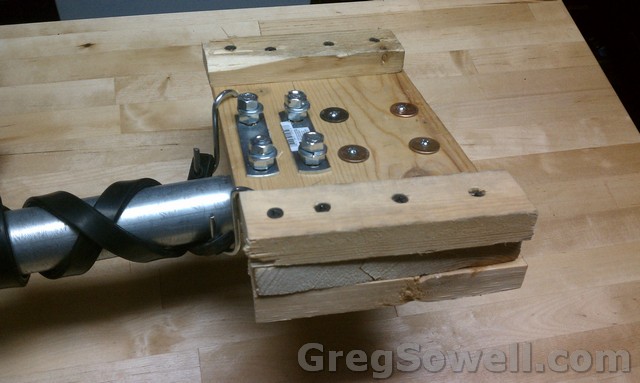
I used a little more scrap and fixed it up.
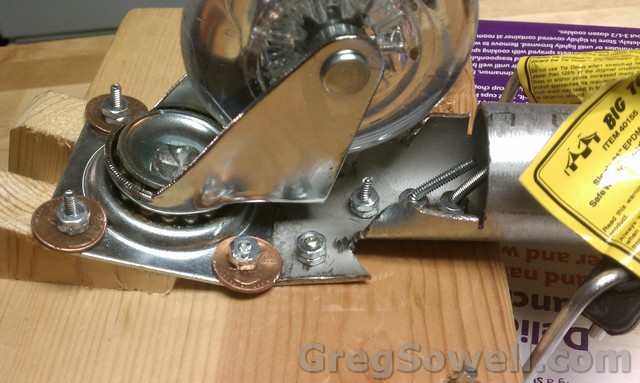
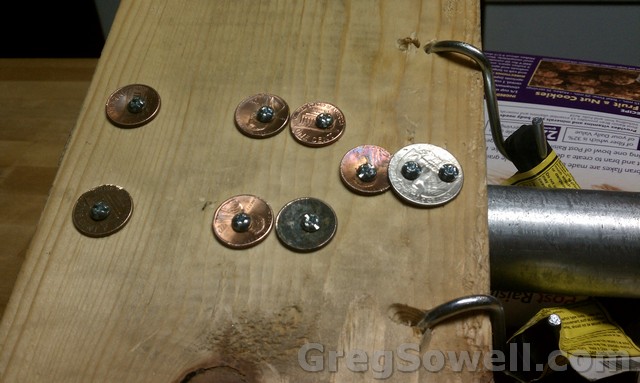
We also had trouble with the front part of the EMT bending, so I put a couple more bolts and an extra washer.
Finally, here is it in action:
Thanks to my redneck test pilots, Jamie and Daniel. They are my “country” nephews…I’m sure you couldn’t tell by their accent and insistence on saying redneck. hehehe.
I feel much better now. I hope you guys have as much fun laughing at me breaking it as I did building it. 😛
If you boot straight to rommon on your 7600, with a message saying that it is unable to find boot file:
1 | Autoboot: failed, BOOT string is empty |
Then first check the boot flash on the supervisor:
1 | rommon 1 > dir bootflash: |
You will most likely see something along the lines of :
1 2 | rommon 1 > dir bootflash:
File size Checksum File name |
Notice that nothing exists on the boot flash. This means you need to boot from an IOS that is installed on one of your disks. First list what is on your disk:
1 | rommon 1 > dir disk0: |
1 2 3 4 | rommon 1 > dir disk0: File size Checksum File name 45463592 bytes (0x104aecc) 0x9a2f0302 s720333-psv-mz.122-18.SXD7.bin |
Using this info, boot via this file:
1 2 3 4 5 6 7 8 9 10 11 12 13 14 15 16 17 18 19 20 | boot disk0:s720333-psv-mz.122-18.SXD7.bin
Loading image, please wait ...
Self decompressing the image : #################################################
################################################################################
################################################################################
################################################################################
####################### [OK]
Restricted Rights Legend
Use, duplication, or disclosure by the Government is
subject to restrictions as set forth in subparagraph
(c) of the Commercial Computer Software - Restricted
Rights clause at FAR sec. 52.227-19 and subparagraph
(c) (1) (ii) of the Rights in Technical Data and Computer
Software clause at DFARS sec. 252.227-7013.
///ETC... |
Once you get booted into the IOS, you can copy the disk image to the supervisor flash:
1 | 7609# copy disk0:s72033-psv-mz.122-18.SXD7.bin sup-bootflash: |
If you are copying from the main supervisor over to the redundant supervisor just add the word slave in front of each disk device name.
You can also specify from IOS which image should be booted:
1 | boot system flash disk0:s720333-psv-mz.122-18.SXD7.bin |
Cisco’s link is here.
I listed to audio books…a lot. I used to commute around 200 miles a day. I then switched to commuting every other day. I did this for a couple of years. The ONLY reason I survived all of that driving was audio books. Even though I now live 15 minutes from the office, I still listen to them. I have an indash MP3 player in my car for this very purpose. I recently acquired a new book and it is in M4B format, which my car won’t read, so I needed to convert it. I looked for anything freely available and I did find one free one with what seems no strings attached. However it will only convert about 2 and a half hours…my files are 16 hours each.
I found that VLC has the ability to open M4B. If you click on file there is an option to:
convert/save |
You can then choose your output format, MP3, and save!
Mikrotik is soon to ship a new all-in-one outdoor A/N routerboard, the Omnitik. While the product seems original, I’ve unfortunately obtained photographic evidence that leaves little doubt that the design is not original.
Here is the Omnitik:
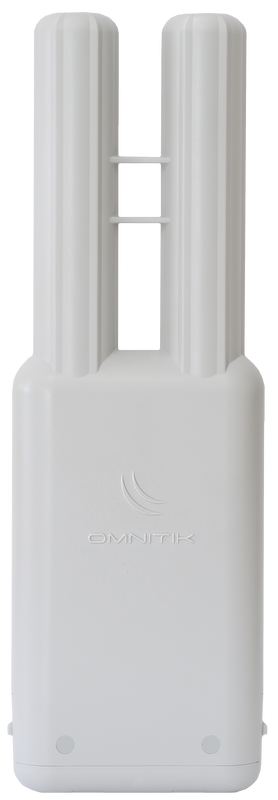
Here is the carelessly pilfered original design:

A side by side of the shame follows:
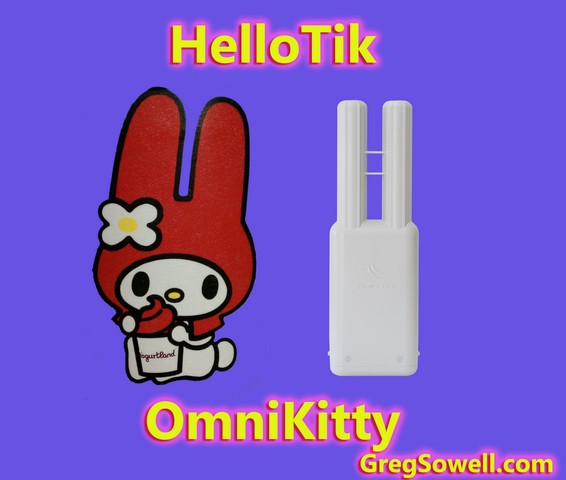
Undeniable in this shot…how dare you Mikrotik…where do you get off?

Who knew the makers of Hello Kitty were radio geniuses…well, evidently Mikrotik did.
Cisco ATAs have a second line, but you may have also noticed that there is no phone button template that includes two lines for an ATA 186…interesting. It turns out that the second line on the ATA has a completely seperate MAC address associated with it. To use the second line you add it as if it is its own ATA. The MAC, however, isn’t printed on the ATA…there is a secret trick to calculate the MAC for the second line.
An ATA MAC will appear as:
001120C38D7C |
To figure out what the second line’s MAC is, subtract the first two digits on the left as so:
1120C38D7C |
Then add 01 to the end:
1120C38D7C01 |
That’s it. Just add a new ATA to the system and use the newly calculated MAC.
There are some caveats. If you want to run two simultanious calls, you can only run certain codecs at the same time:
I’ve gotten some of the site done…which means I have to head back to H-town next week to finish. Here are a few pics of the work done.
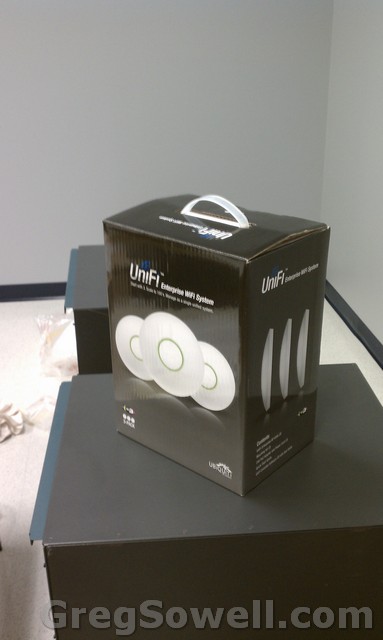
I'm using the unifi's for our wireless distribution. These will really fit in with the clean aesthetic we have going...and they are cool and I want to try them...hehe
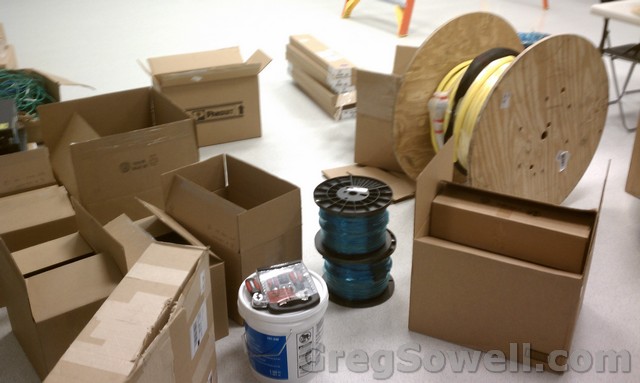
Piles of stuff.
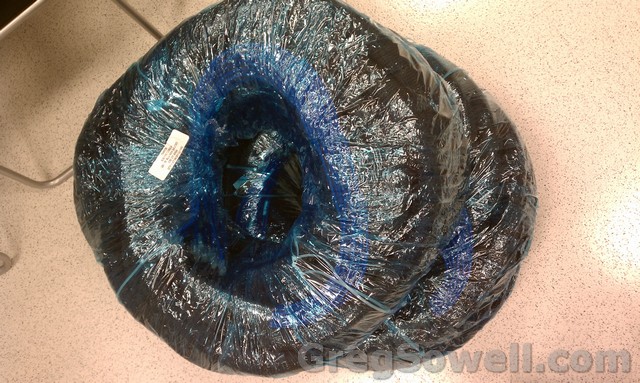
Preterminated copper. We have a bundle of 48 cat6 cables all staggered specially for instillation into our switches and patchpanels. Each pair of successive cables is slightly longer. This allows for anyone to run the cables in little time. All you have to do past that point is simply plug everything together.
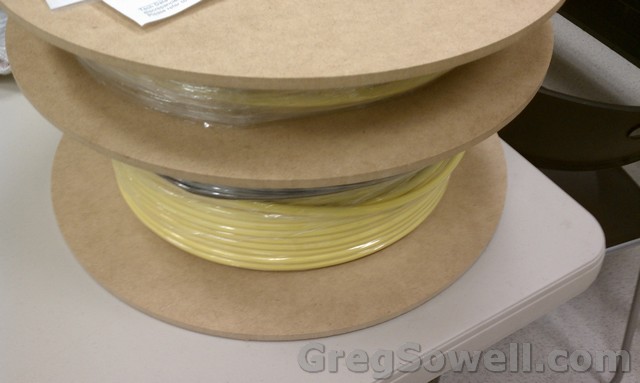
Some preterm 24 strand fiber...tested and ready to go 🙂
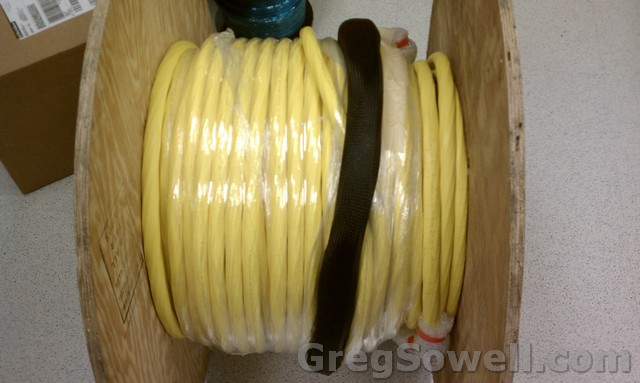
400' spool of 144 count preterm single mode fiber...can I get an A-men?
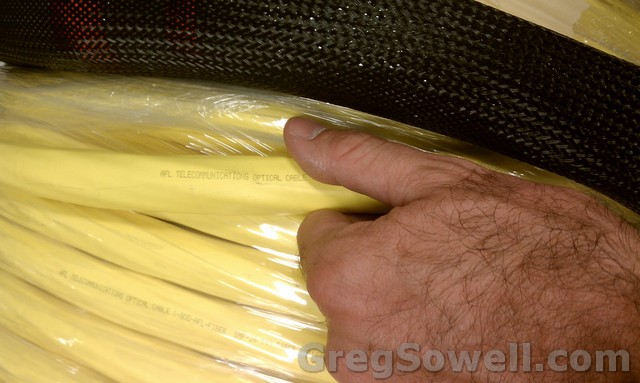
As you can see, this is THICK. Also, note the pull sock. They double wrap the connectors, then put this stress releaving pull sock. Oh so convenient.
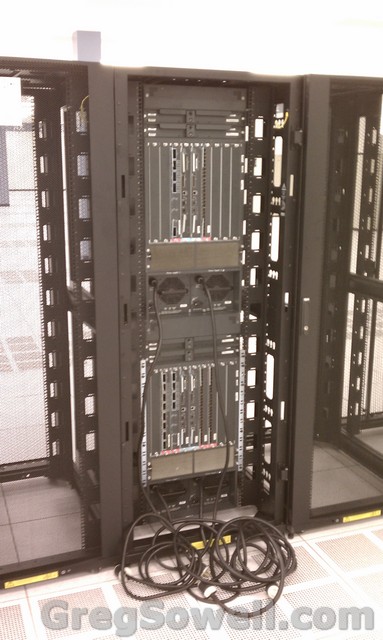
My double stack of Cisco 7609s with dual sup720 3BXLs. Yes, those are 10gig line cards you see in there.
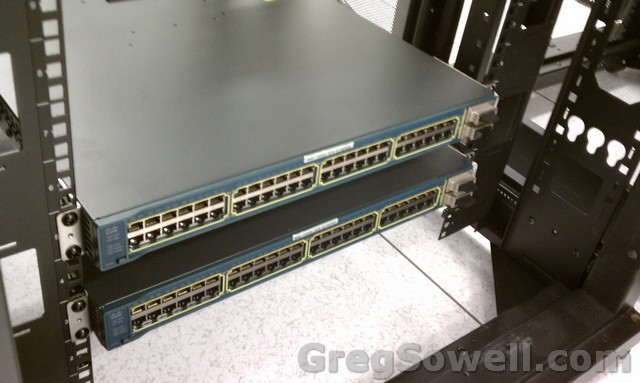
3560Es with 10gig X2 optics.
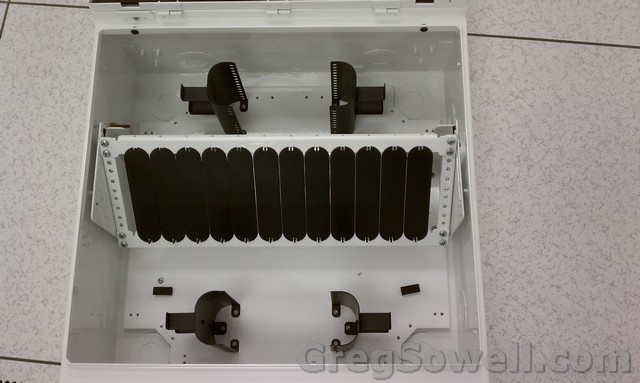
These are our zone boxes. They will hold a 48 port patch panel and also a 1U LIU for fiber terminations. They sit directly under a suspended floor tile so that you don't loose any floor space and can patch equipment at remote locations.
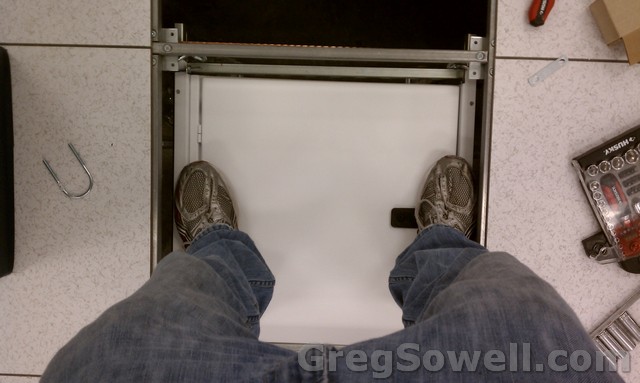
Here's the box mounted...I'd have to say it isn't going to move.
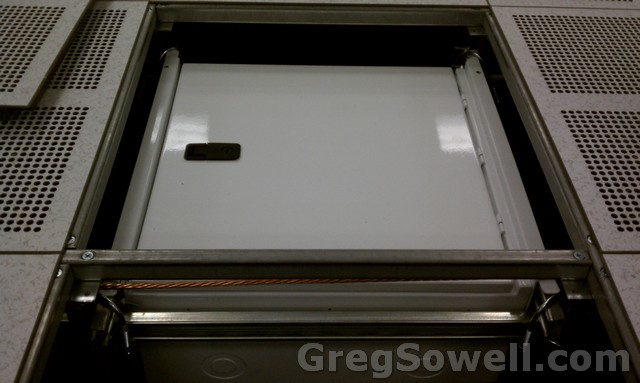
Side view of it mounted.
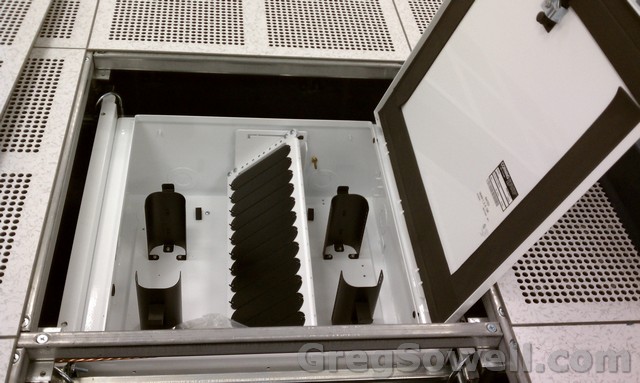
A peek of it open.
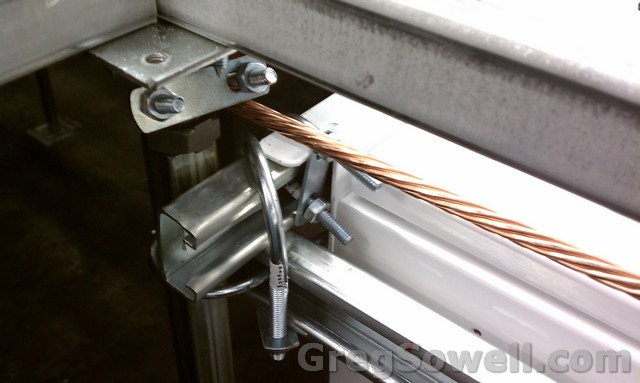
I built the mount out of 14 gauge unistrut. I then used U bolts to secure it to the stantions and then to itself. Last, I used some smaller U bolts to secure the zone box to the unistrut. Two boxes used 2 10' sections of 14 gauge unistrut. I also used 16 1"1/2 and 4 3/4" U bolts.
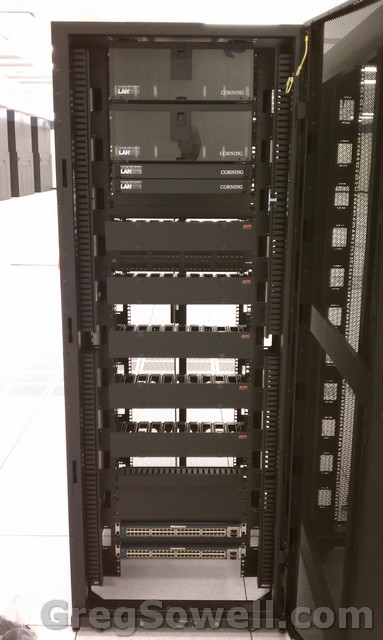
This is the cross connect cabinet. The only thing left is to install the copper patch panels. You can see the 4 LIUs mounted in the top and the two 3560Es mounted in the bottom.
In this DC you can see that we do a LOT of prepatching. The idea is that just about anyone can plug in the patch cables to get connectivity for the customers. All of the connectivity is 10gig between our equipment. Even with all of this heavy Cisco, I’m still going to run the hotspot via Mikrotik 😉
I’ll have more up next week…as we progress.
Hey guys and girls. I will be ignoring you all this week as I will be turning up a new datacenter. That and I’m putting on airs. I’ll be snubbing my nose at you while drinking with my pinkies up. If you guys want to follow the progress I’ll most likely be posting up some action shots as we build this joint. We technically received the keys last Friday, but who does any work on a Friday?
I’m going to be dropping in a couple of fully loaded Cisco 7609’s with sup 720 3BXLs. These connect via 10gig to a pair of 3560-Es. I’m also dropping in a pair of ASA5520s in HA mode with some 3750s for server aggregation. I’m also installing a 3560POE to turn up our handfull of users and phones.
I’ll later be dropping in some WAPs…I’m thinking we will most likely use the UBNT unifi’s.
Anyway, bye for now. 😉