 This one is MUCH more niche than my typical blog posts, but a customer asked, so here I am.
A customer has all of their hosts i Red Hat’s Satellite product, so this will be their source of truth(the place that holds a list of all hosts).
They are using Satellite as a dynamic inventory source(filling out an AAP inventory automatically).
They want some kind of defining information in the form of variables to automatically come from Satellite that they can use in their automations to do specific configuration on their hosts.
TLDR; get custom variables from Satellite that is available to playbooks in AAP.
I use parameters inside of Satellite host groups.
Video Overview
Configure Satellite
I’m using host groups here to maintain custom parameters. I’m guessing this can be done in other ways, but this was the one that seemed to fit my use case the best.
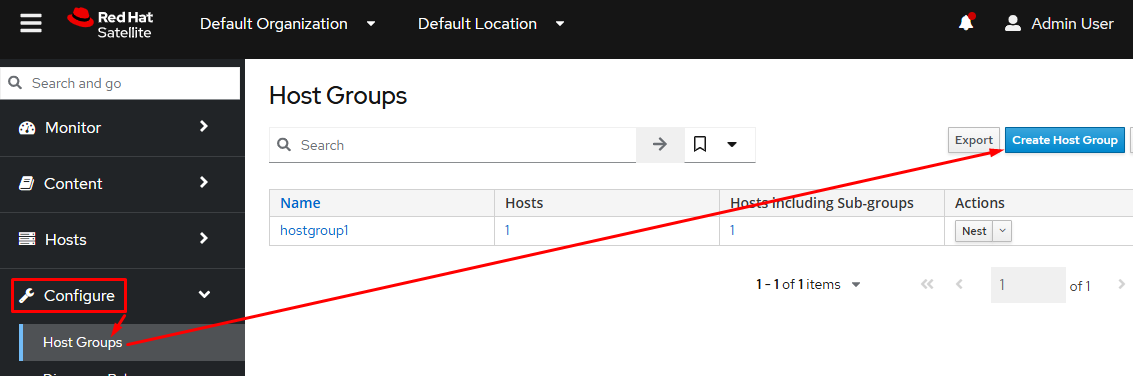
Go to configure, then Host Groups, and last click Create Host Group(unless you are already utilizing HGs, then just skip to the next step):
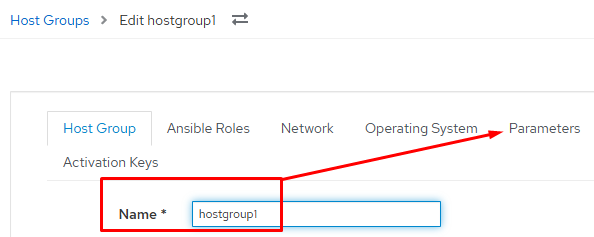
Next name the host group and then click the Parameters tab:
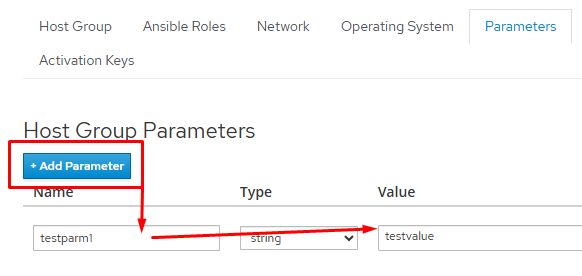
Click +Add Parameter, then give they key for your variable, and give it a value. With my customer in question it would be a list of packages to add to a host, but really any information can be stored. Keep in mind you can add multiple key/value pairs here to suit your needs:
You now need to add hosts to your host group. There are a few different ways to accomplish this:
– When adding a new host, just select the host group there
– Specify it in the activation key you utilize
– Put it in the provisioning template you use to create a host with
– Create a discovery rule(this will also grab existing hosts and properly add them to the group)
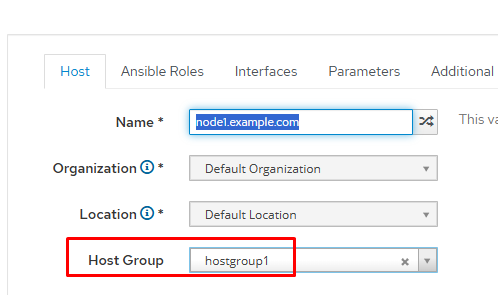
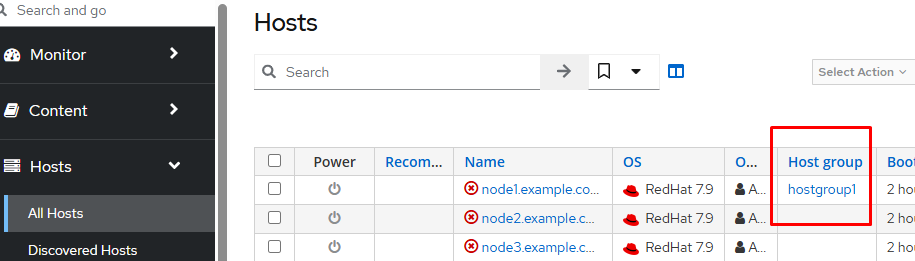
In this example I’m just going to manually edit one of the hosts and set the host group; this is the quickest way to do a quick demo:

AAP Configuration
I’m not going to cover configuring the dynamic inventory source as that’s actually a pretty simple process, rather I’m going to show how the variable is now pulled in from Satellite.
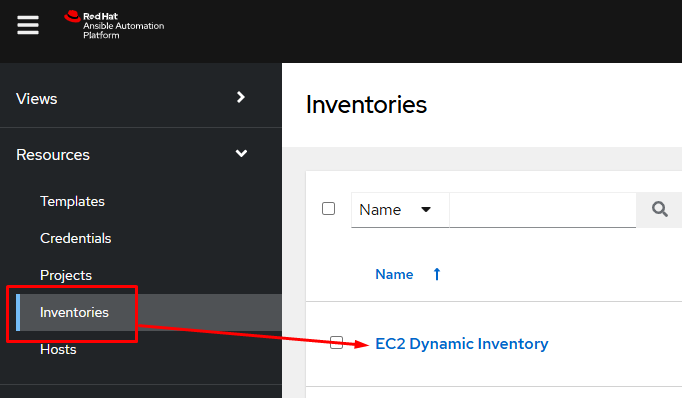
In AAP, I go to Inventories and choose the correct inventory:
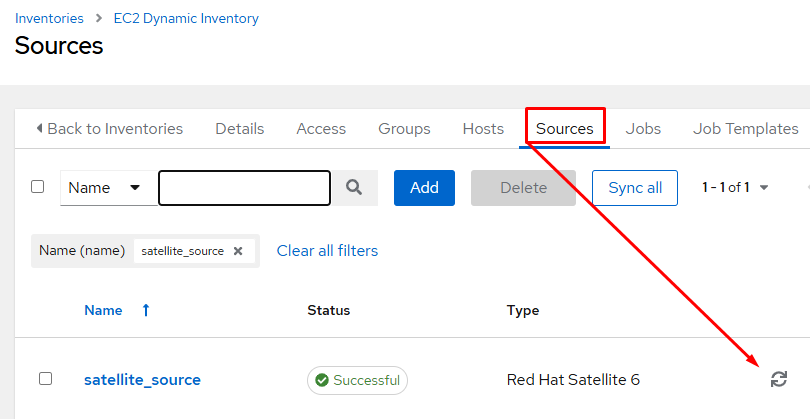
I then click on the Sources tab(where dynamic inventory sources live) and tell the Satellite inventory source to resync:
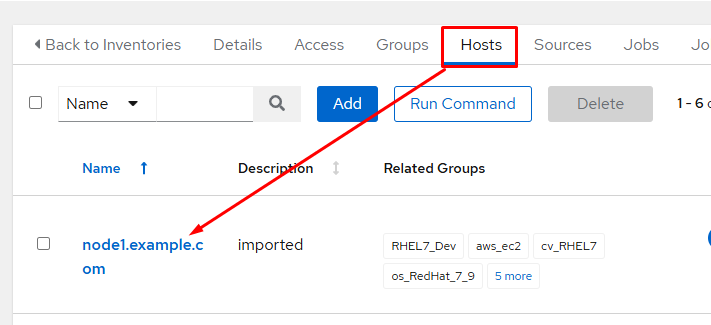
I’m then going to click on the Hosts tab and choose the host that was added to my Satellite host group:
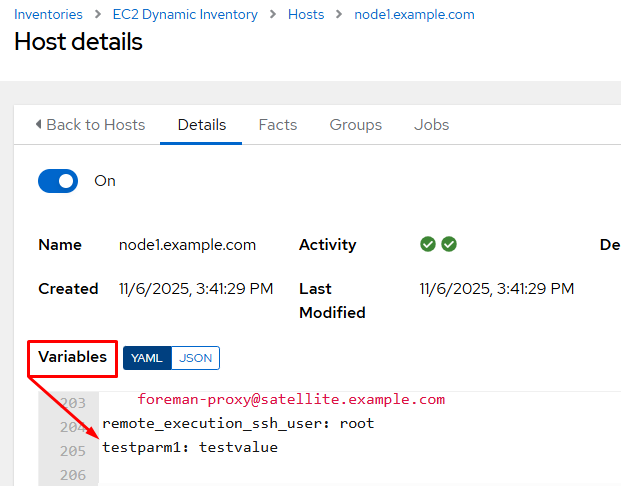
Taking a look at the variables for the host(these all came from Satellite), I can see the parameters I configured for the Satellite host group appended to the end:
To utilize this variable in a playbook I can use the “hostvars” variable, which will give you access to any variables defined for the host. I use an additional magic variable “inventory_hostname”, to specify in my tasks which host to grab the variables of; inventory_hostname is the name of the host currently being processed.
hostvars[inventory_hostname].testparm1I have a simple playbook that will display the contents of “testparm1” for all hosts that have it defined:
---
- name: Display the testparm1 variable for all hosts in a Satellite synced inventory
  hosts: all
  gather_facts: false
  tasks:
    - name: display testparm1 variable
      when: hostvars[inventory_hostname].testparm1 is defined
      ansible.builtin.debug:
        var: hostvars[inventory_hostname].testparm1
The result of the playbook run:
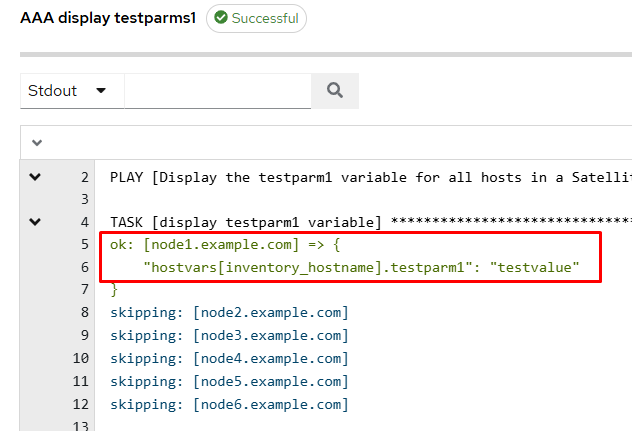
You can see that for the only host added to my Satellite host group(node1), it correctly returned the value for testparm1!
Conclusion
This is not an Earth shattering development, but it can be exceptionally useful for configuring and maintaining hosts in your infrastructure. If you have any questions or comments, please reach out; I love hearing from folks 🙂 Good luck and happy automating!
Leave a Reply