You know it was inevitable…I can’t help myself.
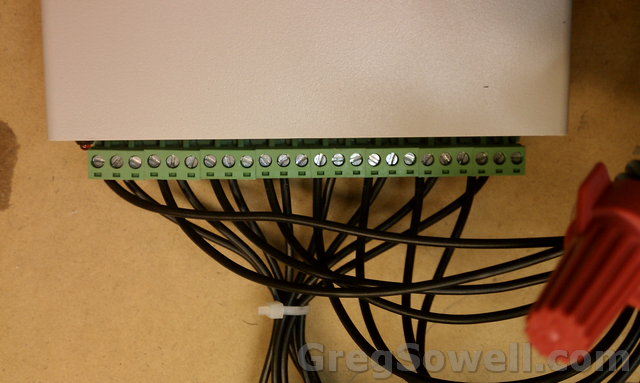
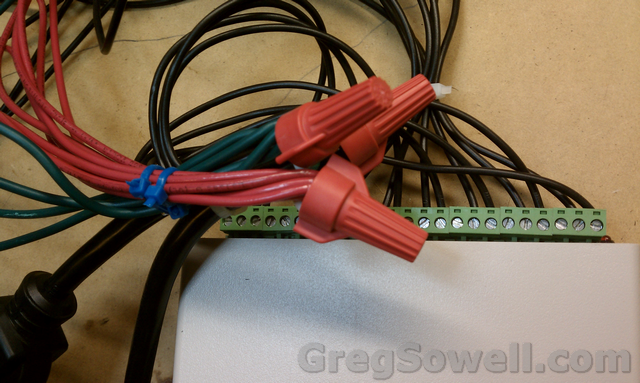
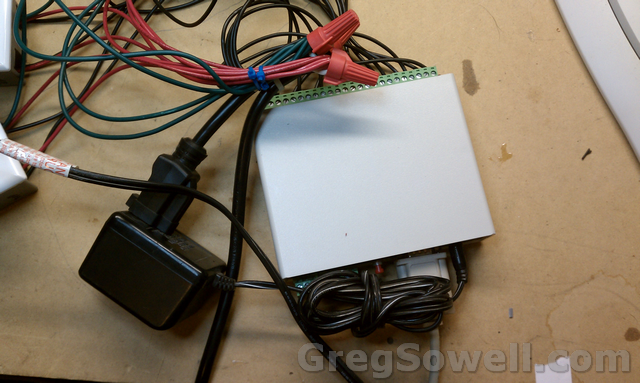
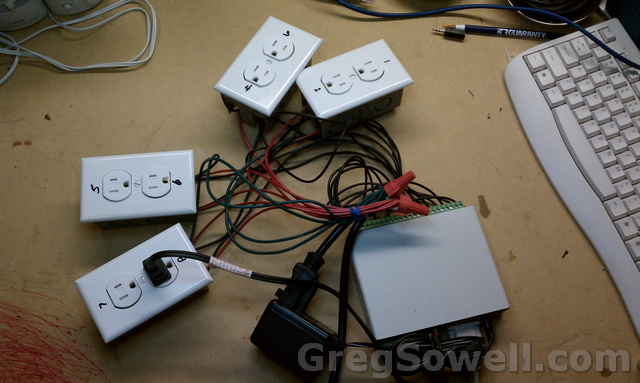
I already had a ck1610 serial relay controller…as well as an old junk laptop…so I married the two together for Christmas this year.


This is a serially controlled 8 relay 2 opto-isolated input device. You throw a serial command at it and it will kick on a relay. Throw another and it will turn the relay off…pretty simple.
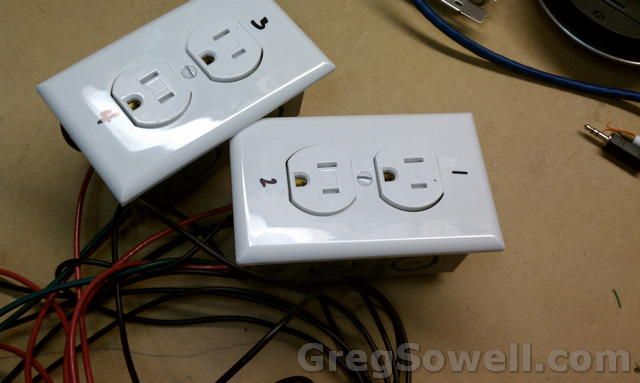
What I did was wire a common 120V cord into the relays and ran each relay to a separate electrical outlet. This way I can selectably power on 8 different strings of Christmas lights. These relays are rated for 120V 15A, which is FAR more amperage than I need for my LED Christmas lights.
IF THE VIDEOS DON’T SHOW UP, HIT REFRESH.
Here’s a video of me testing the unit:
Once I got done testing I put the serial device into a NEMA enclosure to keep little fingers out of it. I then dropped the whole thing plus the laptop into a rubbermaid tub in my garage. And awaaaaay it goes.
Here’s a video of my “Random Lights” program running:
I wrote a program to do some random control. What it does is randomly pick a number of strings to turn on: 1 to 8.
It then randomly choose which strings will be the ones to turn on.
RandomRelays Code:
#Region ;**** Directives created by AutoIt3Wrapper_GUI ****
#AutoIt3Wrapper_UseX64=n
#EndRegion ;**** Directives created by AutoIt3Wrapper_GUI ****

$RelayNumber = 0
dim $NumberOfRelays[9]
$NumberOfRelays[0] = 0
$com = ObjCreate ("NETCommOCX.NETComm")

_OpenCom()


while 1
	;turn all relays off
	$NumberOfRelays[0] = Random(1,8, 1)
	$NumberOfRelays[1] = 0
	for $x = 1 to $NumberOfRelays[0]
		;this creates a random number of relays to enable
		if $NumberOfRelays[0] == 8 Then
			$CheckIt = 1
		Else
			$CheckIt = 0
		EndIf
		while $CheckIt = 0
			$tRelay = Random(1,8,1)
			$foundMatch = 0
			for $y = 1 to $x
				;make sure the same relay wasn't selected
				if $tRelay == $NumberOfRelays[$y] then
					; match so we have to do it again
					$foundMatch = 1
				EndIf

			Next
			if $foundMatch == 0  Then
				;we have a new value
				$CheckIt = 1
			EndIf
		WEnd
		$NumberOfRelays[$x] = $tRelay
	Next
	_RelayOff()
	_RelayOn()
	;random number generate, then kick on those relays
	sleep(2000) ;sleep for 1 second

WEnd

func _OpenCom ()
$com.CommPort = 1
$com.PortOpen = True
$com.Settings = "9600,N,8,1"
$com.InBufferCount = 0
endFunc

func _RelayOn ()
	if $NumberOfRelays[0] == 8 Then
		$com.Output = "N0" & @CRLF
		ToolTip($NumberOfRelays[0],0,0)
	Else
		$justatemp = $NumberOfRelays[0]
		for $x = 1 to $NumberOfRelays[0]
			$justatemp = $justatemp & "-" & $NumberOfRelays[$x]
			$com.Output = "N" & $NumberOfRelays[$x] & @CRLF
			sleep(5)
		Next
		ToolTip($justatemp,0,0)
	EndIf

EndFunc

Func _RelayOff ()
	$com.Output = "F0" & @CRLF
	sleep(5)
EndFunc
RandomRelays Binary –
The RandomRelays program also requires the NetCommOCX program from here.
I ran short on time this year, but I have some interesting plans for this next year, so until then, enjoy the randomness 😉


Leave a Reply