This post was born out of a question, so see, I do listen…sometimes. hehe
The question was, can I ping a host and then have the Mikrotik email me when it goes down/up. The answer is yes. If you use a little tool called netwatch.
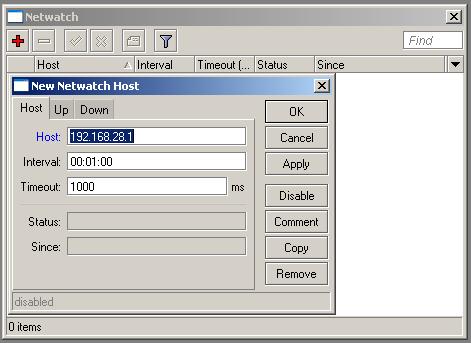
Tools -> Netwatch
An example script you can run is one that will email you.
tool e-mail send [email protected] server=1.1.1.1 [email protected] subject=This guy just bit the dust
Here’s the code for an up/down email:
/tool netwatch
add comment="" disabled=no down-script="tool e-mail send [email protected]\
    m server=1.1.1.1 [email protected] subject=\"This guy just went down\"" \
    host=127.0.0.1 interval=1m timeout=1s up-script="tool e-mail send from=gre\
    [email protected] server=1.1.1.1 [email protected] subject=\"This guy just\
    \_came back up\""
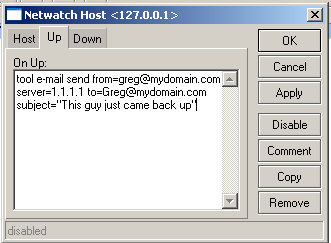
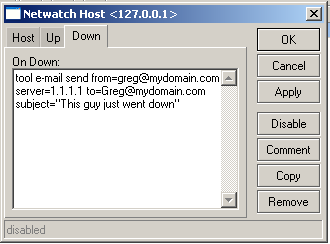
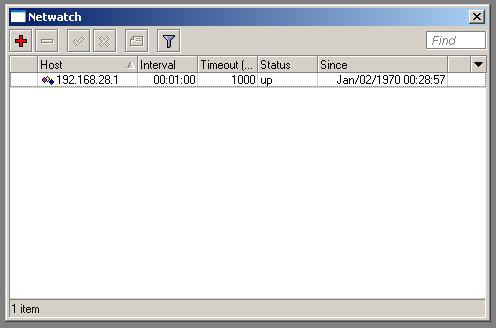
And here’s the winbox version:


Leave a Reply