Networking • Automation • Occasional Podcasting

Quick Filtering in Wireshark

After you have done a wireshark capture, you will most often want to cull out some of the information. You do this using filters. You can use the filter builder, which is a slow process, you can memorize what to type or you can simply right click 🙂
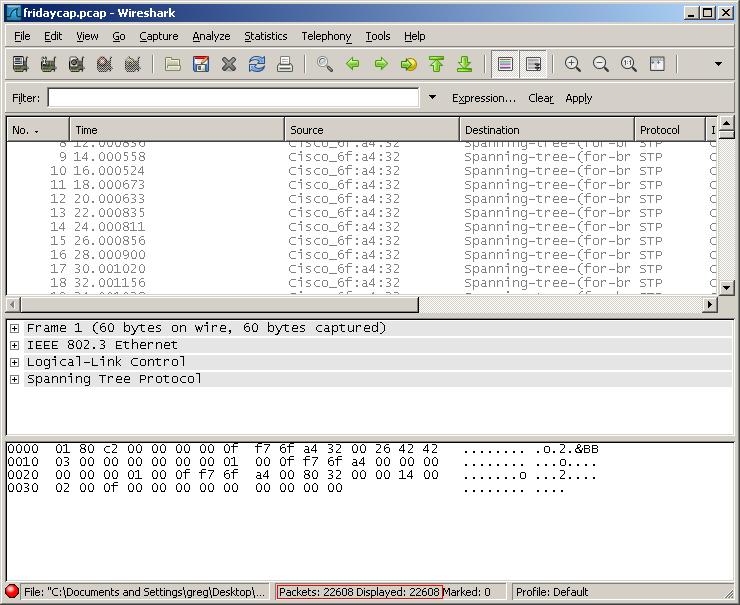
22K packets captured

Right click on the exact piece of information you want to filter by (include or exclude) and choose “apply as filter”. This will allow you to quickly add or exclude it in the filter options.
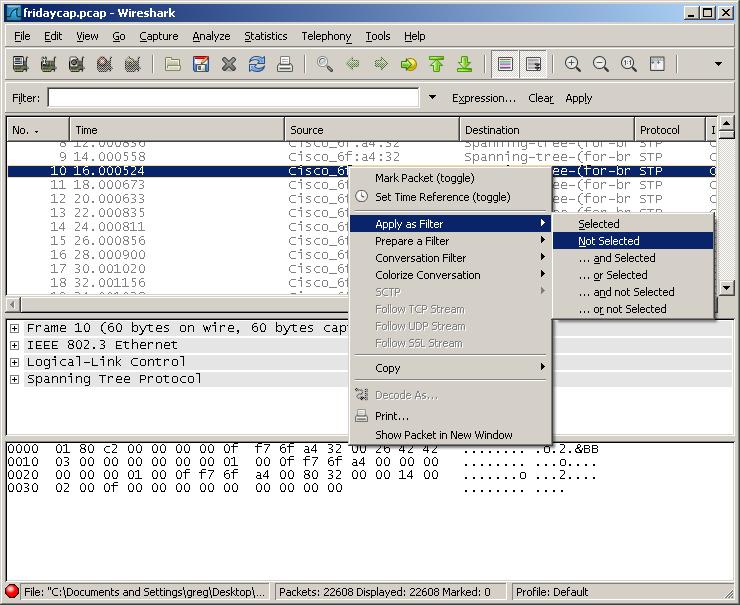
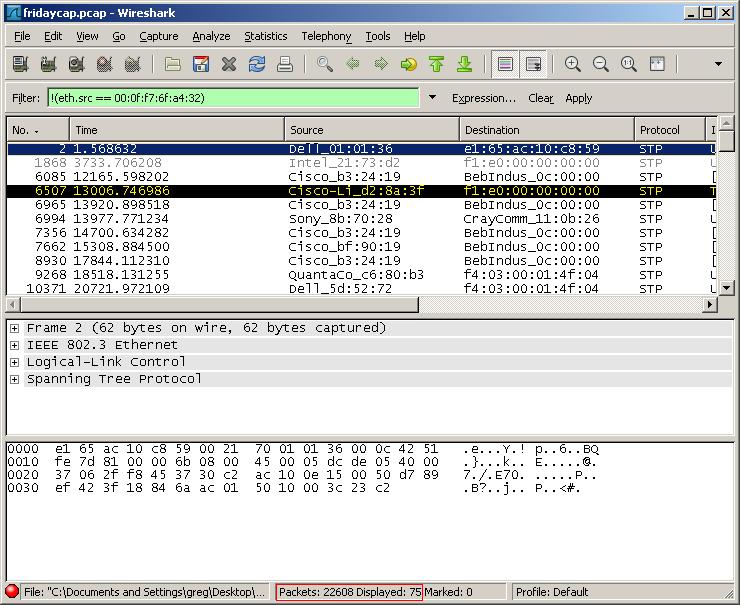
Right click on the source MAC address and choose Apply as filter -> not selected
Filtered down to 75 entries

Comments

2 responses to “Quick Filtering in Wireshark”

  1. Jimmy Avatar

    I perfer to use Packetyzer. Its based off Ethereal, but just seems so much cleaner.

    http://paglo.com/opensource/packetyzer_thankyou

  2. Greg Avatar

    Jimmy :
    I perfer to use Packetyzer. Its based off Ethereal, but just seems so much cleaner.

    http://paglo.com/opensource/packetyzer_thankyou

    Yar…I’ve gotten used to wireshark and it’s power…sooooo many options.

Leave a Reply

Your email address will not be published. Required fields are marked *