


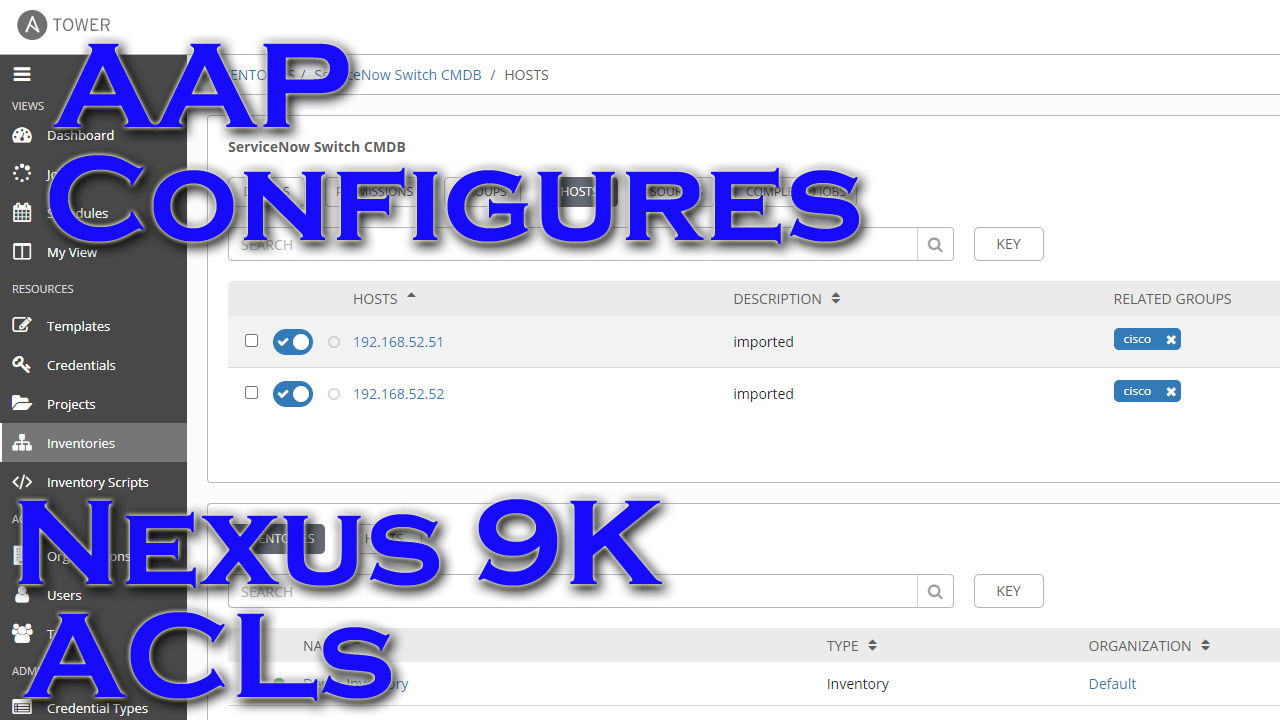
There are some newer “ACLs” modules available via many AAP collections now that make it soooo simple to work idempotently with Access Lists on networking kit. I figured I’d show a quick example of using the nxos_acls modules against some virtual Nexus 9Ks.
Video Demo
Playbook And Files
You can find the GitHub repo here containing all of the files.
I’m using a template file to specify what the ACL should look like. The idea is that if I ever want to make an update to this ACL, I don’t connect to the switch and make adjustments, I simply edit this template file and then use my automation to push the changes. I can remove or add lines, and the automation will make the ACL on the switch match.
Template files looks like this(nexus-acl-template):
1 2 3 4 5 | ip access-list test 10 permit ip 1.1.1.1/32 2.2.2.2/32 20 permit ip 1.1.1.3/32 2.2.2.4/32 22 permit ip 1.2.3.4/32 4.3.3.1/32 25 permit ip 1.2.3.5/32 2.2.2.3/32 |
Now for the playbook(nexus-acl.yml):
1 2 3 4 5 6 7 8 9 10 11 12 13 14 15 16 17 18 19 20 21 22 23 24 25 26 27 28 29 30 31 32 33 | ---
- name: nxos acl testing
hosts: nexus9k1
gather_facts: false
vars:
# acl_name: test
tasks:
- name: Parse given config to structured data
cisco.nxos.nxos_acls:
running_config: "{{ lookup('file', 'nexus-acl-template') }}"
# running_config: |
# ip access-list ACL1v4
# 50 deny tcp any lt 55 192.0.2.64 0.0.0.255 ack fin
# ipv6 access-list ACL1v6
# 10 permit sctp any any
state: parsed
register: acl_parsed
# - name: debut the acl_parsed variable
# debug:
# var: acl_parsed
- name: Do reconciliation of parsed ACL
cisco.nxos.nxos_acls:
config: "{{ acl_parsed.parsed }}"
state: replaced
register: acl_ran
- name: Debug when changed
when: acl_ran.changed == true
debug:
var: acl_ran.commands |
^^^in the above playbook I really only have two tasks.
The first task is using the nxos_acls module to take my template file, parse it, then save the result to a variable(notice “state: parsed”).
The parsing is required because this module expects ACE entries to be in a key:value pair configuration. This is easy to use, but would be insanely tedious to have to build and store entries in this fashion. Not only that, but it is difficult to read when there are a lot of entries. Here’s an example of the format expected:
1 2 3 4 5 6 7 8 9 10 11 12 13 14 15 16 17 18 | - afi: ipv4
acls:
- name: ACL1v4
aces:
- grant: deny
destination:
address: 192.0.2.64
wildcard_bits: 0.0.0.255
source:
any: true
port_protocol:
lt: 55
protocol: tcp
protocol_options:
tcp:
ack: true
fin: true
sequence: 50 |
^^^not the easiest to read. So the fact that the module will parse a standard ACL for me is AWESOME!
The last real task takes the parsed variable and applies it to the device with a state of “replaced”. This tells the module to take the variablized data and remove anything that shouldn’t be there and add anything that doesn’t already exist. If the ACE from my template file already exists, it will just ignore it and do nothing. If, however, the entry doesn’t exist, then it will go ahead and create it.
One of the really cool features of the replace command is the resulting informational output from the command. If I save the results to a variable, it will show the exact commands that the module will be pasting in the SSH console for the switch. That way if I run the playbook in check mode it will show me anything that is in non-compliance!
Running In Controller
First, this is what the ACL on the switch currently looks like:
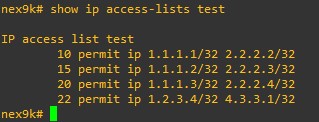
Running the playbook in check mode provides me with the following:

One entry removed and one entry added.
Conclusion
I’m honestly so stoked about the direction we are going with these idempotent modules that make working with often updated configs like ACLs dead simple. If you would tweak, tune, or change anything, let me know.
Thanks and happy automating!


*Audio quality improves after about 30 minutes*
This week we have Greg, Mike, and Andrew Horton(new face from a new place).
**Sponsors**
Sonar.Software
Towercoverage.com
**/Sponsors**
This week we talk about:
Being in front of customers was exhilarating…finally, seeing humans again.
Bomb threat email frantech
FBI Email Hijack
Your Network Sucks Emails
ZeroTier on Mikrotik ARM only for now…
The USA is the largest market for Mikrotik…by almost double
Grandstream OpenVPN
Smart Thermostat – Line Voltage
cnMaestro Serial Upgrade
IETF 127.0.0.0/8
Here’s the video:(if you don’t see it, hit refresh)

*Audio quality improves after about 30 minutes*
This week we have Greg, Mike, and Andrew Horton(new face from a new place).
**Sponsors**
Sonar.Software
Towercoverage.com
**/Sponsors**
This week we talk about:
Being in front of customers was exhilarating…finally, seeing humans again.
Bomb threat email frantech
FBI Email Hijack
Your Network Sucks Emails
ZeroTier on Mikrotik ARM only for now…
The USA is the largest market for Mikrotik…by almost double
Grandstream OpenVPN
Smart Thermostat – Line Voltage
cnMaestro Serial Upgrade
IETF 127.0.0.0/8
Here’s the video:(if you don’t see it, hit refresh)
This week we have Greg, Greg, and a little more Greg. It’s a solo cast due to time constraints…wasn’t my idea, file it with the complaint department.
**Sponsors**
Sonar.Software
Towercoverage.com
**/Sponsors**
This week we talk about:
Datacenter xconnects; what I’ve learned over the years.
Troubleshooting issues on CRS3XX sucks
^^^Not to mention lack of switch config exporting
What are your travel essentials
Here’s the video:(if you don’t see it, hit refresh)